
How to predict and forecast SaaS usage and license needs with AI
Table of contents
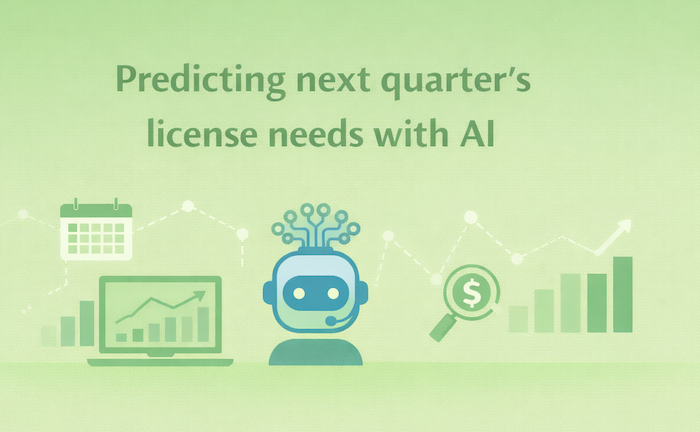
Ask any IT Director how many licenses they’ll need next quarter, and you’ll get a pause, a spreadsheet pull, and an educated guess.
Software sprawl has made forecasting nearly impossible. Last year’s numbers don’t account for the 15 new hires in engineering. They don’t know about marketing’s quiet adoption of three new design tools. And they definitely missed that the project in Q2 got killed but the licenses auto-renewed anyway.
The result? Most companies overspend on SaaS by 20-30% annually. Not because anyone’s asleep at the wheel. Because the data is scattered across 47 vendor dashboards and nobody has time to reconcile it before renewal deadlines hit.
Renew too many licenses and you’re burning budget on shelfware. Renew too few and you’re panic-buying at list price while new hires sit locked out of tools they need.
That’s an operational problem that gets worse every quarter.
This is where forecasting SaaS usage comes in via historical patterns, growth data, and actual login activity. Put it together and you can predict what you’ll actually need before the renewal deadline forces a bad decision.
Here’s how to set it up.
Why Forecasting SaaS Usage Is More Art Than Science
If forecasting were simple, you’d just pull last quarter’s numbers, add 10% for growth, and call it done. That’s not how organizations actually work.
Hiring is seasonal. Q1 and Q3 spike with new headcount, then flatten out. Project-based teams spin up and spin down. That 20-person contractor team you onboarded for the product launch? Gone in eight weeks, but their Figma licenses renewed for the full year.
Then there’s the stuff nobody tells IT about. Marketing signed up for a new analytics platform with a credit card. Sales is running a pilot of some AI SDR tool their buddy at another company recommended. HR added another survey tool on a free trial that quietly converted to a paid plan.
The most useful SaaS usage quarterly forecasts combine hard data with hallway conversations. Your head of design knows they’re pitching three new accounts next month. Your HR director knows about the hiring freeze that hasn’t been announced yet. Finance knows Q1 budgets are getting cut.
Spreadsheets don’t capture that. People and systems do.
What Data You Need to Build a Reliable SaaS Forecast
Application usage tracking requires more than current license counts. You need layers of data that most IT teams don’t have in one place.
Historical Usage Patterns
Start with 12-24 months of active user data from actual logins. There’s a big difference between Sarah having a Figma license and Sarah logged into Figma 47 times last month and created 12 files.
Then, track peak usage periods. For instance, most B2B companies see dips in late December and August. Retail spikes in Q4. A logistics company might see steady usage year-round except during their January system freeze. Your patterns are unique to your business.
Organizational Growth Indicators
Company-wide headcount projections are almost useless. You need it by department.
For instance, engineering growing 20% while sales stays flat means very different things for your Jira licenses versus your Salesforce seats. One new engineer might mean one new license. Or engineers might share licenses for specialized tools they only touch occasionally.
That’s why you need to get access to new hire onboarding schedules. Find out about planned reorgs before they’re announced. The earlier you know, the better your forecast.
Application-Specific Metrics
Feature usage reveals optimization opportunities. You might have 100 Slack licenses, but if only 15 people use Slack Connect for external collaboration, you don’t need 100 licenses at that tier.
That’s why you need to track dormant licenses to save real money.
Business Context
This is where forecasting gets strategic. Think: upcoming projects that need specific tools, stack consolidation, budget freezes, and multi-year contracts up for renegotiation. Try to think with business acumen as opposed to just focusing on IT security and deliverability.
For example, an engineering company planning to sunset a legacy product might cut 40 licenses for that platform’s specific analytics and dev tools. A consulting firm landing a new enterprise client might need 25 new project management seats in 60 days. This context doesn’t live in dashboards. It lives in Slack threads and leadership meetings.
How to Tie Forecasting to Renewal and Procurement Cycles
Forecasting for forecasting’s sake is a spreadsheet exercise. Forecasting that lands 90 days before your Salesforce renewal is leverage.The most valuable forecasts align directly with your procurement calendar.
Create a Renewal Timeline
Map every SaaS renewal for the next 12 months. Then set forecast review points at 90, 60, and 30 days before each one.
The 90-day review is for analysis and initial projections. Sixty days is for stakeholder feedback and refinement. Thirty days is for finalizing numbers before you get on the phone with vendors.
For instance, this might look like pulling up your full asset inventory in Reftab, filtered by renewal date to see how many software renewals are coming due within 90 days. Just having visibility into how many times people are logging into software and renewal date means you can save a ton on cancelling before auto-renewals.
Build Forecast Windows
Different tools need different time horizons. Annual enterprise contracts like Salesforce or Workday need 6-12 month projections. Monthly subscriptions like Notion or Calendly can work with 30-60 day windows. A three-year Microsoft agreement needs serious forecasting. A $50/month Loom account needs a gut check.
Match your forecasting effort to the commitment period. A tool with 30-day cancellation terms doesn’t need the same rigor as a three-year enterprise deal with no exit clause.
In fact, Reftab’s asset lifecycle reports make this easier. You can see contract start dates, renewal windows, and commitment terms in one view instead of digging through email threads and vendor portals.
Establish Decision Triggers
Set thresholds that force action. For instance, add licenses when utilization hits 85%. Flag for reduction when it drops below 60% for two months straight. Escalate when forecasts show changes over 20% from current counts.
Then, define who approves mid-cycle adjustments. When the sales team closes a big deal and suddenly needs 15 new HubSpot seats, who signs off? What’s the process? Figure this out before the emergency, not during.
Coordinate with Finance and Department Heads
Share forecasts with budget owners before renewal conversations start.
Finance hates surprises. Department heads hate finding out IT cut their licenses without asking. Pull team headcount and usage data from Reftab before the meeting. Show them exactly who’s using what and where the gaps are. A 10-minute conversation with real data prevents the “nobody told me” fights that derail procurement.
It also gives you backup when vendors push back on reduced counts. “Our head of marketing confirmed they’re consolidating to one design tool and here’s the usage data” is stronger than “we think usage is down.”
Tools That Support Usage-Based Forecasting
Manual spreadsheets work until they don’t. Usually right around when your SaaS portfolio hits 50 applications and your renewal calendar starts overlapping.
Modern forecasting needs tools that can aggregate data, spot patterns, and surface problems before they cost you money.
Asset Management Platforms
Asset management platforms are the foundation. You can’t forecast what you can’t see.
Platforms like Reftab centralize your software inventory, usage tracking, and license counts in one place. No more pulling reports from 47 different vendor dashboards. No more reconciling Salesforce admin exports with Adobe license files with Microsoft 365 tenant data.
However, the real value is having usage data, renewal dates, contract terms, and cost information connected so you can actually forecast instead of guess.
Business Intelligence Platforms
BI tools let you combine SaaS usage with HR systems, project management, and financial data.
This is where forecasting moves from “we need more licenses” to “based on Q2 hiring plan and three new client projects in the pipeline, we’ll need 15 additional Figma licenses by April and can cut 8 Sketch licenses we’re not using anymore.”
Vendor-Provided Analytics
Most SaaS tools offer usage dashboards. These are useful but limited. Salesforce only shows you Salesforce. Adobe only shows you Adobe. Etc.
The insight comes from centralizing these views. When you can see Salesforce and Adobe and Slack and Zoom and everything else in one place, you spot redundancies and gaps that single-vendor reports hide.
How Accurate Forecasting Reduces Overbuying
Most companies overspend on SaaS because they buy more licenses than they need.
Quarterly SaaS usage forecasting forces you to actually look at usage before renewal.This means knowing:
- Who logged in.
- Who didn’t.
- Who has a $50/month seat they haven’t touched since onboarding.
Most companies renew the same license count year after year because nobody has time to check. Forecasting builds that check into the process.
For instance, if you run a software asset management report in Reftab to see how many people logged into Microsoft 365 before the next renewal, you might find you’ve been paying for E5 licenses across the board because that’s what someone signed up for three years ago. Meanwhile half your company could be on E3 or E1 and never notice the difference.
The same thing applies to license tiers. Not everyone needs the premium plan. Your CEO has an Adobe Creative Cloud complete license because someone requested it two years ago. She opens PDFs. That’s it. Acrobat Reader is free. Usage forecasting shows you who actually uses advanced features and who’s just checking email on an enterprise seat.
Then, there’s negotiation leverage. Vendors love selling volume discounts. “Buy 500 seats and get 20% off.” That sounds great until you realize you only need 320. Accurate forecasts let you show up with data instead of vibes. That’s real leverage in a pricing renewal conversation. Reftab gives you the receipts.
Nothing wrecks a software budget faster than panic buying. A project kicks off, the team needs more Figma seats yesterday, and you’re stuck paying list price plus fees you probably don’t need like another onboarding session—then dealing with the fallout later.
Forecasting turns emergencies into planned procurement. You see the project coming. You check your current utilization. You add seats before anyone sends a Slack message with “URGENT” in all caps.
When Usage Forecasting Helps and When It Doesn’t
Forecasting isn’t equally valuable for every tool in your stack. Knowing when to invest in detailed predictions versus when to just keep an eye on things saves time and keeps you focused on what actually matters.
Big enterprise contracts deserve the effort. When you’re spending $50,000 or more annually on a single tool, accurate forecasting pays for itself. These are the contracts where getting the license count wrong costs real money. Same goes for anything with a long commitment period. Annual or multi-year deals lock you in. You’re stuck with whatever you signed for 12 to 36 months. Getting it right upfront is the whole game.
Software with complex licensing models also benefits from serious forecasting. That’s worth modeling carefully. Same with tools that mix seat-based and usage-based pricing. You need to understand the patterns before you commit.
Rapidly growing teams need forecasting just to keep up. When engineering is hiring 10 people a month, you can’t wait for license requests to trickle in. You’ll always be behind. Forecast ahead and provision before people start.
Put your energy where the money is. Forecast heavily on the top 10 applications by spend. Monitor the rest.
Getting Started with SaaS License Forecasting
Forecasting requires visibility into what you have, who’s using it, and when renewals hit.
Reftab gives you that foundation. Asset inventory, usage tracking, renewal alerts, and reporting in one place. No more stitching together vendor dashboards and spreadsheets the week before a contract expires.
Create your free account here and see what’s actually running in your environment. That’s step one. Everything else builds from there.

Nathan Lively
Table of contents
Your IT inventory, finally under control
Try Reftab for free, no strings attached. 50 assets free forever.
Continue reading
Your assets, simplified. Begin your journey with us!
50 assets free forever with unlimited inventory & software tracking. Includes email alerts, mobile apps, reports, custom asset tags and more.