
Cloud license optimization when your SaaS stack is out of control
Table of contents
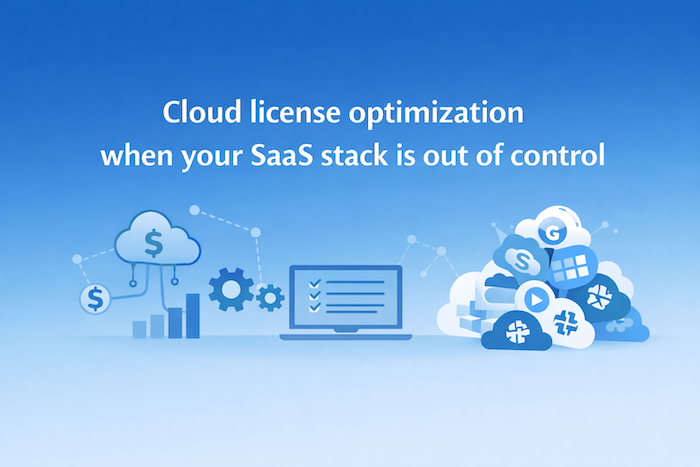
Nobody sets out to build a bloated SaaS stack. It just happens.
SaaS transformed how businesses operate. It also created a mess that nobody saw coming. Unlike the old days of on-premise software with clear license counts and a server you could point to, cloud licenses are everywhere.
Most companies waste a significant chunk of their tech budget on licenses that are unused, underutilized, or straight-up redundant. And nobody notices until finance runs an audit and starts asking uncomfortable questions.
Cloud license optimization fixes this. It’s the process of getting visibility into what you’re actually paying for, who’s actually using it, and whether you’re getting value from each subscription. This isn’t exactly glamorous work. But it’s the difference between a SaaS stack that runs your business and one that just runs up your bill.
Here’s how to get it under control.
What Makes Cloud Licenses Harder to Manage?
On-premise software was a pain to install, but at least you knew what you had. Cloud software blew that up.
Now purchasing is decentralized. Any department head or manager with a credit card can sign up for a new tool before lunch. Sales wants a new CRM plugin. Marketing needs a social scheduler. Customer success found a feedback tool they love. None of it goes through IT. None of it shows up in your official software inventory until someone notices the charge.
Automatic SaaS renewals make it worse. A tool gets adopted, solves a problem, then the team moves on to something else. But the contract keeps renewing. Nobody remembers who signed up for it. Nobody knows where the login credentials are. The charges just keep hitting.
Usage fluctuates in ways that are hard to predict. You bought 50 seats based on last year’s headcount. But 12 people left, 8 moved to different roles that don’t need the tool, and 15 new hires never got around to setting up their accounts. You’re paying for 50. You’re using 15.
Then there’s shadow IT. Tools that got adopted without approval and could violate compliance with GDPR, SOC2 or ISO standards. Browser extensions with OAuth access. Free tiers that upgraded. Integrations that connect to your data without anyone in security knowing about it. Every unknown app is a potential compliance problem and a budget leak. And this falls on IT to make sure you stay compliant.
Multiple pricing tiers and add-ons make cost tracking nearly impossible between base seat prices, premium features, API access and storage overages. The invoice looks nothing like the price you thought you agreed to.
This is why optimization is hard.
Why Most Companies Overspend on Cloud Tools
Cloud software waste doesn’t happen all at once. It accumulates. A subscription here, an unused seat there, by the time anyone notices, it’s baked into the budget.
The most common culprit is paying for seats that nobody uses. Someone gets a license during onboarding, never logs in, and stays on the roster for three years. Or they leave the company and their licenses just sit there because nobody told IT to reclaim them.
Duplicate tools are everywhere. Two teams buy the same category of software without knowing the other exists. You end up with Asana and Monday and ClickUp all running at once. Each team swears theirs is better. Meanwhile you’re paying for three tools that do the same thing.
Auto-renewals catch people off guard. A tool that made sense two years ago doesn’t anymore. But the renewal came and went without review. Another 12 months locked in.
Over-provisioning based on growth projections is another killer. For instance, you are planning to hire 50 people next year, so let’s buy 50 extra seats now. Except you hired 20. Or none. And the contract doesn’t care.
There’s also no formal offboarding process at most companies. When someone leaves, HR handles the exit interview. IT handles the laptop return. But nobody goes through their software access systematically. Those licenses stay assigned to a ghost employee until someone audits the account months later.
The pattern is the same everywhere. And the spending just keeps climbing.
How to Track and Optimize Usage Across Cloud Platforms
Optimization starts with visibility. You can’t fix what you can’t see. And most companies can’t see much.
Get Everything Into One Place
The first step is getting all your subscriptions into a single asset management platform. A centralized asset inventory that tracks every tool, every contract, every renewal date. A platform, like Reftab, does this automatically.
Connect Licenses to Actual Usage
License assignments tell you who has access. Login data tells you who actually uses it.
A large marketing department might have 40 people assigned to their analytics platform. Pull the login data from Reftab and find out only 12 logged in last month. Eight haven’t logged in since Q1. That’s 20 seats you’re paying for that could disappear tomorrow with zero impact.
Set a threshold for what counts as inactive. Thirty days without a login is a common benchmark. Sixty days is generous. Ninety days means that person forgot the tool exists. Run this report monthly and you’ll find reclaim opportunities every single time.
Find the Waste at Scale
Compare licensed seats against actual active users across your whole stack. For instance, a 200-person company might have 1,400 total SaaS licenses across all their tools. If utilization is running at 60%, that’s 560 licenses sitting idle. At an average of $15/seat/month, that’s over $100,000 a year in waste.
Look for overlapping tools. This is where it gets political, but it’s worth the fight. Pull a list of all your project management tools. All your design tools. All your communication platforms. You’ll probably find three or four in each category. Pick one. Sunset the rest.
Reftab’s asset usage tracking helps here because you can see the data across tools side by side. This means fewer arguments about which tool is better. The numbers tell the story.
Review Tier Assignments
Enterprise seats for people who need basic access. Admin licenses for people who never touch settings. This happens everywhere.
A SaaS company might find they have 35 people on Salesforce’s top-tier license. Only six of them use any features beyond what the mid-tier offers. Downgrade the rest and you’ve saved enough to cover a new hire’s salary.
Set Up Alerts So Nothing Slips Through
Upcoming renewals, unusual spending spikes and new subscriptions added without approval are all things you can set up once and it will automatically flag, so you’re not surprised when the invoice hits.
The goal is to know exactly what you’re paying for, who’s using it, and whether it’s worth it. That’s the foundation. Everything else builds from there.
Cloud License Optimization Tips for Finance and IT
Optimization only works when IT and finance are on the same page. IT understands what tools people actually need and how they’re being used. Finance sees the budget impact and knows which contracts are eating up spend. Neither has the full picture alone.
The companies that get this right create a shared workflow. IT handles access reviews and application usage tracking. Finance handles vendor negotiations and budget accountability. Both work from the same data.
The best in class add another layer that surfaces the software a company already pays for and uses to employees, which can drastically reduce shadow IT issues or companies having 3 different project management software. In fact, this is something you can do with Reftab’s request/portal feature where you can show a catalog of all of the software your company already pays for. The added bonus of this is that this is the same workflow an employee can use to log a request.
Here are best practices for IT Teams.
- Run quarterly access reviews to catch unused licenses before renewals hit.
- Provision licenses just-in-time instead of pre-assigning seats that may never get used.
- Standardize on preferred tools by category to prevent duplicate subscriptions from spreading.
- Document the business justification for every major platform so you know why it exists when renewal comes up.
- Create an approval workflow for new software purchases over a set threshold.
And here are some best practices for finance and procurement teams.
- Track SaaS spending as a percentage of revenue so you can benchmark against industry norms.
- Build chargebacks so departments feel the cost of their tools instead of treating software as someone else’s budget.
- Negotiate multi-year contracts for core platforms you know you’ll keep. Vendors give better pricing for commitment.
- Review contract terms before auto-renewal kicks in, not after.
- Calculate total cost of ownership including implementation, training, and integration costs, not just the sticker price.
How to Pair Optimization with Renewal Workflows
Software renewals are your leverage. It’s the one moment when you can actually change something like adjusting license counts, renegotiating pricing, or walking away entirely. Miss the window and you’re locked in for another year.
Most companies don’t have a renewal process. They have a renewal panic. The email shows up, someone scrambles to figure out who owns the contract, and the deadline passes before anyone pulls usage data. That’s how you end up renewing 200 seats when you only need 140.
Build a 90-day runway and automated app discovery before every major renewal. Reftab can alert you automatically so you’re not relying on calendar reminders or vendor courtesy emails.
Then, at 90 days out:
- Pull usage reports to see actual consumption over the past 6-12 months
- Identify inactive users and licenses that can be cut
- Survey department heads about whether they still need the tool at current scale
- Research alternative solutions and their pricing in case you need negotiating leverage
And at 30 days out:
- Finalize negotiations and confirm new license counts
- Process any downgrades or cancellations before the deadline
- Update your inventory in Reftab with new contract terms
- Set the next 90-day reminder for the following renewal cycle
How to Avoid Overbuying in Cloud-Based Software
Cleaning up waste is good. Not creating it in the first place is better.
This means fighting against your instinct when buying software to pad the numbers.
- Start with minimum viable licenses and scale up based on actual demand. If you think you need 50 seats, buy 30. See what happens. Most vendors will let you add seats mid-contract. Very few will let you remove them.
- Use monthly billing to test new tools before committing annually. This is more expensive per seat. But paying 20% more for three months while you figure out if anyone will actually use the thing beats paying for a full year of shelfware.
- You can also build a realistic buffer for growth. 10-15% is reasonable. 50% is a fantasy that finance will regret. If you’re growing faster than 15%, you can add seats. If you’re not, you haven’t wasted the budget.
- Review usage monthly during the first quarter of any new tool. Adoption patterns become clear fast. If utilization is below 50% after 90 days, it’s not going to magically improve. Cut your losses or figure out why people aren’t using it.
- Set a utilization target and stick to it. 80% active usage is a good benchmark. Below that, you’re carrying dead weight. Platforms, like Reftab, makes this easy to track since you can set thresholds and then get alerts when tools drop below or above that number.
- Put purchasing controls in place before the next credit card signup happens. Require IT approval for anything over a set amount. Maintain a preferred vendor list with pre-negotiated pricing. Create a request process that asks, “Can an existing tool do this?” before approving a new one.
None of this is complicated. It just requires deciding that software purchasing has rules instead of being a free-for-all.Asset management platforms, like Reftab, give you the visibility to enforce those rules without becoming a bottleneck. Track every subscription, monitor utilization, flag new purchases, and catch problems before they become budget line items. Get started for free and see what’s actually running in your environment. That’s where optimization begins.

Michael Plocher
Table of contents
Your IT inventory, finally under control
Try Reftab for free, no strings attached. 50 assets free forever.
Continue reading
Ready to simplify IT asset management?
No credit card. No watered-down trial. Create a free account and see firsthand what Reftab can do.