
How to Adjust Your Asset Count in Reftab
Need to scale up or down? No problem. You can adjust the number of assets you’re billed for at any time, directly from your account—no need to contact support.
Log in as an administrator and click “Settings” > “Billing“
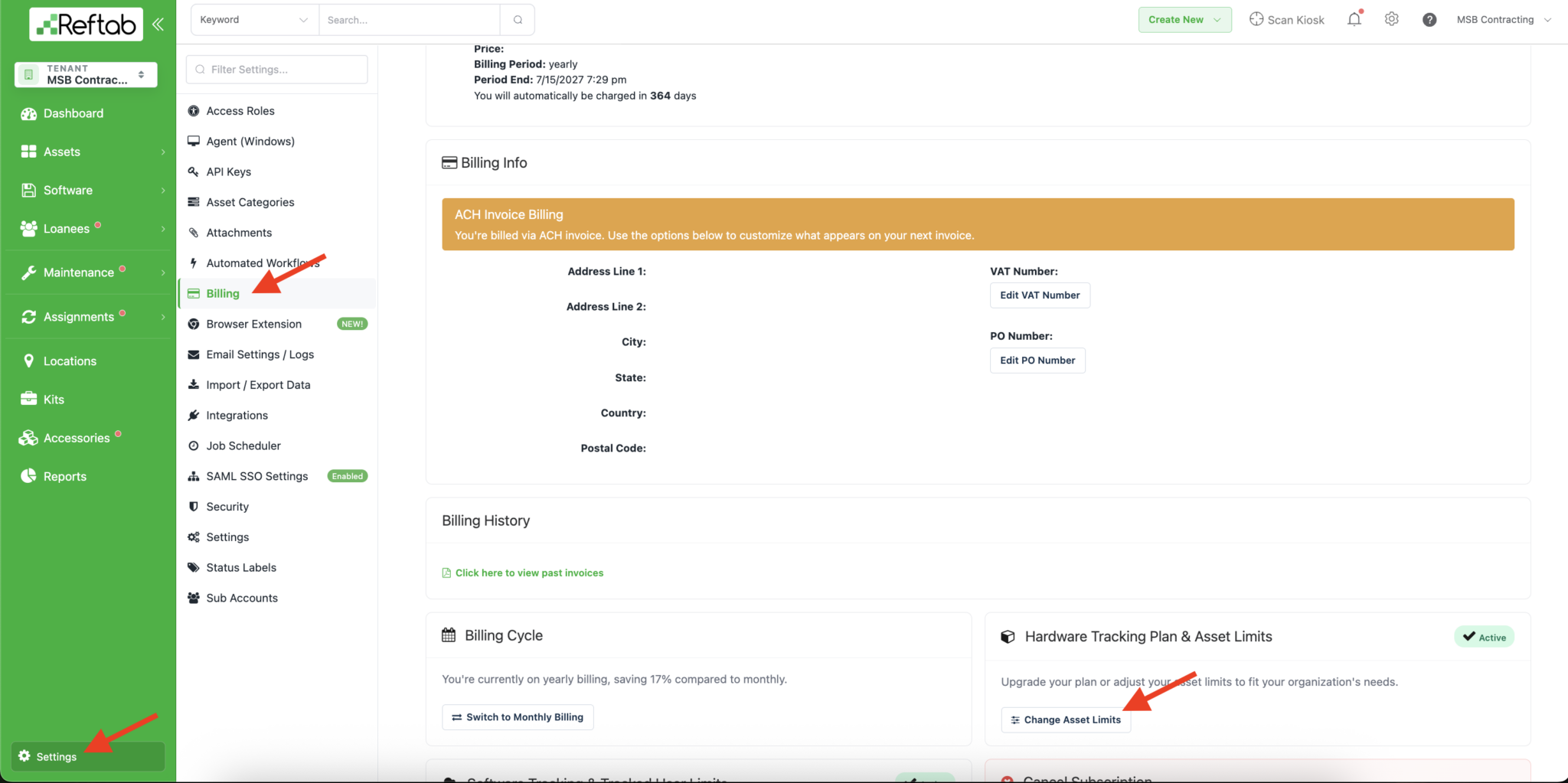
Scroll to the bottom and click “Change Asset Limits“
Here’s how it works:
- A popup will appear with asset count options (in increments of 250)
- Your new billing amount displays on screen before you confirm
- Upgrades take effect instantly—additional assets can be added right away
- Downgrades apply a credit to your account for any unused time already paid
Need help? We're here for you
For any questions or assistance, feel free to reach out to us.
Ready to simplify IT asset management?
No credit card. No watered-down trial. Create a free account and see firsthand what Reftab can do.