
How to delete a Main Account?
As a standard procedure, Reftab Support does not delete accounts for users. A user account can be deleted from the settings menu.
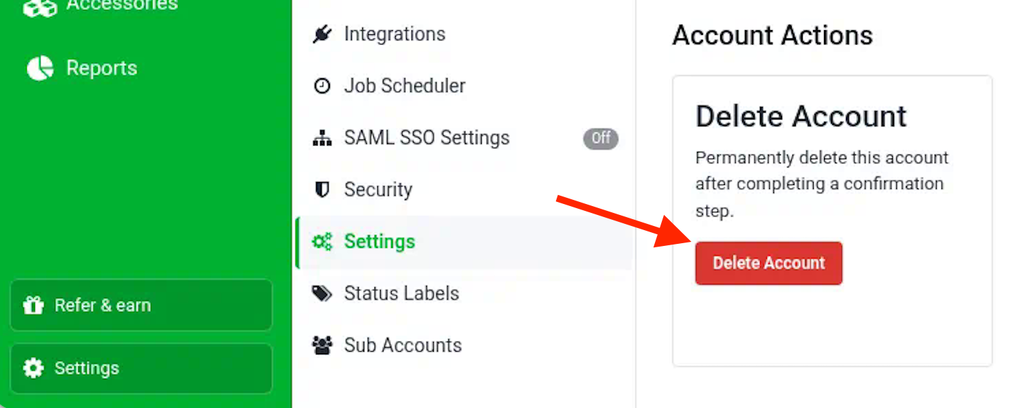
- Log into the account and click, “Settings”
- Scroll down and you will see a section “Delete Account”
Need help? We're here for you
For any questions or assistance, feel free to reach out to us.
Ready to simplify IT asset management?
No credit card. No watered-down trial. Create a free account and see firsthand what Reftab can do.