
The Best Asset Management Software for Universities
Table of contents

Somewhere on your campus right now, there is a piece of equipment that nobody can account for. It might be a research microscope purchased with federal grant money sitting in a lab that has since changed hands. It might be a fleet of laptops that IT thinks are checked in but the chemistry department knows are on loan to grad students. It might be AV gear that facilities claims, IT tracks, and three different departments have submitted purchase requests to replace because nobody could find it.
This is an asset management system problem. The data lives in a dozen different places, owned by a dozen different people, and in formats that were never designed to talk to each other. And it is not just physical equipment. Software licenses have the same problem — Adobe seats purchased by one department, Microsoft 365 allocations managed centrally, and a growing layer of SaaS tools that faculty and staff adopted on their own that nobody officially sanctioned.
The scale of that problem is bigger than most IT leaders expect. Some public school campuses are running nearly 12,000 assets across thousands of students and staff with teams of two. Many public universities have far more than that with skeleton IT crews. The ones doing it without losing their minds have a system that was actually built for how higher education works today.
Most institutions are not there yet. They are running some version of the same failing architecture with a primary system that handles about 70% of what they need, a collection of departmental spreadsheets covering the gaps the primary system cannot handle, and a shared understanding among the people doing the work that the official record and the real record are not quite the same thing. It functions until it does not, and it usually stops functioning at the worst possible moment — during an audit, a device dispute, a budget review, or the week a key hire leaves and takes their institutional knowledge with them.
In this guide, we cover what university asset management actually requires, where generic asset management processes break down, and what the right fit looks like in practice.
Why University Asset Management Is Its Own Problem
For starters, departments purchase and manage their own equipment with their own budgets. Research labs track grant-funded instruments that have specific federal compliance requirements attached to them. Facilities teams maintain building systems on entirely different schedules than anything IT touches. AV and multimedia teams check equipment in and out of classrooms and event spaces, sometimes to specific buildings rather than specific people.
Meanwhile, software is proliferating in ways that are increasingly difficult to manage centrally. Faculty adopt tools for research. Students bring their own. Departments sign up for SaaS subscriptions outside of procurement. By the time IT becomes aware of half of these tools, the institution has already taken on licensing costs and data exposure it did not plan for.
All of this has to be tracked, audited, and reported on — often to multiple audiences simultaneously, including federal grant agencies, state controllers, internal finance teams, department heads, and auditors.
When the data lives in dozens of different places, the same failure patterns keep showing up.
- The ownership model does not fit. Most tools assume a single asset has a single owner. In a university, one piece of research equipment might be owned by the Biology Department, funded by a federal grant, housed in a shared research facility, and maintained by central facilities. Spreadsheets cannot represent that reality without significant customization, and the customization usually does not hold.
- Compliance fields are missing. Grant-funded assets require specific metadata: grant numbers, funding sources, allowable use restrictions, depreciation schedules, and disposition records. Most people do not add those fields into a spreadsheet.
- Software visibility is fragmented. License counts live in one place, renewals in another, and actual utilization data nowhere. When a department head asks whether the institution is getting value from a $40,000 software agreement, the honest answer is usually that nobody knows.
- Workflows are too rigid. A Chromebook loan program for students runs nothing like a preventive maintenance schedule for HVAC equipment. When a system forces every asset type through the same workflow, someone always ends up working around the system instead of through it.
- Reporting does not serve multiple audiences. A federal agency auditing grant compliance needs different data than a department head asking what equipment their budget paid for. If your reporting cannot slice data across funding source, location, department, and asset type simultaneously, you will spend significant time manually assembling reports that the system should produce automatically.
What Good University Asset Management Software Actually Does
When evaluating software for a higher education environment, the goal is flexibility. Can the system adapt to your institution’s reality, or will you spend months adapting your institution to the system?
- Flexible data models. Different asset types need different information attached to them. A laptop needs a warranty date and a serial number. A grant-funded microscope needs a federal award number and a disposition record. A loaner camera kit needs a check-out log and a kit contents list. Your system should let you define custom fields by asset type without requiring developer intervention every time.
- Multi-dimensional categorization. You need to be able to sort and filter assets by department, by location, by funding source, by custodian, and by asset type — and you need those dimensions to work together. “Show me all NSF-funded assets in the College of Sciences that are currently checked out” should be a report you can run in a couple of minutes.
- Configurable check-in and check-out workflows. Equipment loans at a university range from a student borrowing a Chromebook for the semester to an AV team checking a camera kit into a specific classroom for a specific event. The system needs to handle both without forcing them into the same process.
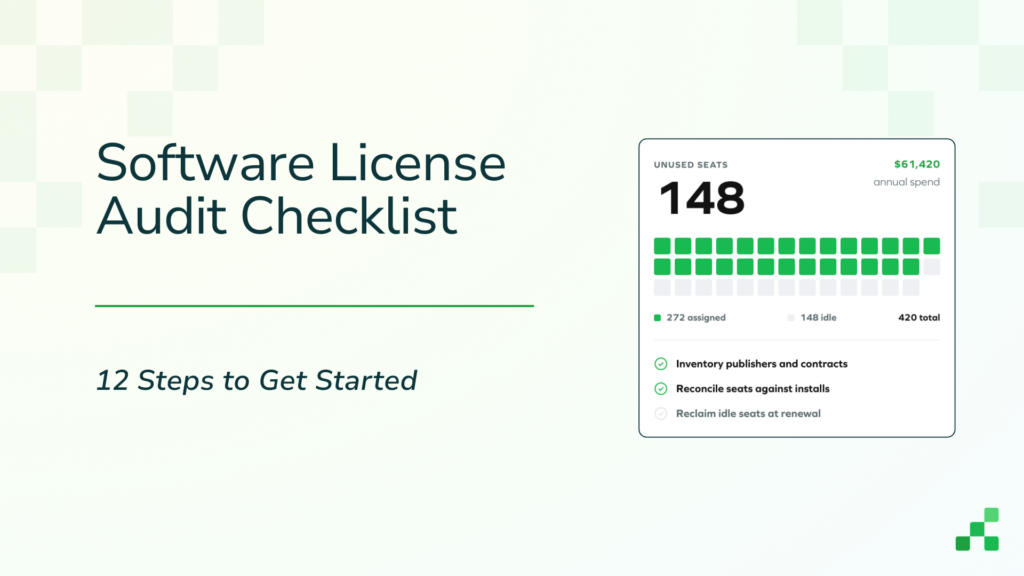
- Software license visibility. Knowing what software you own is only half the picture. You also need to know who is actually using it, which licenses are going idle, and which renewals are coming up before someone processes them automatically. That kind of visibility requires more than a spreadsheet column — it requires a system that can surface utilization data and flag waste before it compounds.
- Audit-ready reporting. You will be audited. Whether it is a federal grant agency, a state controller, or an internal finance review, the ability to generate clean, exportable records on short notice is not optional.
- Integration with existing systems. Universities already have identity management systems, financial platforms, and helpdesk tools. Your asset management software needs to integrate with the systems you already have.
Software Asset Management in Higher Education
Hardware gets most of the attention in university IT conversations, but software is where a significant amount of unmanaged cost and risk tends to accumulate.
The typical university software environment looks something like this: centrally negotiated enterprise agreements for Microsoft 365 and Adobe, a collection of department-level subscriptions that were approved once and never reviewed, research software licensed per-lab or per-grant with varying renewal schedules, and an expanding set of SaaS tools that faculty and staff adopted without going through IT at all. Nobody has a complete picture, and the cost of that incomplete picture shows up at renewal time — or worse, during a compliance review.
Managing software in a university context means means understanding who has access, who is actually using it, and whether the institution’s spend aligns with actual utilization. It means flagging renewals before they auto-process. It means identifying tools that were adopted outside of procurement so IT can make a deliberate decision about whether to formally sanction them, consolidate them, or remove access.
Reftab’s software asset management capabilities are built to surface that picture without requiring IT to manually audit every department. The browser extension detects SaaS applications in use across the organization in real time, which gives IT visibility into tools that never went through a formal procurement process. License utilization data identifies seats that have gone idle, so teams can right-size agreements before the next renewal rather than after. And renewal tracking keeps upcoming contract dates visible before they become a problem.
For universities managing a mix of enterprise agreements, department-level subscriptions, and grant-funded software, that kind of visibility is vital.
How 3 Educational Institutions Are Using Reftab
The following examples show what asset management looks like in practice at real institutions, across different departments and different scales.
Editor’s Note: You can browse the full library of Reftab success stories for more.
Johns Hopkins University: Accountability Across Buildings and Events
At the Krieger School of Arts and Sciences at Johns Hopkins University, AV technician Erin Heilveil and multimedia event technician Ellie Petro were managing equipment for events, classroom technology, and student employees with no reliable system in place. The result was impulsive purchasing, poor visibility into what the department actually owned, and a reputation for being disorganized.
After implementing Reftab, they built check-in and check-out workflows that track equipment by building, not just by person, with classroom location and accessories logged in the notes. The system created accountability for student employees by making it visible when someone was not scanning equipment in or out. The kits feature changed how they handled event setups — keeping accessories bundled with the right assets and reducing the chance of equipment going missing. The department went from disorganized to visibly faster and more reliable.
Grand Canyon University: Managing Assets Across Multiple States
Grand Canyon University is one of the largest private universities in the country, with more than 100,000 students across a main campus in Phoenix, multiple accelerated nursing sites in several states, and a large online program. A small team manages thousands of assets across departments, an onsite help desk, and a warehouse operation. Karla Cervantes runs that operation inside Reftab across three separate company tenants.
The old system was creating drag everywhere. Switching between machines took 30 to 40 seconds per action, which added up fast across hundreds of devices. There was no mobile app, so every update meant lugging a laptop around campus or writing things down on a notepad to enter later. Reporting was slow and inflexible. Kit workflows were manual. Nothing synced in real time. When COVID pushed GCU toward hybrid and remote learning, the cracks became impossible to ignore.
After implementing Reftab, the team described the shift as going from a station wagon to a Ferrari. The biggest immediate upgrade was speed. Technicians could scan and update assets from their phones on the spot without returning to a desk. The kits feature standardized warehouse and field operations with equipment reserved, checked out to remote sites, and checked back in through a single workflow. Monthly reports now drive hardware lifecycle decisions, helping the team identify which aging devices can be reimaged and redeployed instead of replaced. And with integrations for CDW, FedEx, Intune, Jamf, and Google Workspace now in reach, the team went from reactive to strategic.
Braintree Public Schools: What Small University IT Teams Can Learn from K–12 Scale
Not every institution operates at the scale of Johns Hopkins or Grand Canyon. Many university IT departments — particularly at smaller colleges and community colleges — run on similarly lean teams managing device inventories that would look familiar to any K–12 district. Braintree Public Schools is a useful proof point for exactly that scenario.
Braintree runs a two-person IT team managing close to 12,000 assets across a student and staff population of roughly 7,000. Assets include Chromebooks, monitors, desktops, iPads, and accessories. The loanee system tracks device loans from 4th grade through graduation, so when a student disputes a loan the record is immediately available. An API integration with Google Sheets and App Scripts eliminated the need to manually update three separate systems during bulk device renames. Custom fields resolved a naming convention problem that had built up over years — serial numbers previously recorded under multiple different labels depending on who entered the data.
The throughline for a small university IT team is the same: when your headcount is not growing with your device count, the system has to carry the operational weight that additional staff cannot.
Getting Started With Reftab
University asset management is not a problem you solve with a better spreadsheet. The complexity is real — across hardware, software, equipment loans, grant compliance, and the SaaS tools nobody officially approved.
Reftab works across IT departments, research labs, and AV teams at universities and educational institutions managing everything from thousands of loaner devices to multi-state equipment inventories. If your current system requires parallel spreadsheets, manual workarounds, or three separate platforms to do what one should, it is worth seeing what a purpose-built alternative looks like.
Start a free trial and bring your asset management into one place.
Frequently Asked Questions
- What is university asset management software? University asset management software is a platform that tracks institutional assets — including IT hardware, software licenses, research equipment, and AV gear — across departments, locations, and funding sources. Unlike generic asset tracking tools, software built for higher education handles the decentralized ownership structures, grant compliance requirements, and multi-workflow complexity that universities actually operate with.
- What features does university asset management software need? The essential features for a higher education environment include configurable check-in and check-out workflows, custom fields by asset type, multi-dimensional reporting (by department, location, funding source, and custodian), kit-level tracking for equipment bundles, automated loan reminders, software license visibility and utilization tracking, and integrations with identity management and financial systems.
- How does Reftab handle grant-funded equipment tracking? Reftab allows unlimited custom fields, so institutions can capture grant numbers, funding sources, allowable use restrictions, depreciation schedules, and disposition records alongside standard asset data. These fields are reportable and exportable, which means audit documentation can come directly from the system rather than from parallel spreadsheets.
- Can Reftab track software licenses alongside hardware? Yes. Reftab’s software asset management capabilities cover license utilization, renewal tracking, and SaaS discovery via a browser extension that detects tools in use across the organization. For universities managing a mix of enterprise agreements, department-level subscriptions, and grant-funded software, this gives IT a single place to track both what the institution owns and how it is actually being used.
- Can Reftab support multiple campuses or locations? Yes. Grand Canyon University uses Reftab to manage assets across multiple states and remote learning sites. The platform supports location-level reporting and check-out workflows, so teams can see where assets are across a distributed environment without relying on manual inventory counts.
- Is Reftab a good fit for both large and small university IT teams? It works at both ends of the scale. Johns Hopkins and Grand Canyon University use it for large, complex environments with multiple departments and locations. Smaller teams — including two-person IT operations like the one at Braintree Public Schools — use it to manage thousands of devices without adding headcount. The platform scales without requiring a larger team to administer it.
- How hard is it to migrate from spreadsheets to Reftab? Reftab supports bulk imports and it’s very easy to do. In fact, one file can contain computers, AV equipment, lab equipment, furniture, and other categories. The team at Braintree used the import system to get thousands of existing assets into the platform. Custom fields handle the naming standardization that usually creates friction in migrations. The platform also has an API for connecting to existing systems like Google Workspace, which reduces the manual work involved in keeping data consistent across tools.

Rachel Szarka
Table of contents
Your IT inventory, finally under control
Try Reftab for free, no strings attached. 50 assets free forever.
Continue reading

Ready to simplify IT asset management?
No credit card. No watered-down trial. Create a free account and see firsthand what Reftab can do.