
Custom Loan Fields
Reftab allows you to add customizable fields when checking items out. Custom loan fields allows you to change what information you want to collect during every loan and reservation.
Log into Reftab as an administrator and click “Settings” > “Loan Options“

Then, “Manage Custom Loan Fields“

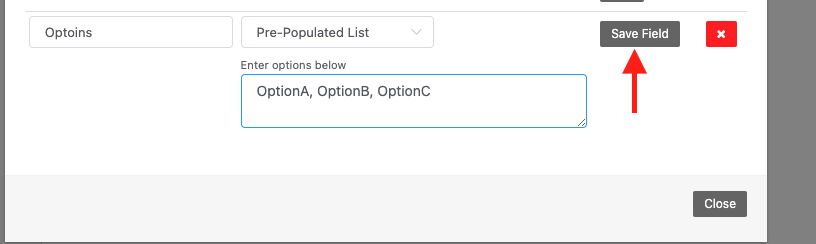
Then, add your field. You can add a general ‘text’ field or a pre-populated list:

Click “Save Field” when done
Once saved, when users reserve equipment or check items out, these fields are available to be filled out:

This information is then visible on the loan history and can be seen on the “Loans” page by selecting the custom columns:

You can make further edits by clicking “Actions” > “Edit / View Loan”.

Need help? We're here for you
For any questions or assistance, feel free to reach out to us.
Your assets, simplified. Begin your journey with us!
50 assets free forever with unlimited inventory & software tracking. Includes email alerts, mobile apps, reports, custom asset tags and more.