
How to Perform Maintenance with the Reftab App
Reftab allows you and your technicians to quickly complete any Maintenance Work Orders using the mobile app. The Reftab Mobile App is available for both iOS and Android. Your technicians can simply walk up to an asset, scan the barcode, and immediately recognize whether an asset has an open work order.
1. How to complete Maintenance using the Mobile App
After scanning the asset tag, you will be brought to a screen similar to the one shown below. Notice the Pre Trip Vehicle Inspection directly above the Asset Image.
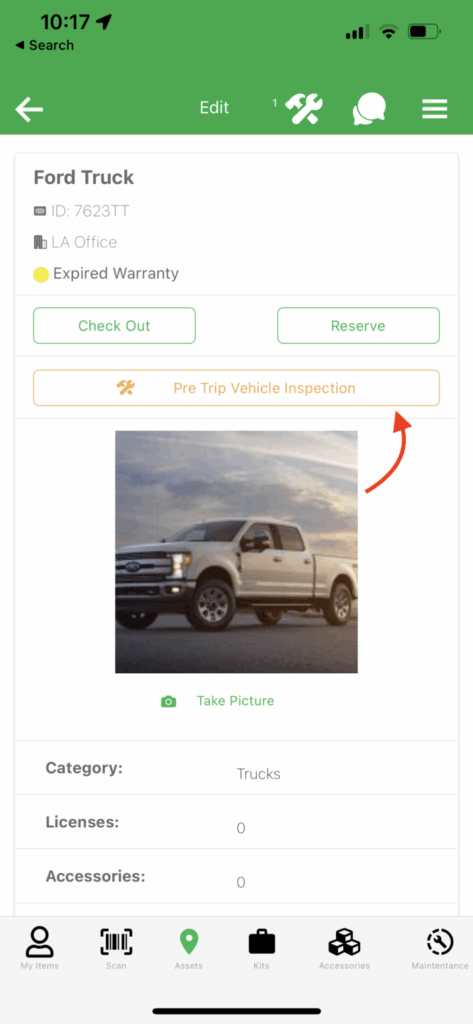
Click this button and you will be asked to Claim Assignment.
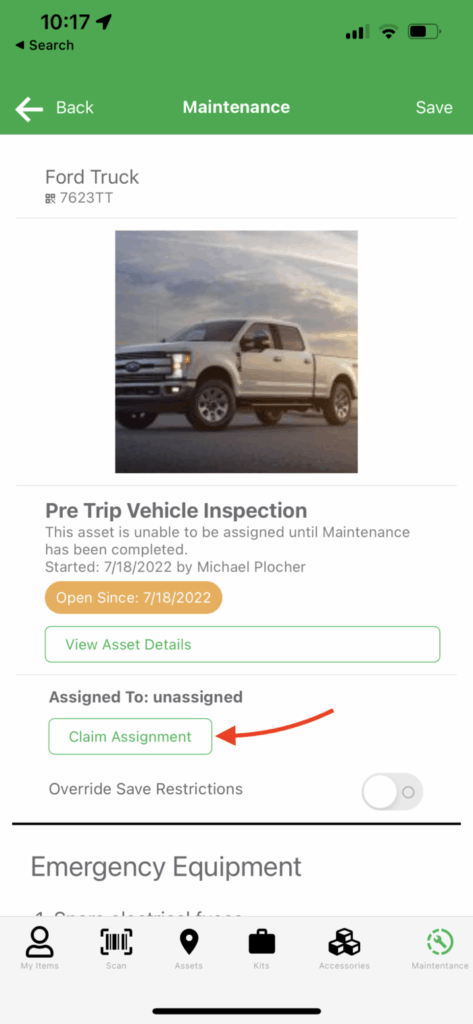
Once the assignment is claimed you will then be able to complete the desired tasks. This can be done by simply clicking the toggle under each task.
At the bottom of this form you are given the option to either Take a Picture, or submit the report.
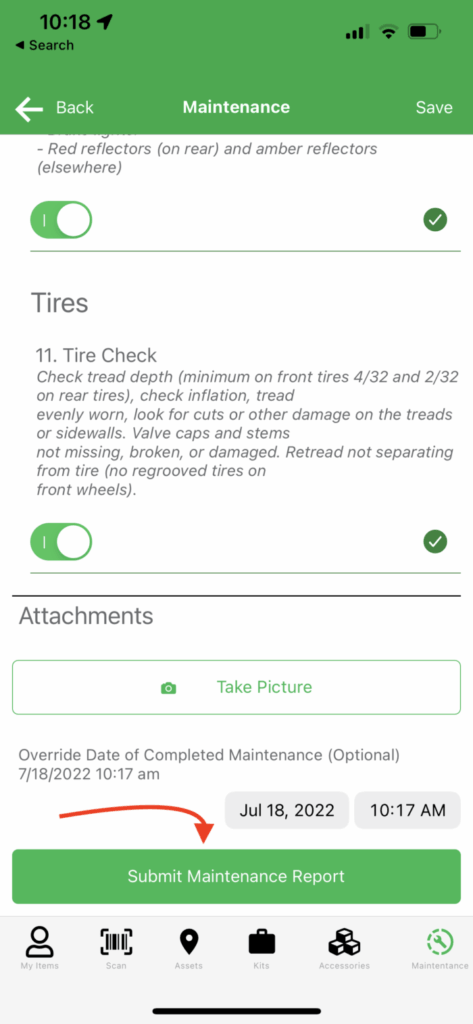
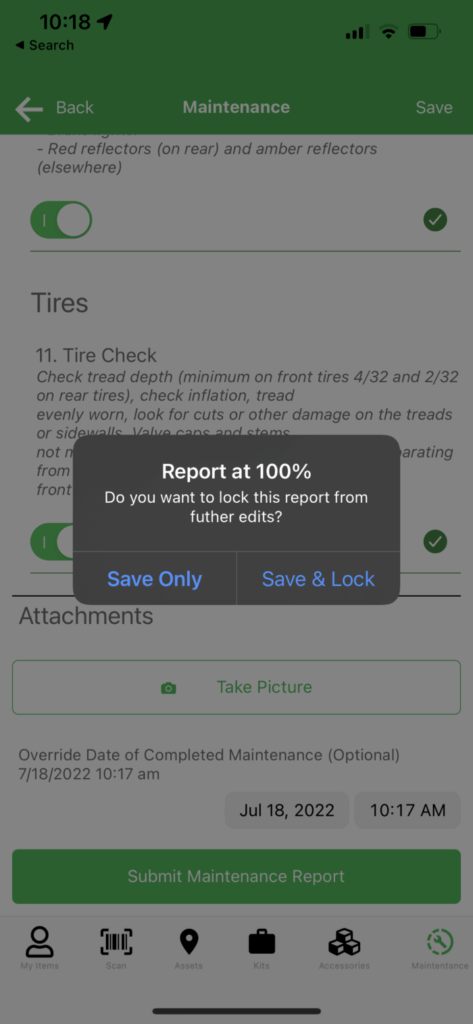
After clicking this Submit Maintenance Report, you are given the option of Saving or Save & Lock the report. If you choose to lock the report this will disable all future edits.
2. How to View Completed Maintenance Orders
You are able to view any previously completed Maintenance Orders by clicking the Maintenance Icon in the top right.
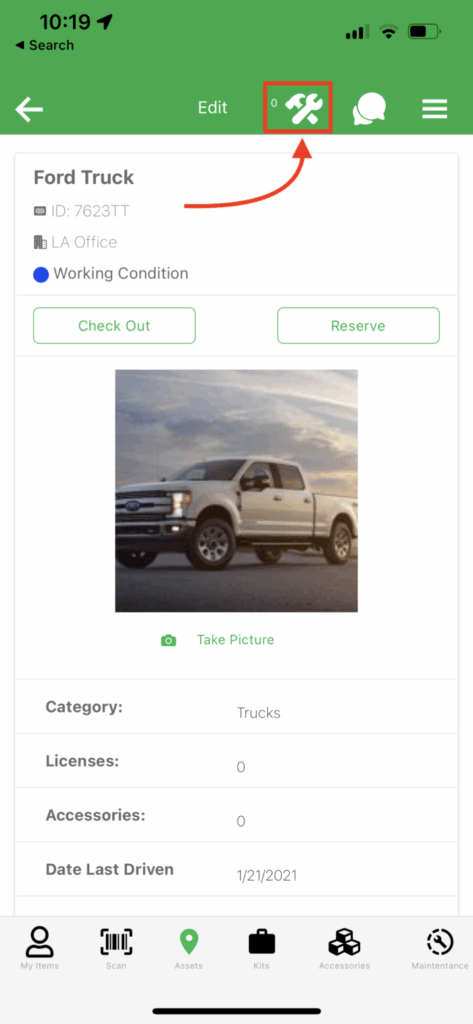
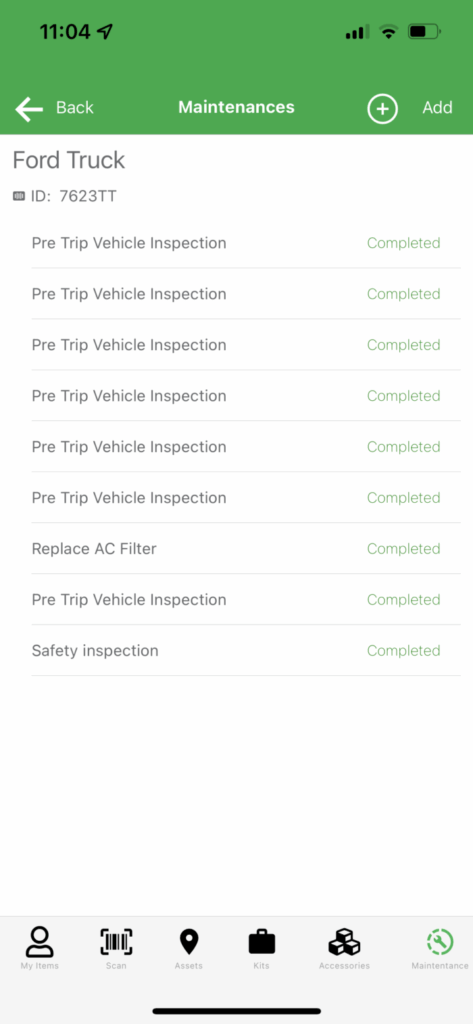
From here you are able to see any maintenance orders that were previously completed, for this specific asset. To see specific details simply choose a work order from this page.
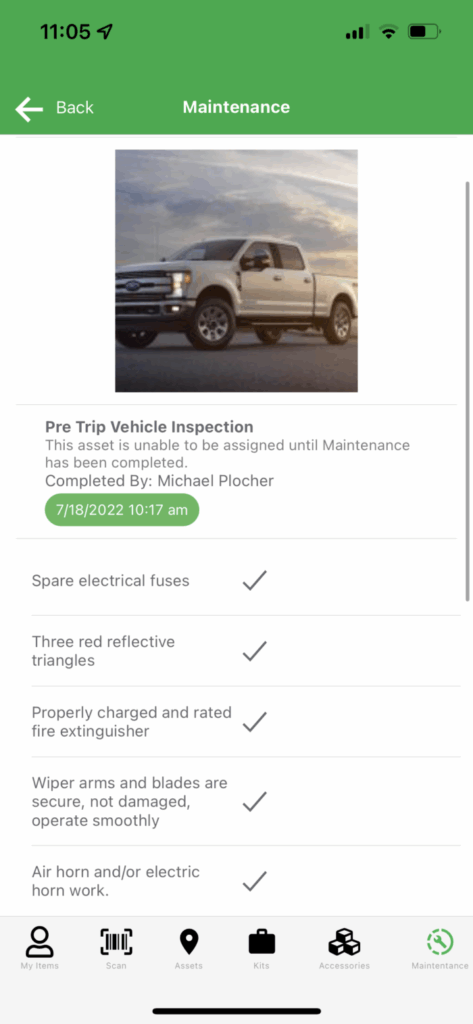
You can then see all specific fields that were completed and the response that was provided.
Conclusion
You should now have a good idea on how to complete maintenance and view previously completed maintenance. This post is designed to be distributed directly to your technicians when first onboarding Reftab. You may need to tailor this to your specific needs.
Whether your technicians are required to provide a picture of completed maintenance, e-sign the work order, etc., all of these tasks can be completed directly from the app.
For more information on designing a custom maintenance form check out: how to create a maintenance form from scratch. You may also read our how to schedule preventative maintenance post for more information.
Need help? We're here for you
For any questions or assistance, feel free to reach out to us.
Ready to simplify IT asset management?
No credit card. No watered-down trial. Create a free account and see firsthand what Reftab can do.