
How can I archive or dispose of my assets and view archived assets?
By applying an archived status label, you can track assets that are disposed, sold, donated, or otherwise. This guide will show you how to archive assets and how to view archived assets. Archived assets are hidden by default unless specifically filtered upon. By doing so, your account does not become cluttered with irrelevant information when you don’t need it. However, when you do need to see these items, you can easily do so. Follow this guide for information on how to set this up.
What We’ll Cover
How to Archive Assets
How to View Archived Assets
Important Notes
How to Archive Assets
To create status labels, log into Reftab as an administrator and click “Settings” > “Status Labels” > “New Status Label“

Create a new label with a name that describes the possible state of the asset. Set “Archived Label” to “Yes“
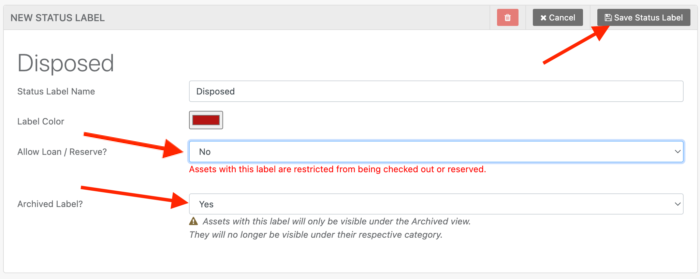
When saved, you’ll see the green check mark indicating that the label will archive assets. These settings are required for an asset to be fully archived and not count towards the billable quota.

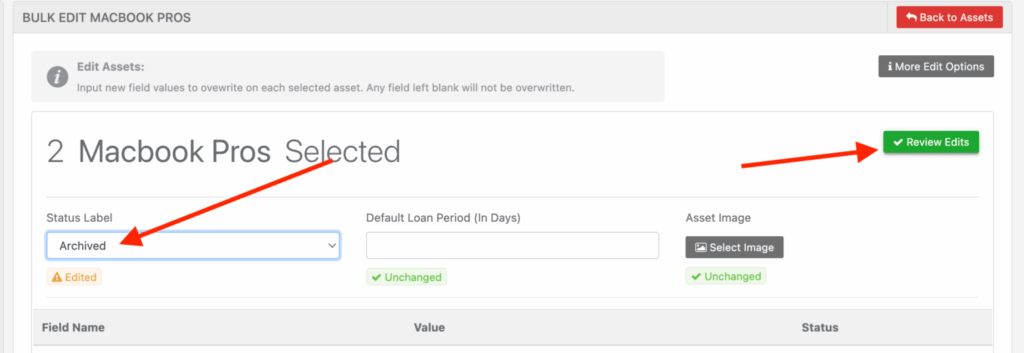
Now, you can edit assets and apply the label.
How to View Archived Assets
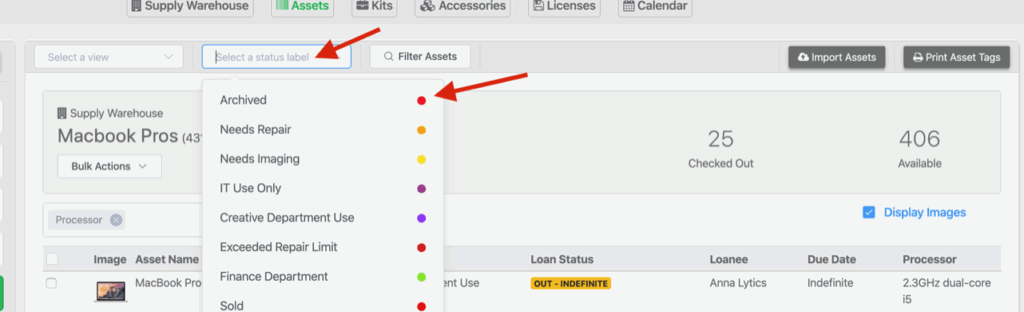
When viewing assets in your location, you will need to use the status label filter to select any archive label that you’ve created:
The table below will then display assets saved with that label:
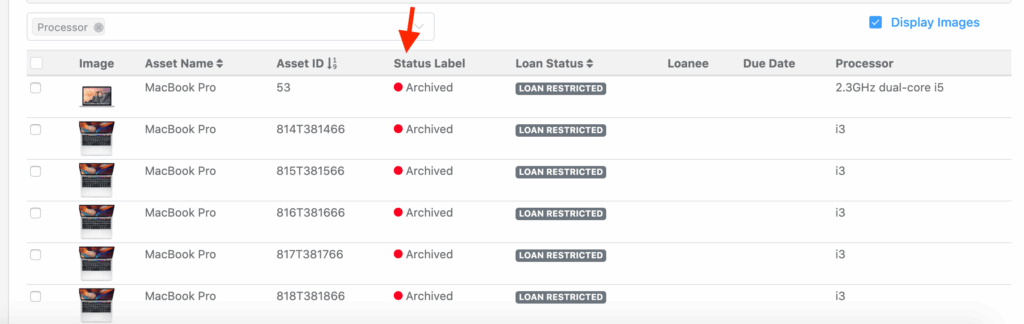
This is a great way to handle disposed, donated, sold or any other method of asset removal. The assets stay in your account but don’t become visible until you need to see them.
See our guide for more details on ITAM Best Practices to help choose wether to delete or archive assets.
Important Notes
Archived assets do not count towards the billable quota. However, if an archived asset is still loaned out, it will continue to count against the billable quota. To be fully exempt, an asset must be both archived and loan-restricted.
If an asset is set with an archived label, workflows will not operate on them.
Your assets, simplified. Begin your journey with us!
50 assets free forever with unlimited inventory & software tracking. Includes email alerts, mobile apps, reports, custom asset tags and more.