
How to change an asset’s category
Reftab allows you to transfer assets from one category to another. You can do this operation in bulk within a category or by clicking “edit” on a singular asset and selecting a new category.
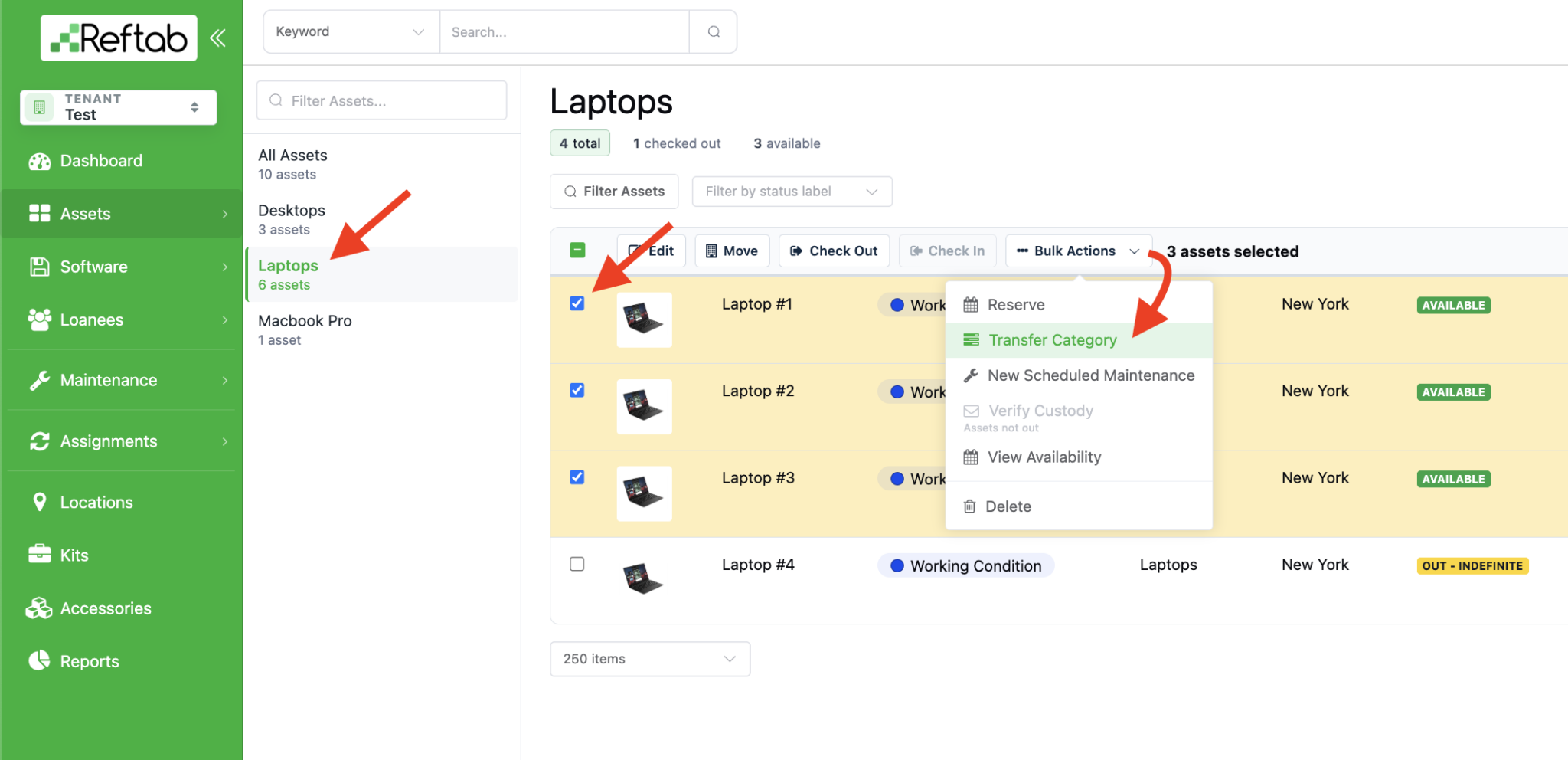
First, select a category on the left-side list. Then use the check boxes to select the asset(s) you want to move. Click “Bulk Actions” > “Transfer Category”
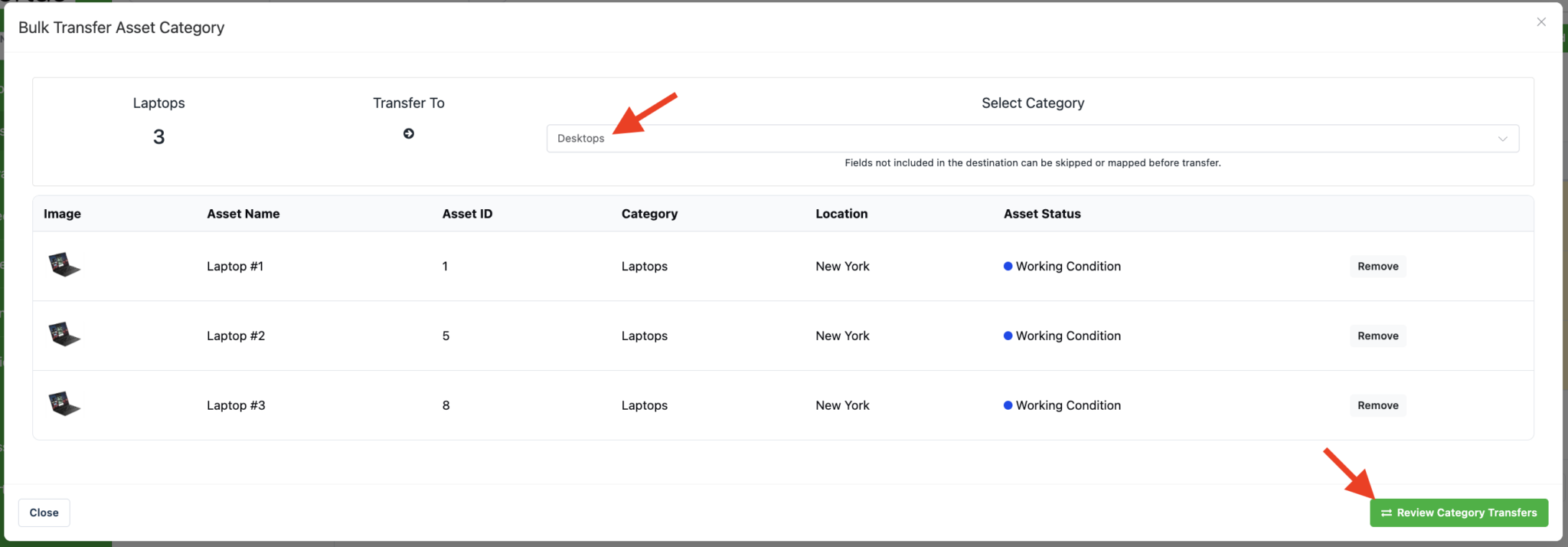
Then, use the drop-down to select the new category and click “Review Category Transfer“
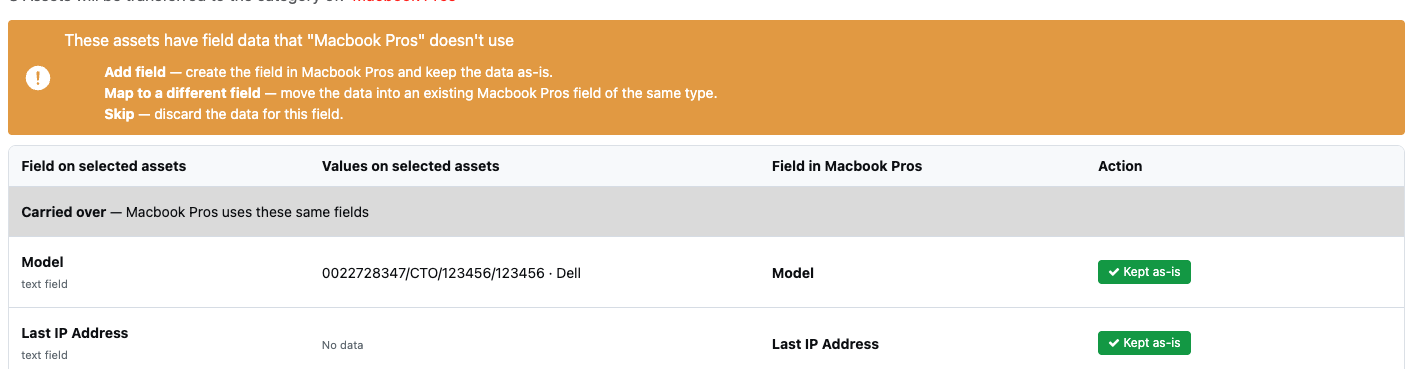
If the destination category is missing any fields used by the selected assets, Reftab will display a review screen before the transfer is completed.
- Add field – Creates the missing field in the destination category and preserves the existing data.
- Map to a different field – Move the data into an existing field of the same type.
- Skip – Discard the data for this field
For example, in this screenshot, these are the fields that will be kept “As Is” because both categories share the same fields.
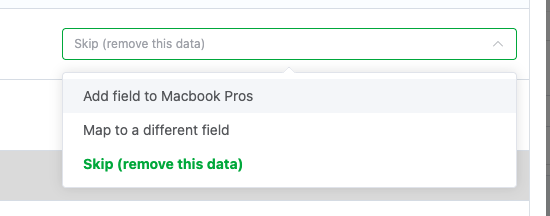
Scroll down and you’ll see any fields that are not in your source category (the category you’re assets are currently in). For example, “Manufacturer” is a field on the asset’s current category. I have chosen to select “Make” as the field it should map to on my destination category. This means any value that these assets have for Manufacturer will be displayed in the Make field after they are transferred. I can also skip the field which means the data won’t be transferred to the new category.

I can also click the option to “Add field to [destination category]”
Scroll down and you’ll see any fields are on the destination category (the category the asset are moving to). Here you have the option to leave them empty or map data into them.
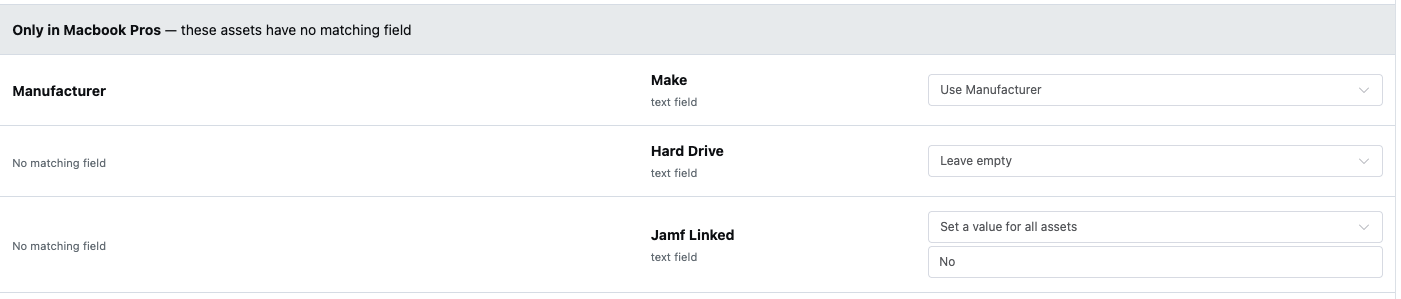
Once you have reviewed any missing fields, click “Submit Transfer“.

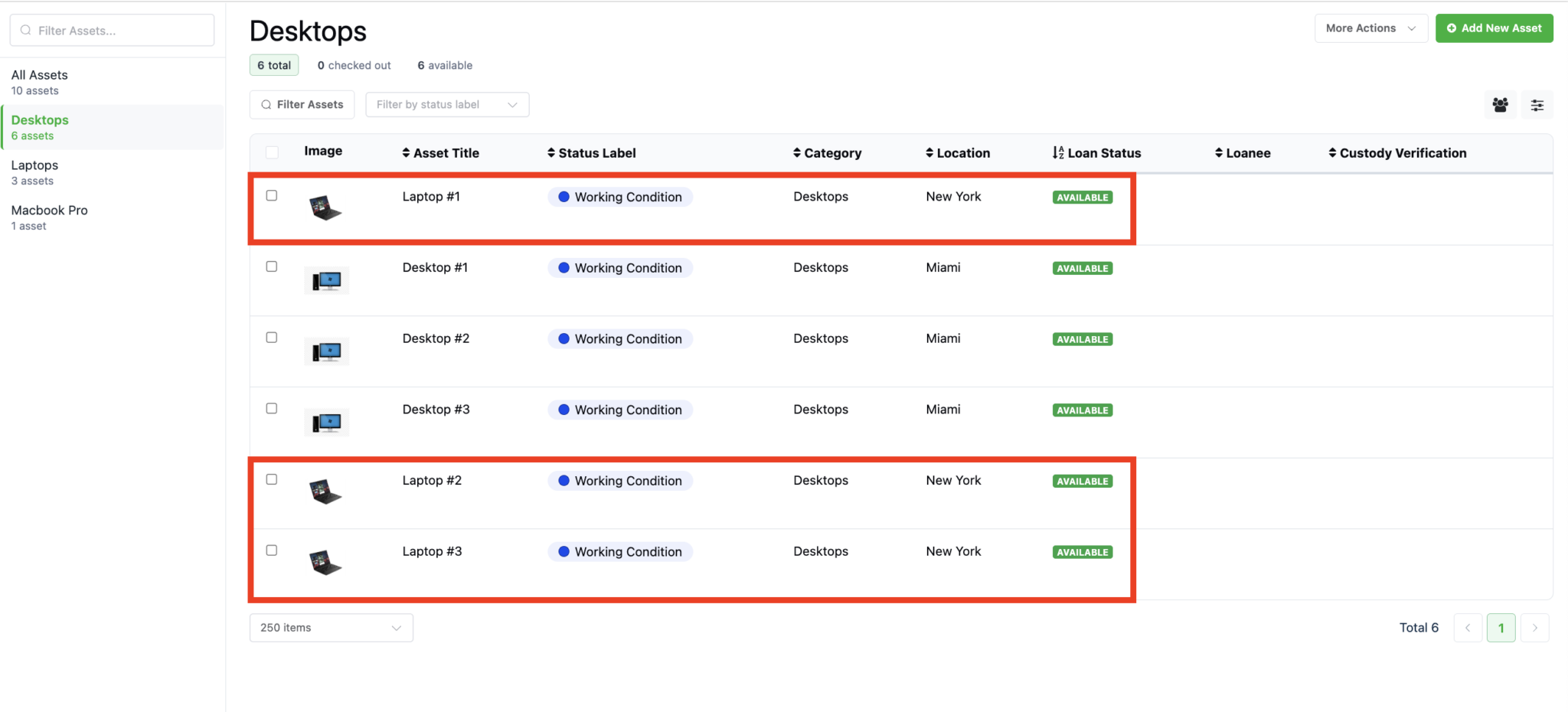
Your assets will now be in their new category:
Need help? We're here for you
For any questions or assistance, feel free to reach out to us.
Ready to simplify IT asset management?
No credit card. No watered-down trial. Create a free account and see firsthand what Reftab can do.