
How to use consumables within a maintenance work-order form
Optimizing your maintenance efficiency has never been easier with Reftab’s maintenance management software and consumable tracking software. By integrating consumables directly into your work order form, you easily monitor quantities and usage seamlessly within a centralized platform in real-time. This guide will cover managing both assets and consumables effortlessly in a maintenance work order form.
First, have consumables created by clicking “Accessories” > “Add Accessory” and select “Consumable” and save your consumable.

Next, Create a maintenance work-order form by clicking “Maintenance” > “Maintenance Form Designer“

From here, either create a new maintenance form or edit an existing one and click “New Task“
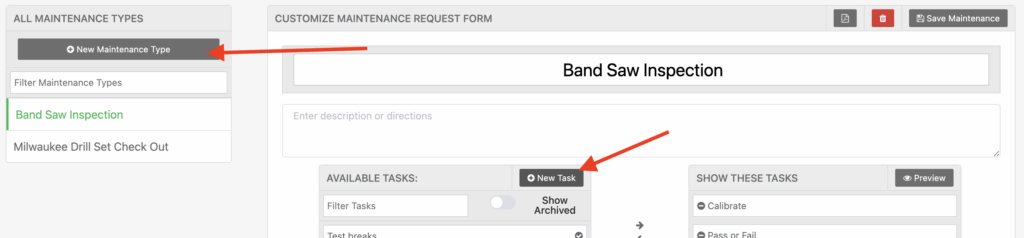
Next name the task something similar to “Amount of “X” items used” where X is the name of your consumable item. Set the “Task Field Type” to “Consumable” and then select your consumable. Finally click “Save Task“

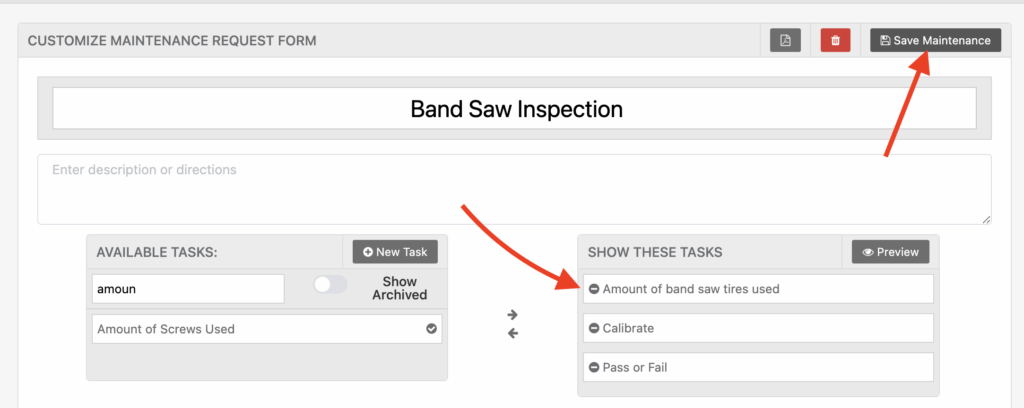
Next, drag the task to the right side and click “Save Maintenance“
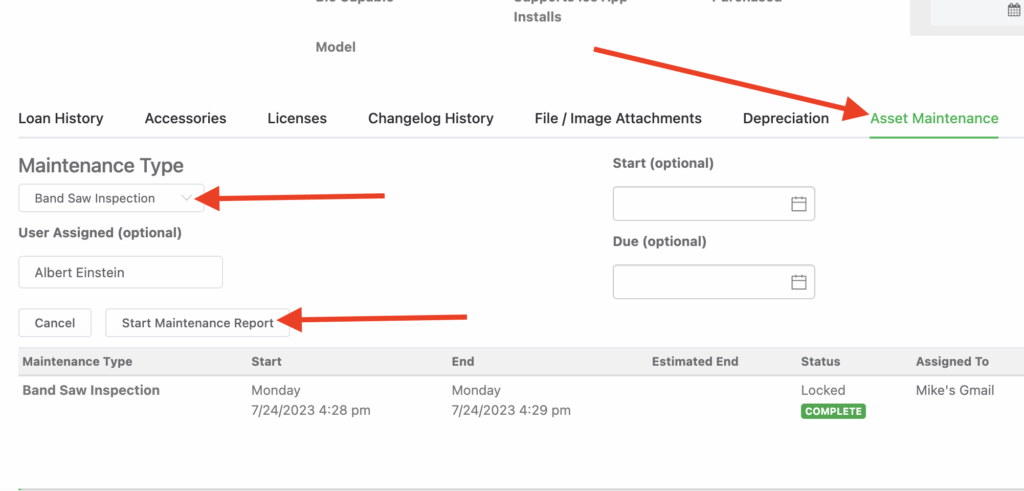
Next, go to any asset, either by using the mobile app or on the desktop site and click “Asset Maintenance“. Then, select the maintenance work order form and click, “Start Maintenance Report“.
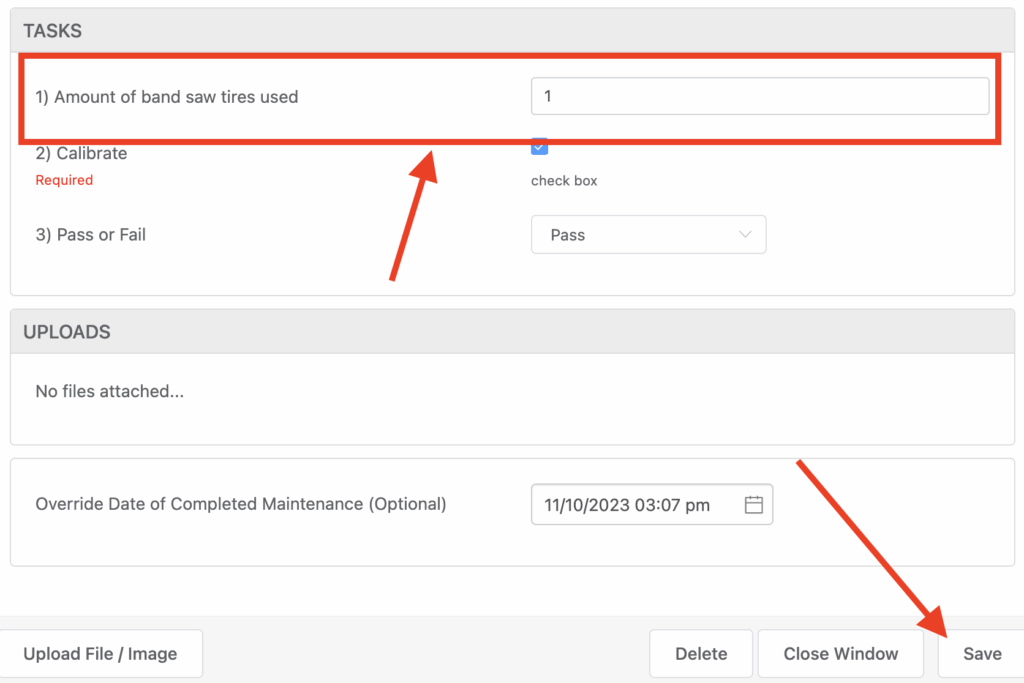
Then, on the maintenance form, you will see your task and you can enter in the amount of consumables you’re using. When done, click “Save” to complete the maintenance form.
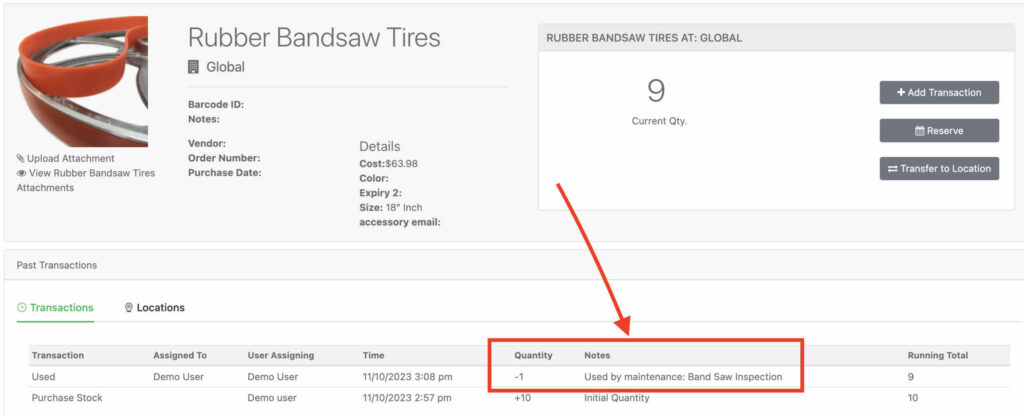
That’s it! If you visit your consumable, you will be able to see in the transactions history the quantity used and the maintenance form it was associated with. (Note, Reftab also allows you to run comprehensive reports so that you can see the usage of consumables over time).
Reach out to, “Help@Reftab.com” for any questions.
Register for a FREE Reftab account here: https://www.reftab.com/sign-up
Need help? We're here for you
For any questions or assistance, feel free to reach out to us.
Ready to simplify IT asset management?
No credit card. No watered-down trial. Create a free account and see firsthand what Reftab can do.