
Limit Reservation Days / Set a Maximum Reservation Limit for Users
Setting a Maximum Reservation Amount
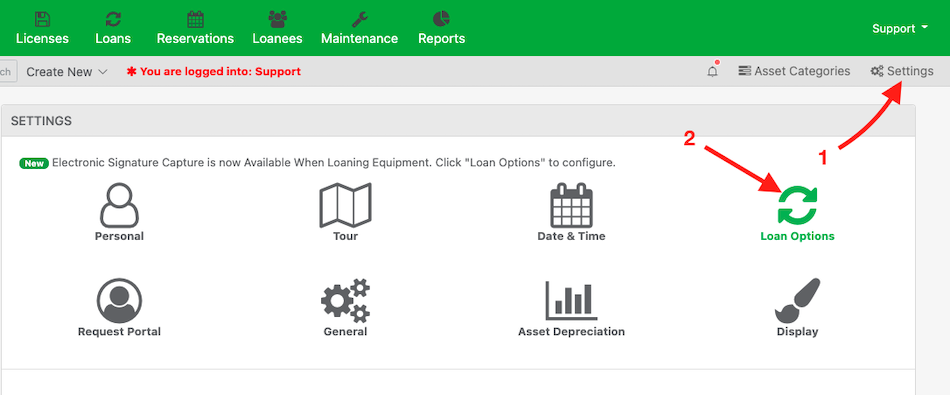
To limit how many items a user can have reserved, click “Settings” > “Loan Options“
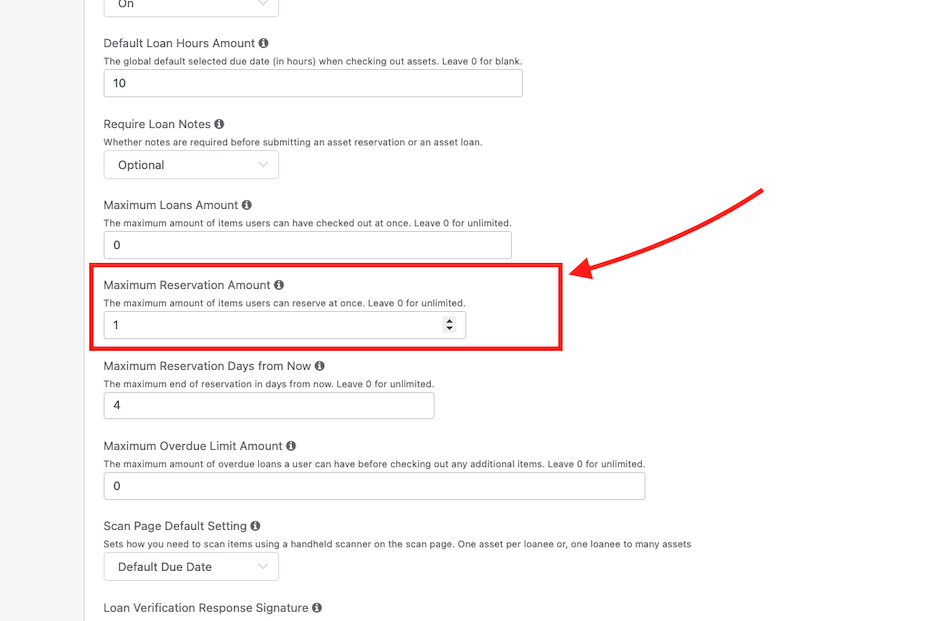
Scroll down and find the setting, “Maximum Reservation Amount” and set a numerical value as the limit for the number of reservations any user can have at one time. Leave 0 for unlimited.
Note: These settings do not apply to administrators when reserving to users
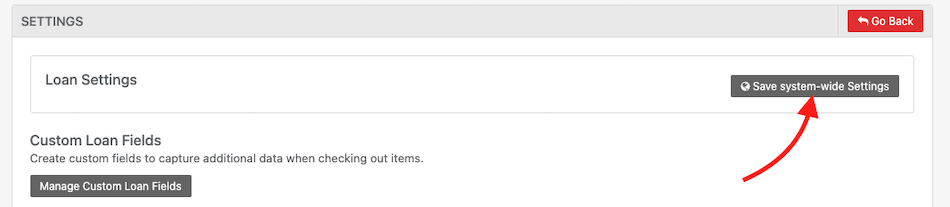
Click “Save System-wide Settings” when done.
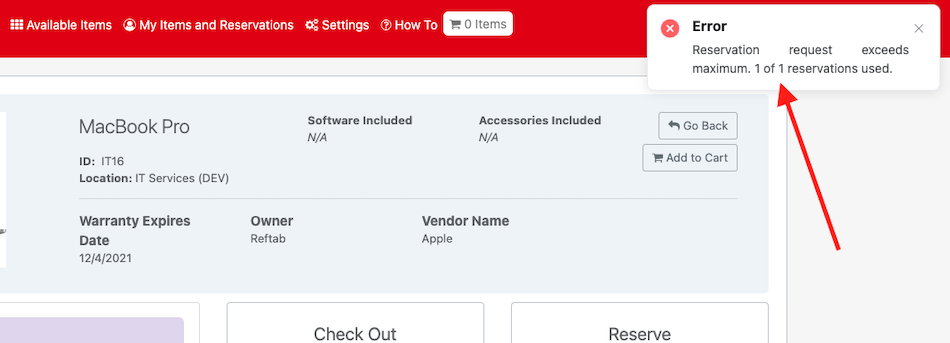
For example, if you save the number 1, users can only have one item reserved at any given time.
If they attempt to reserve a second item, the system will deny the reservation and display an error on screen saying they’ve reached the max amount of allowed reservations:
Setting a Maximum Amount of Reservation Days from Now
To limit how many days in the future users can reserve, click “Settings” > “Loan Options“
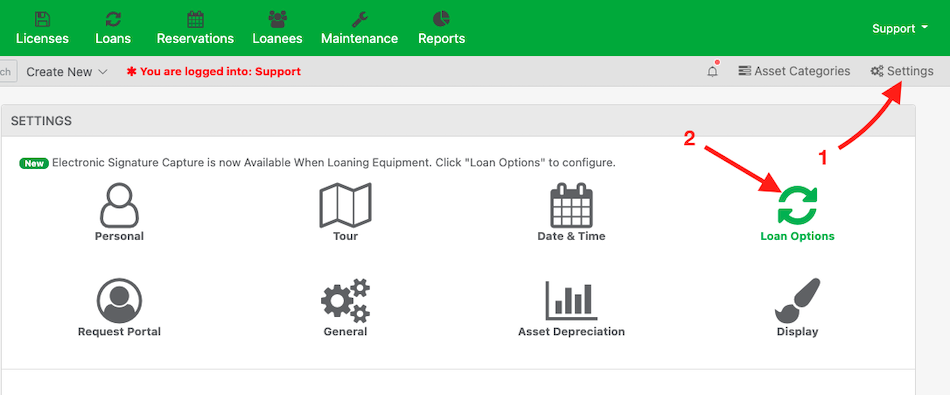
Scroll down and find the setting, “Maximum Reservation Days from Now” and set a numerical value for how many days a user can reserve an item from now. Leave 0 for unlimited.
Note: These settings do not apply to administrators when reserving to users.
Click “Save System-wide Settings” when done.
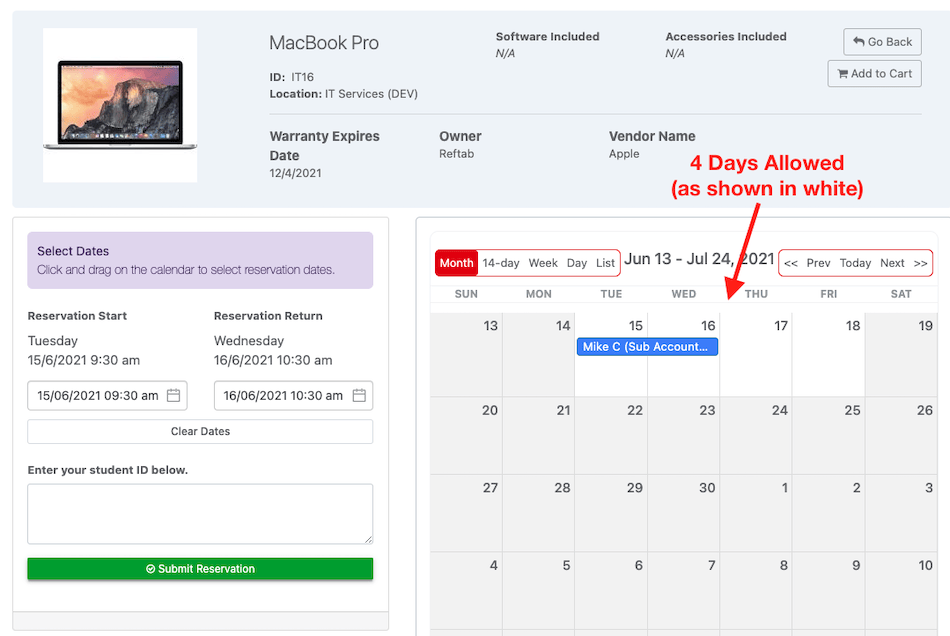
For example, if you save 4, users will only be able to reserve items for a maximum of 4 days from now. “Now” refers to the current day and time the user is reserving. In other words, the user can’t choose next Tuesday and be limited 4 days from then.
Need help? We're here for you
For any questions or assistance, feel free to reach out to us.
Ready to simplify IT asset management?
No credit card. No watered-down trial. Create a free account and see firsthand what Reftab can do.