
Asset Change-log History

Reftab can log changes made to assets so that you can view past history of how assets move between locations, status changes and even created / deleted information.
If the setting, “Record asset change-log” is on, every time an asset is created, deleted, or gets updated (including changes location), the old value, new value, date and time and the user who made the changes is logged. This setting is available to Pro and Business subscriptions only and not available for Standard or Free accounts.
For information on other ways Reftab can log data, see here: https://www.reftab.com/faq/viewing-and-exporting-logs-in-reftab
To turn on click “Settings” > “General”
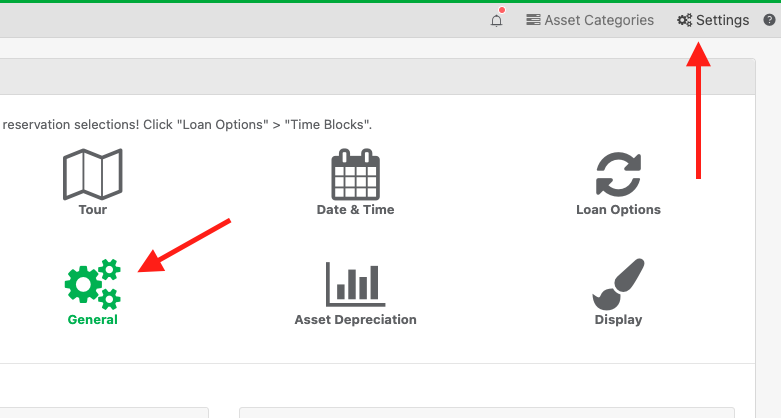
Then, find “Record Asset Change-log” and turn it “On” and click “Save System Wide Settings”

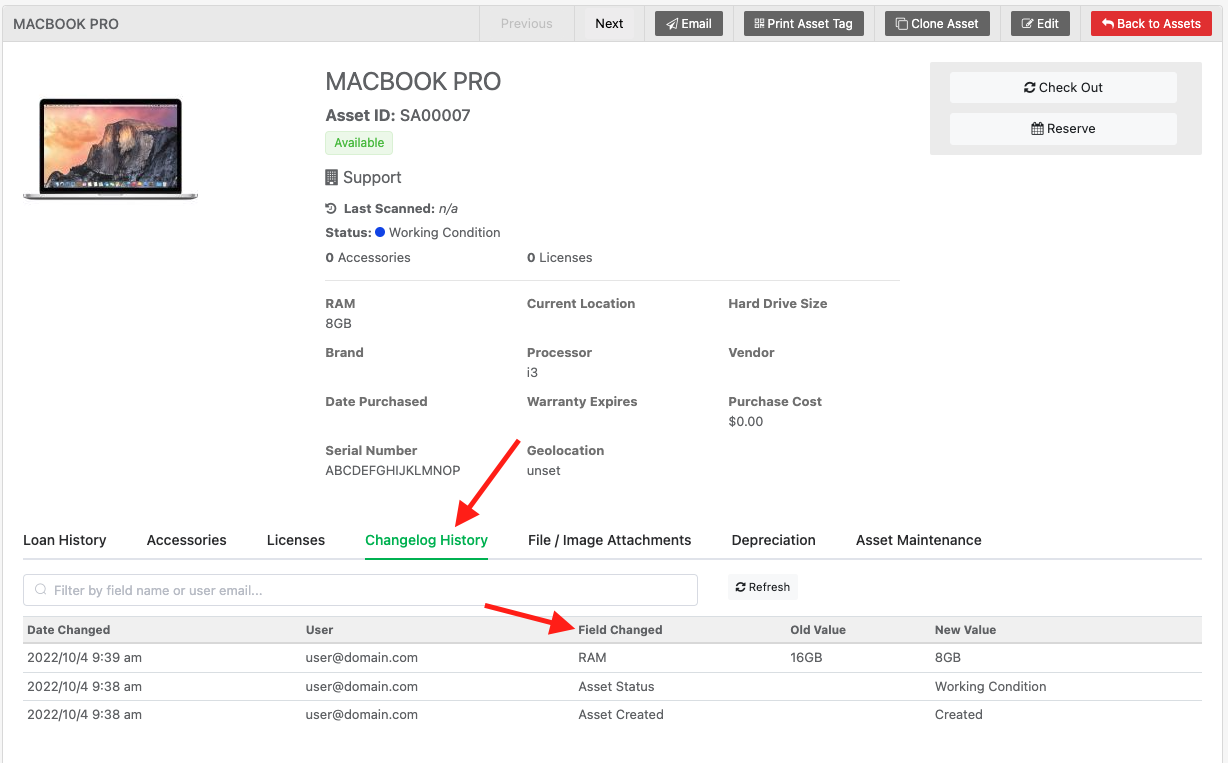
When assets are updated, you’ll be able to see the changes in the tab “Changelog History”
You can view change-log history for each user on the “Loanees” page. This will show you changes made by the individual user as opposed to on a singular asset.
For additional logs and information on other logging and how to export logs, view our FAQ here: https://www.reftab.com/faq/viewing-and-exporting-logs-in-reftab
For questions, email ‘help@reftab.com’
Thanks!

Michael Caslowitz
Your IT inventory, finally under control
Try Reftab for free, no strings attached. 50 assets free forever.



Ready to simplify IT asset management?
No credit card. No watered-down trial. Create a free account and see firsthand what Reftab can do.