
September 2026 Release Notes
Table of contents

This release gives IT teams more flexibility with license seats, clearer SCIM group mappings, and email notifications on tickets. It also adds a field-mapping screen for moving assets between categories, plus reliability fixes for Intune, Meraki, FleetDM, Jamf, Zentral and Kandji.
Integration Updates
Flexible License Seat Assignments
You can now assign users to application licenses both manually and through integrations. Previously, once a license was connected to an integration, all seat assignments had to come from that integration.
This gives IT teams more flexibility during onboarding and setup. You can start by assigning seats manually, then connect the license to an integration later without having to change how the license is managed.
If you use Microsoft Entra, set up Azure (Entra) SaaS discovery to see who has access to your SaaS apps, and read about the SaaS usage and utilization features that build on it. New to license tracking? Start with how to track software licenses in Reftab.
Improved SCIM Group Mapping Visibility
SCIM group mappings are now easier to read. A new View Group Mapping button shows how your identity provider groups map to Reftab access roles, so you can see why a user was assigned a particular role. When someone reports the wrong access, IT admins have a faster way to troubleshoot and to confirm that SCIM permissions are working as intended.
Reliability Improvements
- Intune no longer overwrites valid data with blank values and handles duplicate serial numbers more carefully. See the Intune integration guide.
- Meraki matches on serial number to prevent duplicate assets. See the Meraki guide.
- FleetDM and Jamf syncs are faster, with duplicate task prevention. See the FleetDM guide and the Jamf guide.
- Zentral update logic and memory formatting are fixed.
- Kandji API host URLs are now validated when you enter them. See the Kandji setup guide.
To check what a sync did, read how to use integration sync logging or how Reftab prevents duplicate assets. You can also browse every Reftab integration.
Want to unlock these features (and much more)? Integrations are available with Business and Enterprise plans. Book a call with our team or review pricing to see which plan is right for you.
Tickets and asset management
Subscribe to ticket email notifications
You can now subscribe to any ticket and get an email when it is opened, updated, assigned or completed. You can unsubscribe at any time from the ticket itself.
Onboarding and offboarding tickets also have dedicated email templates, and changes to ticket notes are now recorded in the activity log, which makes it easier to see who changed what.
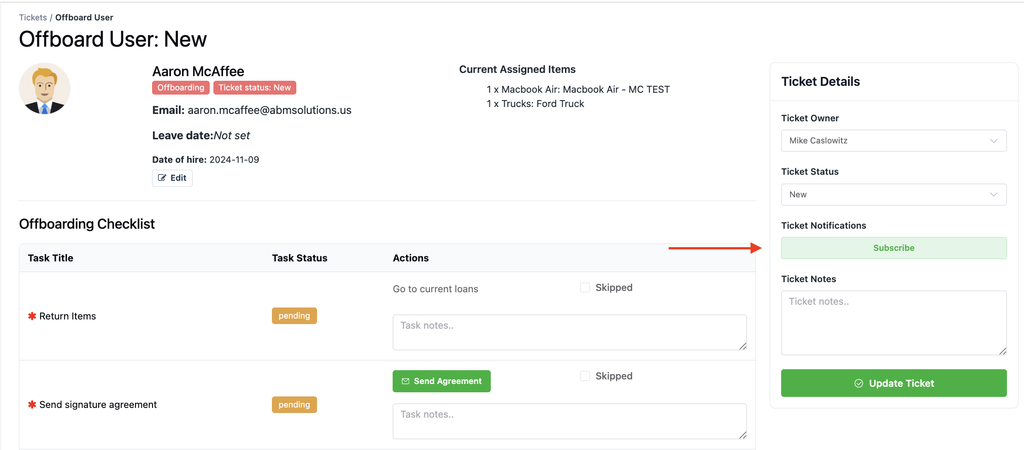
Using tickets for people changes? See how to set up and use onboarding and offboarding.
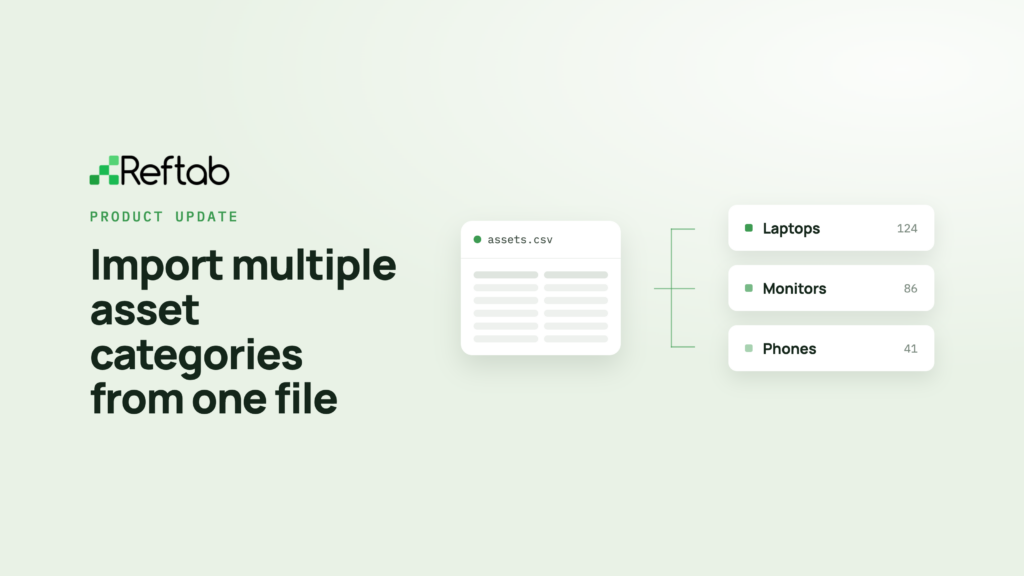
Move assets between categories with field mapping
Moving assets between categories is now much easier. A new category mapping screen shows how fields in the current category match the destination category, so you can see exactly what data will be preserved before you make the move.
When fields don’t match, you can map the data to another field, create the missing field in the destination category, or skip it. What used to require careful category setup is now a visual step, which helps protect important asset data.
Need the basics? Read how to change an asset’s category and how to merge asset fields.
Update asset status labels from the asset page
You can now update asset status labels directly from the asset page instead of opening a separate settings screen.
See how it works with this short video.
Minor Enhancements
- Reservations and Kits Improved Availability and Gantt Views: Reservation availability is now checked against the actual reservation dates, improving accuracy when booking assets in advance. Kits can no longer be reserved when required contents are unavailable, and recurring reservations can no longer be added to an existing reservation group. Reservation requests now also display asset thumbnails.
- Improved Sorting, Filtering and Pagination: Sorting and pagination are now more consistent across assets, licenses, accessories and access reviews. You can sort licenses by available seats, sort assets by loan due date or status, display up to 1,000 rows per page, and search licenses across multiple fields at once.
- Better Email Settings Management: Email settings in the control panel are now grouped by category and can be filtered more easily. Each category shows how many emails it contains and whether they are enabled or disabled, and the list now refreshes immediately after an email is edited or deleted.
- Expanded Changelog Tracking: Asset deletions caused by a location being deleted are now recorded in the changelog. Changes to ticket notes are also logged, providing a more complete audit trail.
- Accessibility Improvements: We’ve improved screen reader support throughout Reftab with better input labels, image alt text and clearer page structure for assistive technologies.
Coming soon
- Offline mode for the Reftab mobile apps, so you can keep working wherever your day takes you.
- Claude and OpenAI integrations that show usage and cost information and associate insights with individual users.
New to Reftab? Start free with 50 assets, unlimited inventory and software tracking. Get started for free or book a demo.

Rachel Szarka
Table of contents
Your IT inventory, finally under control
Try Reftab for free, no strings attached. 50 assets free forever.
Ready to simplify IT asset management?
No credit card. No watered-down trial. Create a free account and see firsthand what Reftab can do.