
October 2026 Release Notes
Table of contents

Our latest updates include improvements to the way people join and leave: redesigned offboarding tickets, workflows that fire when a ticket opens, and default values that fill in new assets for you.
Redesigned offboarding tickets
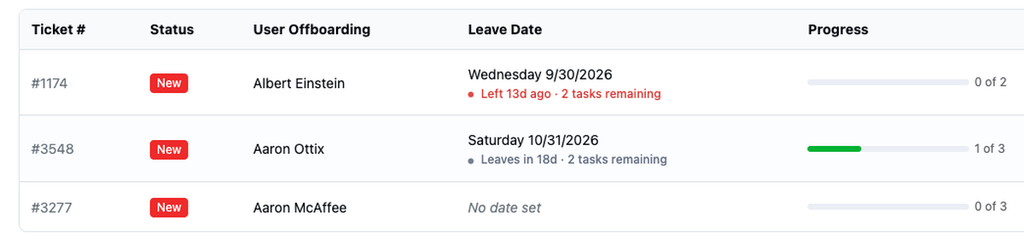
See each open ticket’s number, progress and leave date at a glance, with a flag when someone has already left with tasks remaining. Each ticket now lists the person’s assigned items with a Return button for each, plus Return all and a ticket log. Find tickets under Loanees > Offboard User.
Read the onboarding/offboarding setup guide.
Default field values on assets
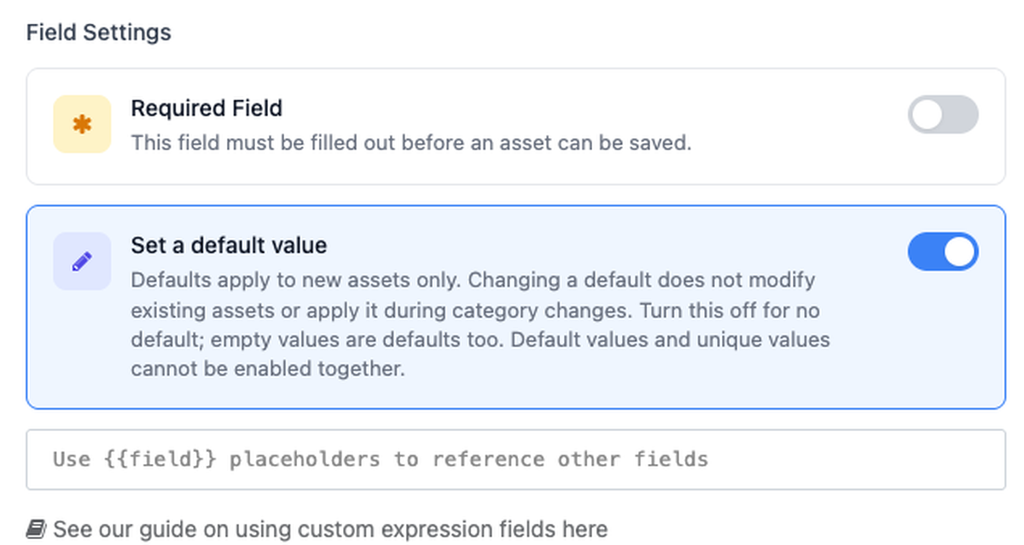
Set a default value on a field, and every new asset starts with it filled in, whether you add it by hand, import a CSV or use the API. Defaults never overwrite existing data. Go to Settings > Asset Categories and edit a field to turn it on.
Read the default values guide.
Onboarding and offboarding workflow triggers
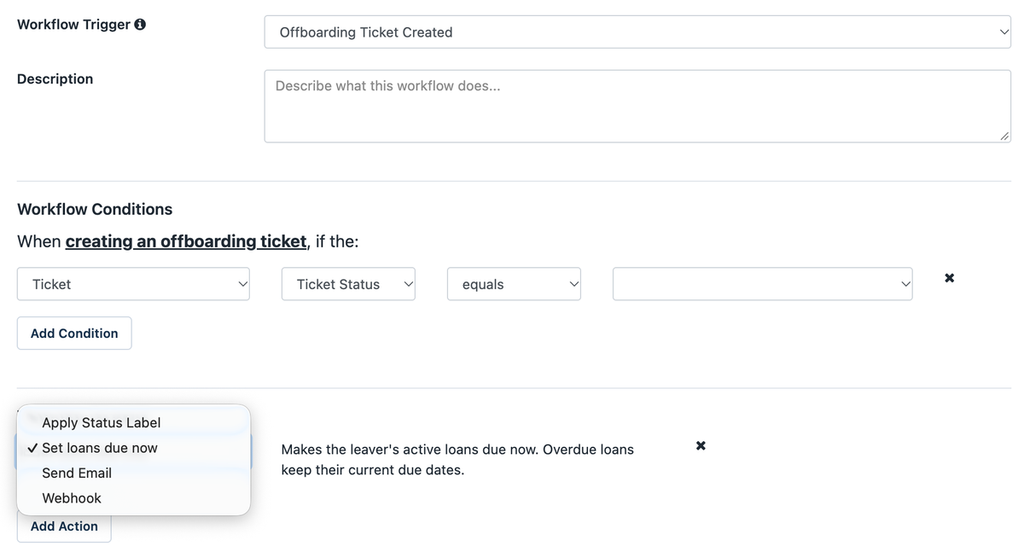
Two new triggers, Onboarding Ticket Created and Offboarding Ticket Created, start a workflow as soon as a ticket opens. Send an email, or post to Slack or Teams with a webhook, so the right team gets notified without watching the queue.
Offboarding workflows can also apply a status label or make the leaver’s loans due now. Configure in Settings > Automated Workflows.
Read the onboarding/offboarding notifications guide.
What’s new in the Reftab mobile app
The new offline mode means field teams can browse assets at their favorited locations and file maintenance reports with no signal. Everything syncs once they’re back online.
The new Keyword Search on Scan setting (Settings > Keyword Search on Scan) lets you scan a serial number or manufacturer barcode to find an asset, even if it isn’t tagged yet.
You can also start audits in the app, submit asset and category requests from your phone, look up people in the new Loanees directory, and loan software licenses, all in a redesigned app with a faster scanner.
Get the Reftab mobile app: Download on the App Store | Get it on Google Play
Minor enhancements
- Onboarding and offboarding reports — Build reports on tickets in Report Builder, filtered by ticket status, owner, start date, leave date and more.
- Integration error alerts — Turn on Error alerts in any integration’s settings to get an email when a sync fails, at most once a day.
- Zentral auto-assign — Reftab can now check out Zentral devices to their assigned user and reassign them when the Zentral user changes.
- Mosyle field mappings — Map each Mosyle field to any Reftab field from a dropdown, or create a new field in one click.
- Linked field for integrations — MDM integrations now have a Linked field. Add it to your mappings to see which Reftab assets are no longer syncing with your MDM because they were deleted or went stale.
- Audits and asset tags from Bulk Actions — Select assets, then choose Create Audit or Print Asset Tags from Bulk Actions. Audit Assets in the menu now shows how many audits are open.
- Filter maintenance by asset status — See a consolidated view of Maintenance Reports with the new asset status label filter option.
Coming soon: AI agent
An AI agent is coming to Reftab, and it will be enabled by default when it arrives. You can leave it enabled, limit it to admins, or turn it off for your account. Decide now so the agent behaves the way you want on day one.
For now, open Settings > General and find the new chatbot settings.
Questions? Browse the Reftab FAQ at https://www.reftab.com/faq or email help@reftab.com.

Michael Plocher
Table of contents
Your IT inventory, finally under control
Try Reftab for free, no strings attached. 50 assets free forever.
Continue reading
Ready to simplify IT asset management?
No credit card. No watered-down trial. Create a free account and see firsthand what Reftab can do.