
Product Update: Import Multiple Asset Categories from One File
Table of contents

You can now import multiple asset categories from a single CSV or Excel file.
Previously, files containing different asset types had to be split into separate spreadsheets and imported one category at a time. Categories, fields, and locations also needed to be created before the import began.
The new multi-category importer handles this setup as part of the import process.
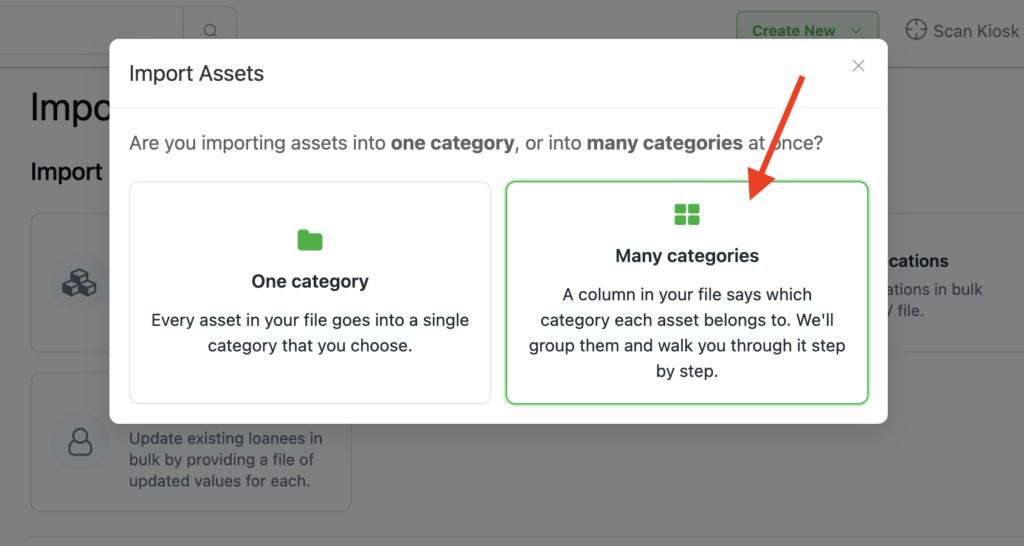
How it works
Upload your existing spreadsheet and select the column that identifies each asset type. Reftab will group the rows by category and guide you through the remaining steps.
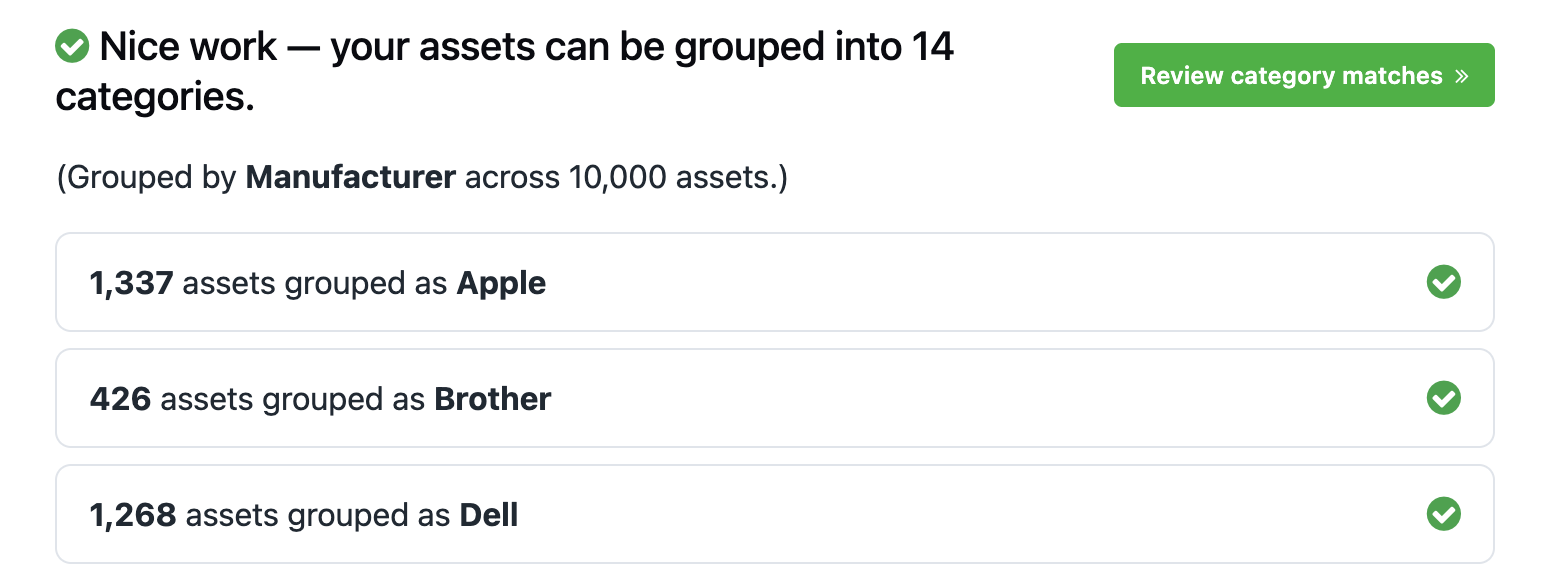
You can:
- Match groups to existing categories or create new ones.
- Combine multiple spreadsheet values into one category.
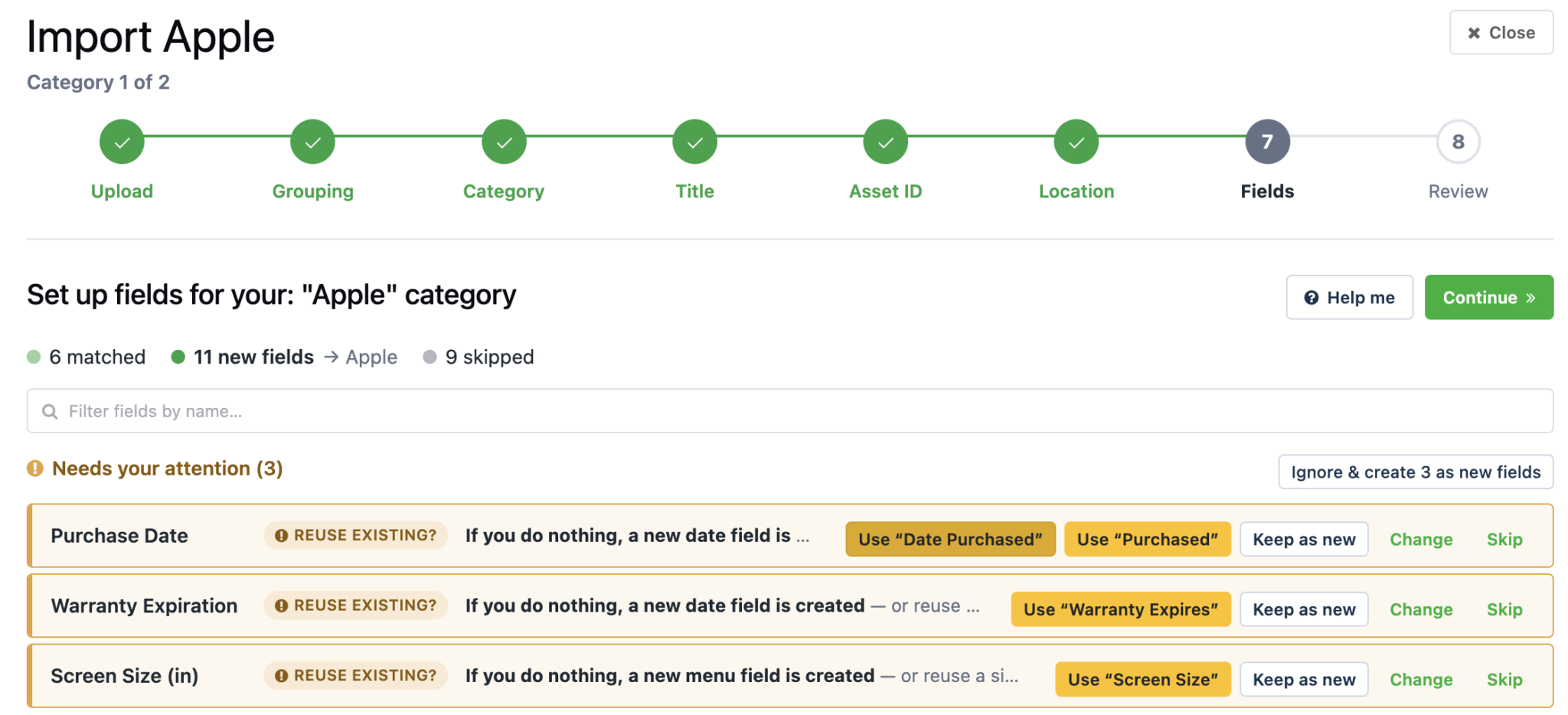
- Map columns to existing fields or create new fields.
- Assign one location or use a location column from the file.
- Use existing asset IDs or have Reftab generate them.
- Review and edit every row before importing.
Reftab can also suggest field types based on the data in each column. Dates can be mapped to date fields, prices to monetary fields, and repeated values to dropdown menus. Similar existing fields are identified to help prevent duplicates.
After the import, you will receive a summary showing the assets, categories, fields, and locations that were created. Any skipped or failed rows can be downloaded as CSV files with the reason they were not imported.
The original single-category importer is still available and remains the fastest option when every row in your file belongs to the same category.
To get started, open Settings > Import / Export Data and select Import Assets. Reftab will ask whether your file contains one category or multiple categories and direct you to the appropriate importer.
View the complete asset import guide here
Related Information
The multi-category importer is designed for creating new assets. To update assets that already exist in Reftab, use Asset Overlay.
If you’re looking to import locations and need more complex, nested location structure see our guide here.
If you’re wondering how categories and custom fields work, see our guide here.

Michael Caslowitz
Table of contents
Your IT inventory, finally under control
Try Reftab for free, no strings attached. 50 assets free forever.
Ready to simplify IT asset management?
No credit card. No watered-down trial. Create a free account and see firsthand what Reftab can do.