
How Do I Integrate with FleetDM?
This guide walks you through integrating FleetDM with Reftab. Once connected, devices from FleetDM will flow into your Reftab account automatically, helping keep your asset records accurate without manual imports. Configuration is straightforward and only takes a few steps.
In This Guide
Know Before You Start
Before enabling the integration, ensure:
- Devices in FleetDM contain a serial number (required for matching)
- Your Reftab categories (Mac, Windows, etc.) are already created
- You have admin access to both FleetDM and Reftab
Generating your FleetDM API token
1. Log into your FleetDM instance
2. Navigate to your user profile
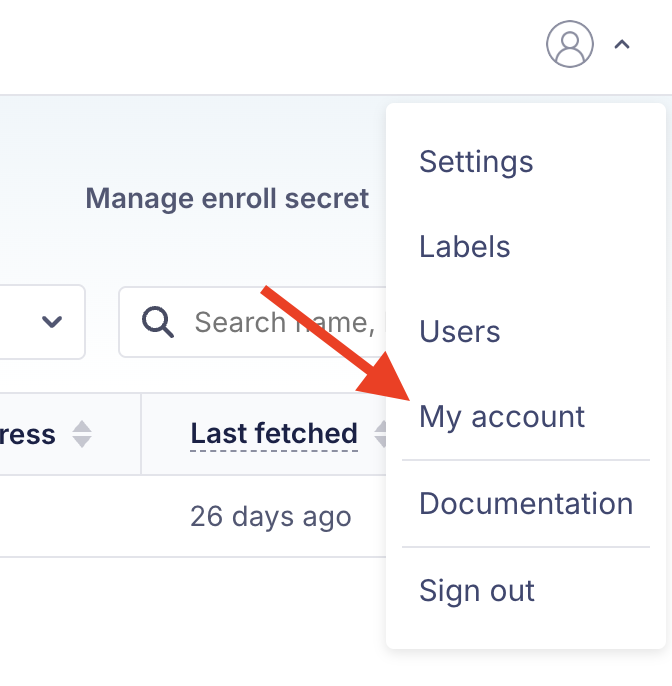
3. Generate a new API token by clicking “Get API Token“
For a permanent API connection, you will want to create a API-only user for FleetDM. You can read more on that here
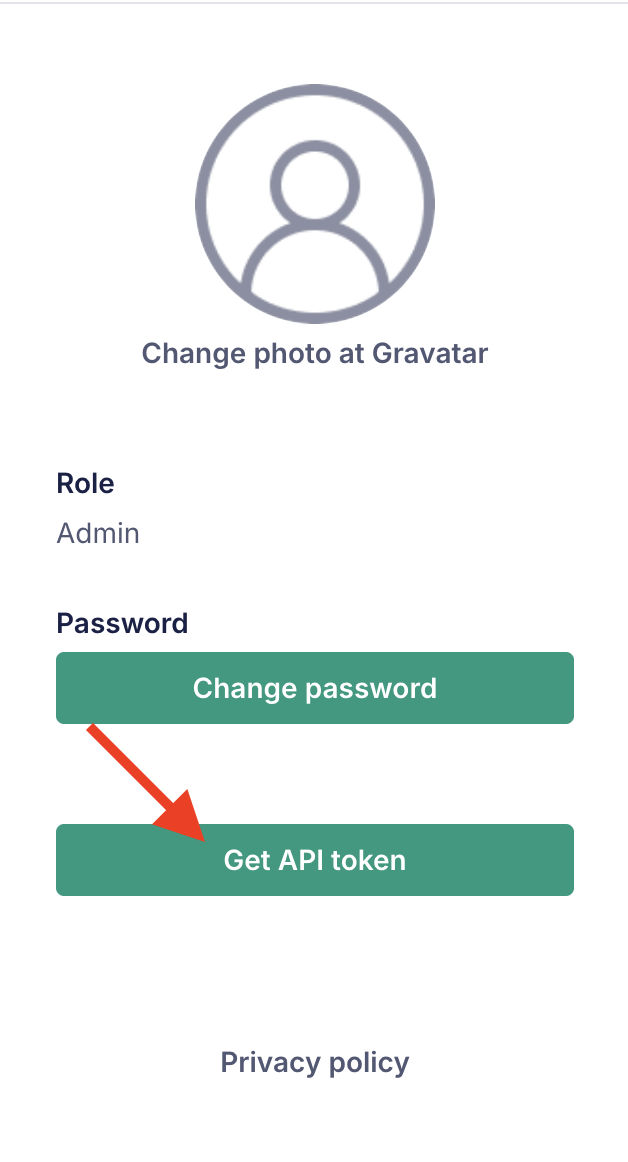
4. Copy the token (you won’t be able to retrieve it again)
Configuring access in Reftab
5. Log into Reftab as an administrator Go to:
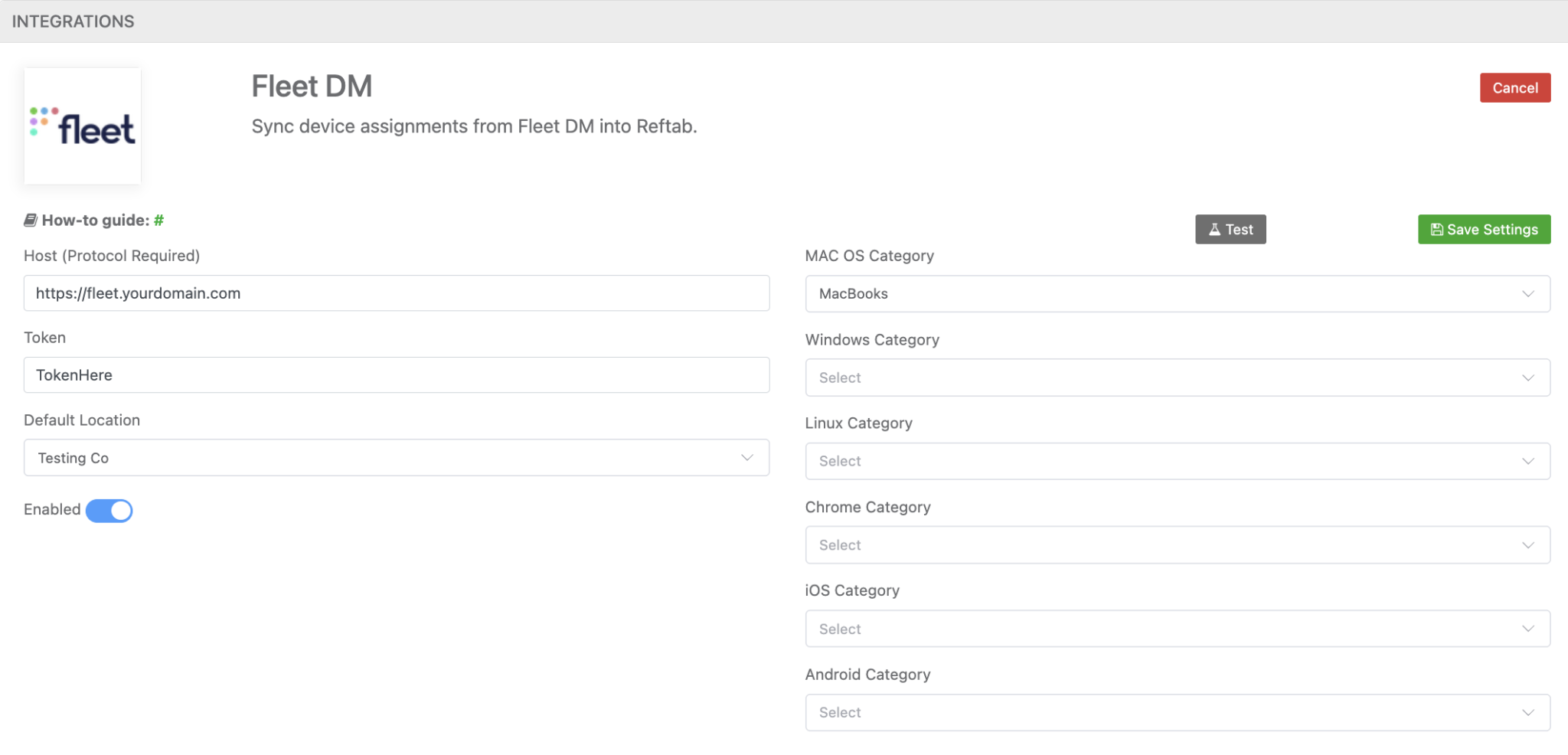
Settings → Integrations → FleetDM → Configure
6. Enter the following:
- Host (Example: https://fleet.yourdomain.com)
- Must include https:// or http://
- Token
- Paste the API token generated from FleetDM
- Default Import Location
- Select where synced devices will be placed in Reftab
- Categories
- Assign categories based on device OS:
7. At this point you will want to click “Save Settings“, and “Test” your current configuration. If the test is successful, you can then begin mapping your desired fields.
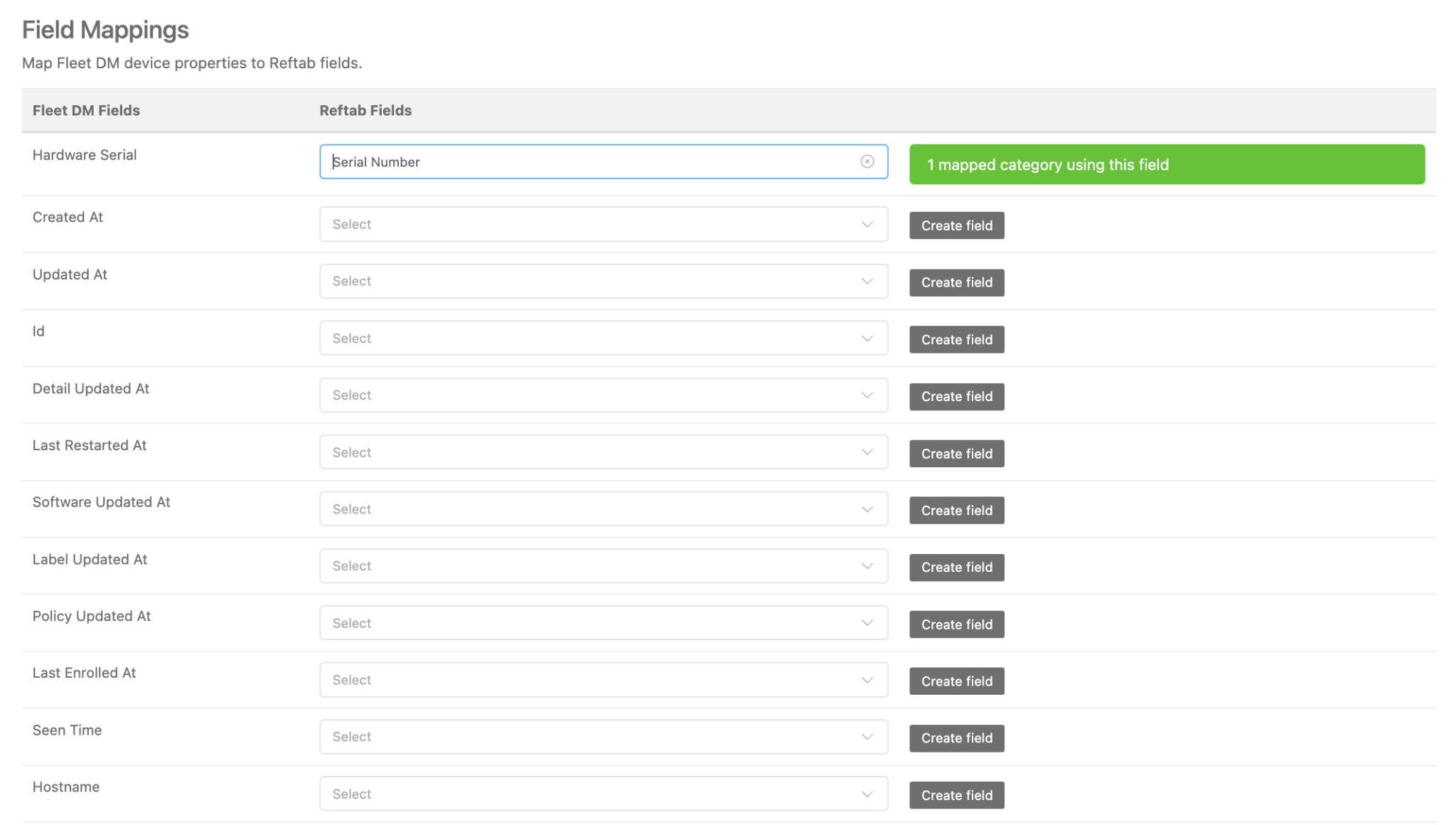
Field mappings
At minimum, you should map Hardware Serial to Serial Number (required)
This is critical for:
- Preventing duplicates
- Matching existing assets
You can map additional fields depending on your needs:
- Hostname → Asset Name
- Seen Time → Last Seen
- OS / Labels → Custom fields
To map:
8. Select a FleetDM field (left column)
9. Assign it to a Reftab field (right column)
Use “Create Field” if needed
10. Save your settings, and run your first sync for FleetDM
Need help? We're here for you
For any questions or assistance, feel free to reach out to us.
Ready to simplify IT asset management?
No credit card. No watered-down trial. Create a free account and see firsthand what Reftab can do.