
Scanning pre-existing or pre-printed barcodes with the Reftab mobile app
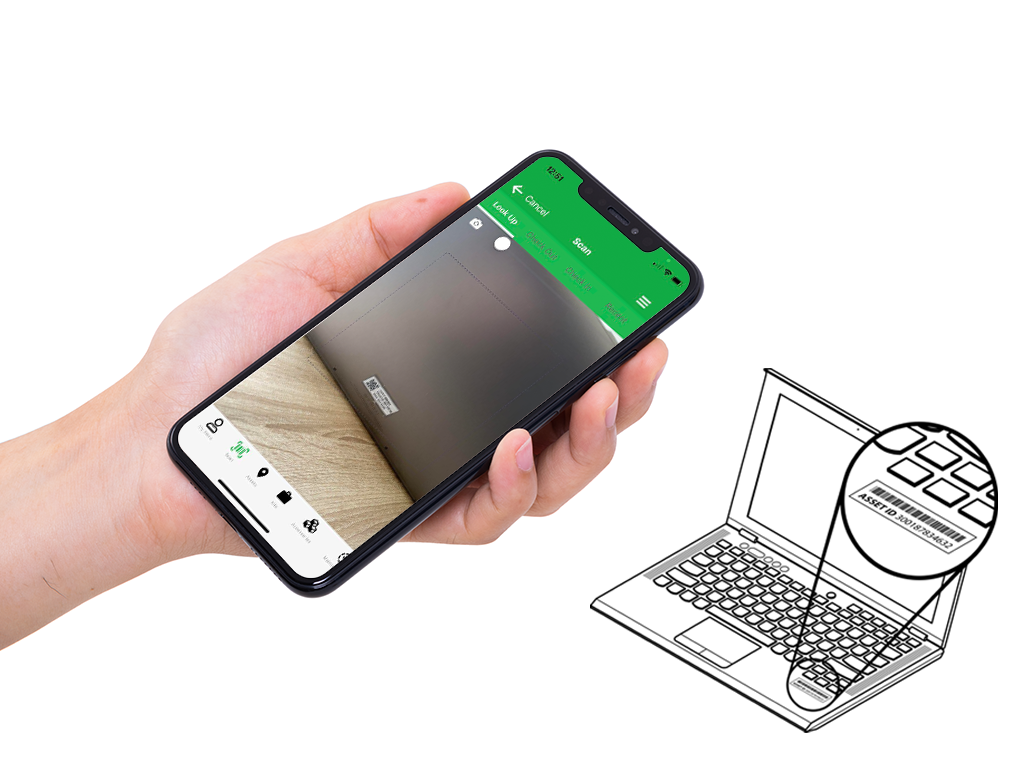
The Reftab app can scan preexisting barcodes and qr-codes. As long as the asset number on the qr-code or barcode exists within your Reftab account prior to scanning, the app will recognize the item and pull up data.
If an asset tag is scanned that does not exist within your Reftab account, the app will error saying, “asset not found”. It will then prompt you to create a new asset using the newly scanned asset number.
So for example, if you ordered pre-printed tags, you can either create a new asset by scanning the tag first, the app will say, “Asset not found” and it will allow you to save a new asset with the ID pre-filled.
Or, you can import a list of assets into Reftab with temp data but containing the values from the tags. If you ordered a roll of 100 asset tags with ID’s of “ABC001” through “ABC100” you can bulk upload a file of 100 assets using those ID’s so that Reftab is pre-populated. When you scan a barcode the app will pull up the matching asset. You can attach that tag to the asset and update only the specifics of the asset without having to create a new asset from scratch.
If you decide to use Reftab to bulk print asset tags and labels, you can see this article here for more information: https://www.reftab.com/faq/print-asset-tags

Reftab
Your IT inventory, finally under control
Try Reftab for free, no strings attached. 50 assets free forever.
Continue reading


Ready to simplify IT asset management?
No credit card. No watered-down trial. Create a free account and see firsthand what Reftab can do.