
Can I edit assets in bulk by supplying asset IDs?
If you have a list of asset ID’s to edit in bulk, paste them into the bulk edit page.
A good example of this is if you run a report and obtain a list of assets that need edits. For example assets that need a new status label. This way, you do not need to find each asset and use checkboxes.
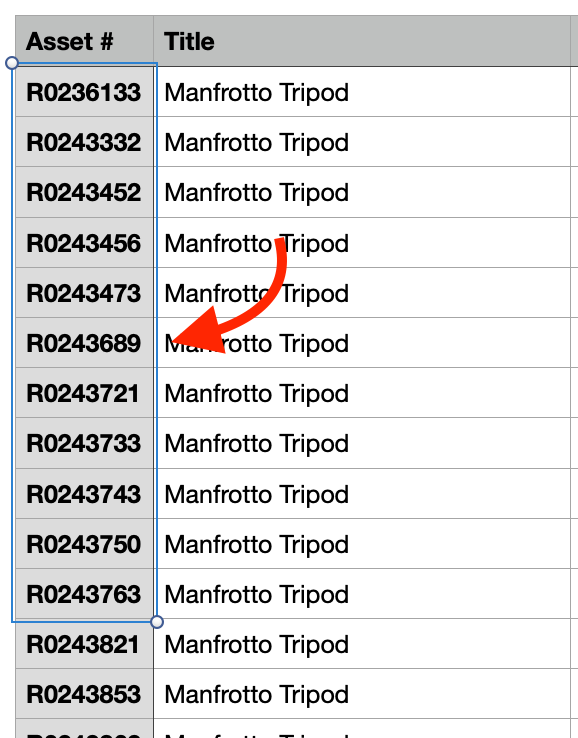
1. Copy a list of asset ID’s to edit
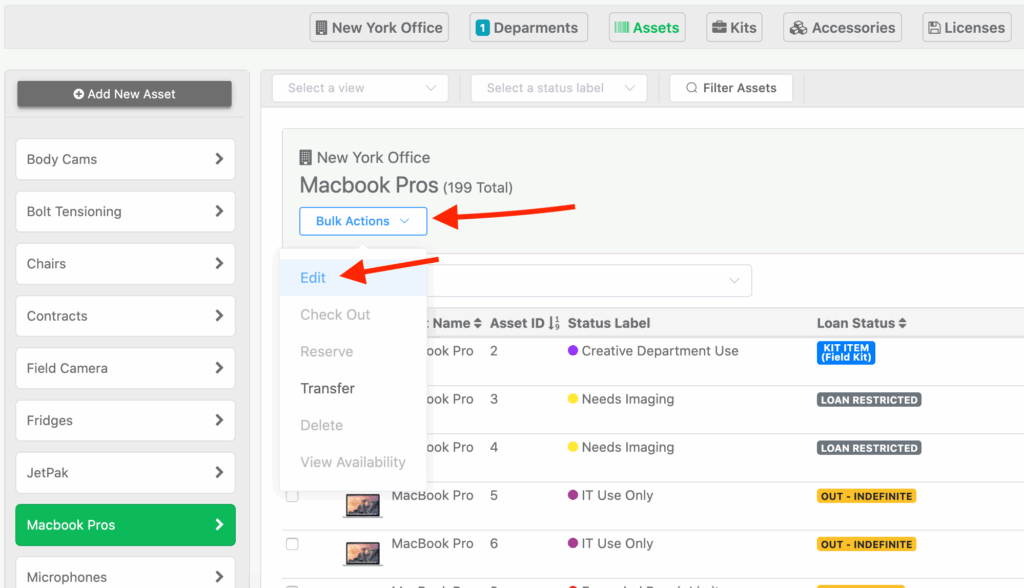
2. Click the, “Bulk Actions” drop-down menu first, (Without using the checkboxes next to any assets) then click “Edit”.
3. On the next page, paste in your list of Asset ID’s and make any edits you need.
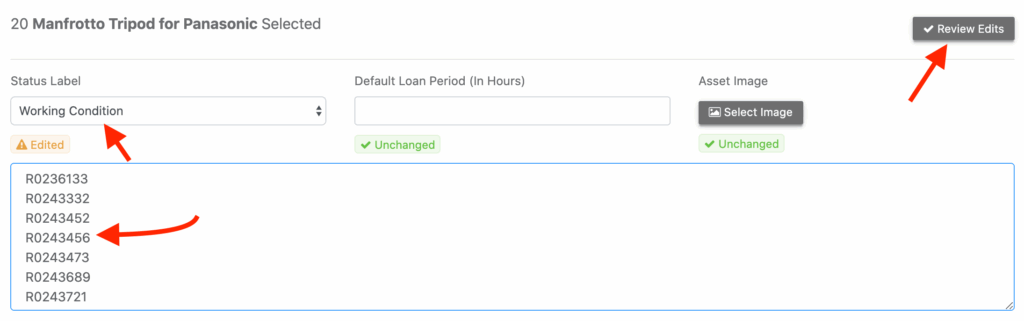
4. Click “Review Edits” and “Submit”:
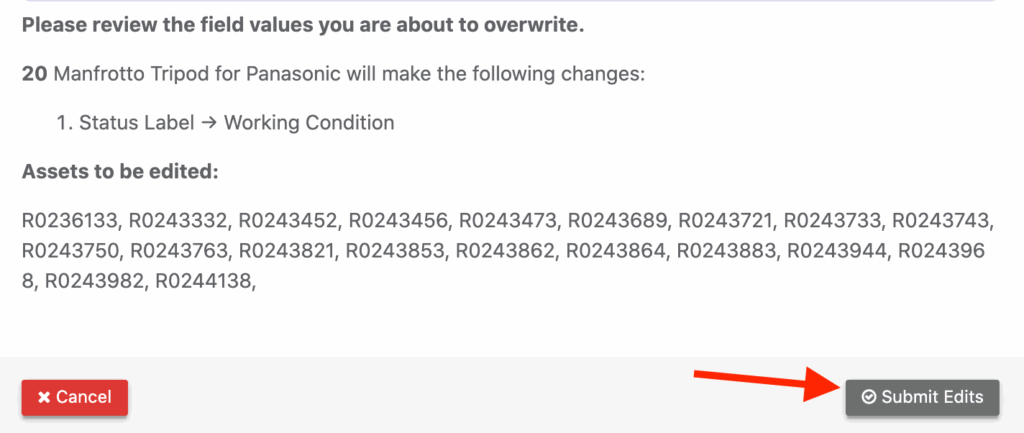
5. All assets supplied will be edited.
Need help? We're here for you
For any questions or assistance, feel free to reach out to us.
Ready to simplify IT asset management?
No credit card. No watered-down trial. Create a free account and see firsthand what Reftab can do.