
How to Transfer Consumable Accessories
Reftab supports tracking consumable items within your business. A consumable is type of accessory within Reftab. The major difference between an accessory and a consumable is that consumables are never returning. For instance, printer ink, disposable testing equipment, apparel, will never be returned back to the system. In order to further locate where each and every consumable is, you are able to Transfer to a Location.
To learn how to create a consumable in Reftab you can check our guide here. Once you have created a consumable and set stock you will be able to assign this stock to each location. When creating consumables they are treated as “Global Consumables.” Generally speaking, these are unassigned consumables.
Transferring Global Consumables
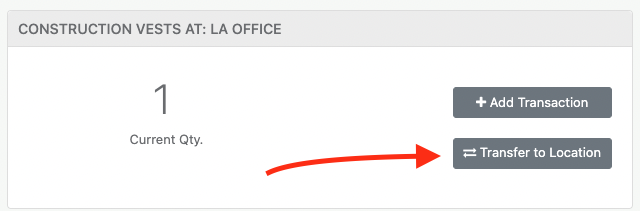
In order to transfer consumables, first head into the specific consumable. From there you are given the option of either Adding a Transaction or Transfer to Location. Click the Transfer to Location Button.
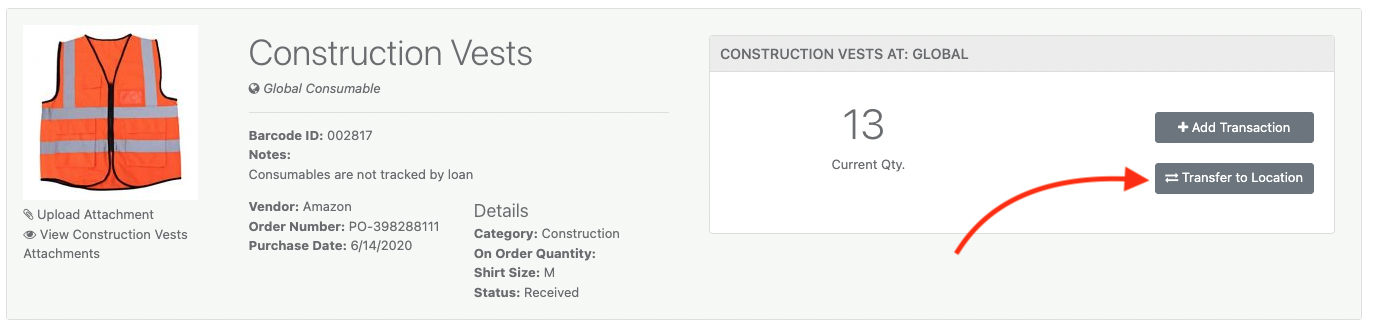
You are then given the Transfer Consumables prompt.
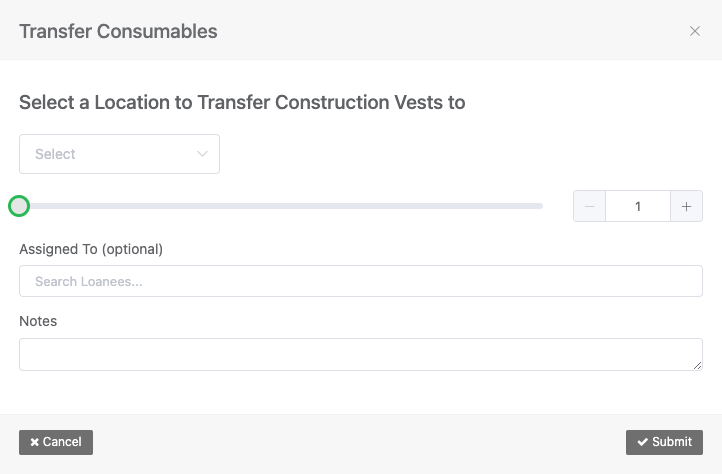
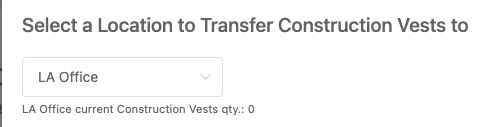
First, select the location you are transferring to, then choose your quantity.
You are given the option of Assigning this Transfer to employee. This employee is then given responsibility of ensuring the consumables reach the destination.
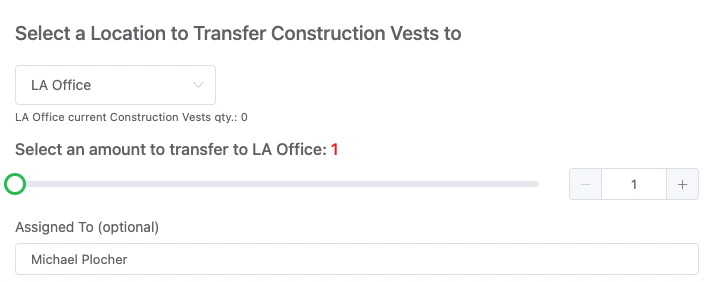
This option helps improve accountability. If there are any discrepancies you are able to see who was responsible for each transfer in the Past Transactions.

Transferring Consumables between Locations
You are also able to transfer consumables from one location to another, for example from an LA Office to a New York office.
To do this, head to the Locations tab from within the specific consumable.
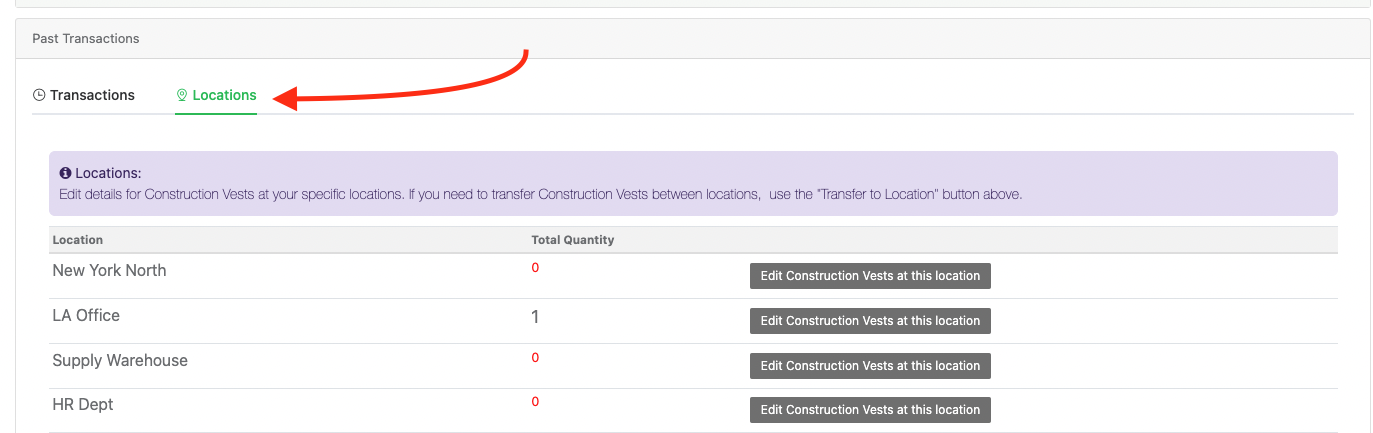
You’ll notice we currently have 0 in New York North and 1 in LA Office. To transfer this consumable, click the name of your Location. For instance, we will click “LA Office.”
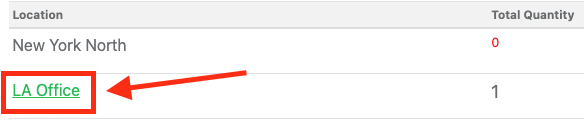
You will then be brought to the LA Office inventory. From here you can follow the same steps above using the Transfer to Location button.
Need help? We're here for you
For any questions or assistance, feel free to reach out to us.
Your assets, simplified. Begin your journey with us!
50 assets free forever with unlimited inventory & software tracking. Includes email alerts, mobile apps, reports, custom asset tags and more.