
Can Reftab send emails from my Gmail Account?
Yes. The process uses OAuth.
Give Account Access:
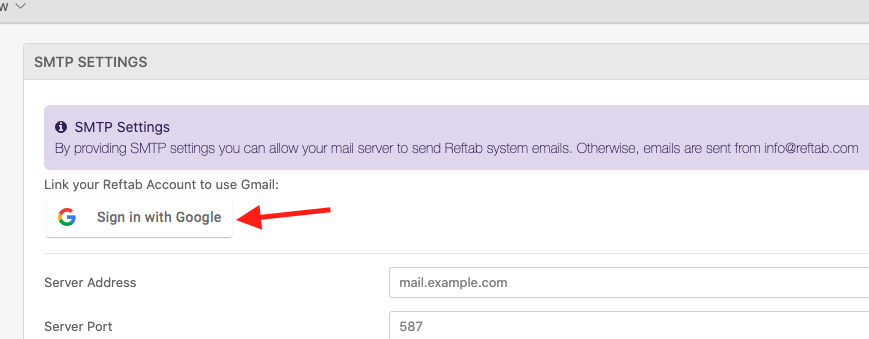
To configure Reftab to send email from a GMail account, click “Settings” > “Email Settings / Logs” > “Edit SMTP Settings” > “Sign in With Google“
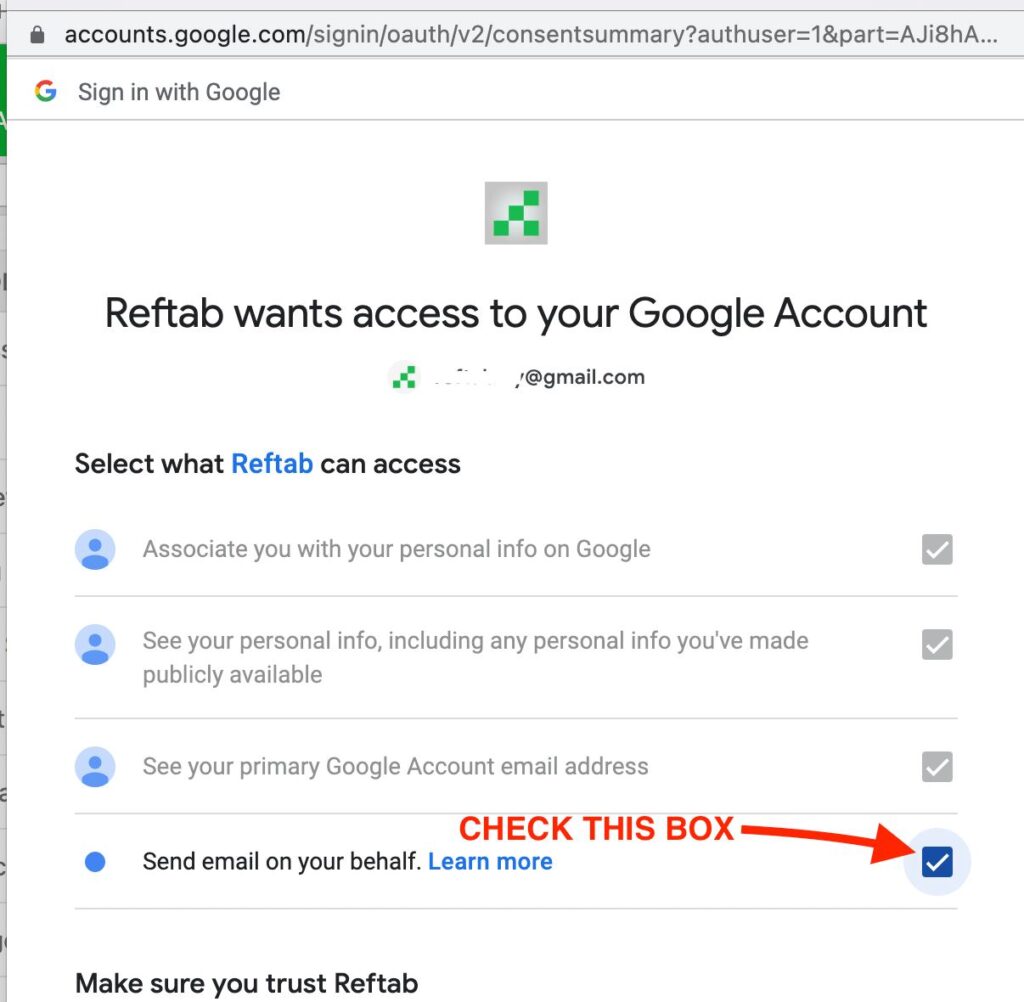
IMPORTANT NOTICE: Be sure to click “Send email on your behalf.” This process will not work unless this is checked.
Disconnect Account Access:
Log into Reftab.
Click, “Settings” > “Email Settings / Logs” > “Edit SMTP Settings” > “Disconnect“

If the above process does not work, you can disconnect from within Gmail:
Log into your GMail Account.
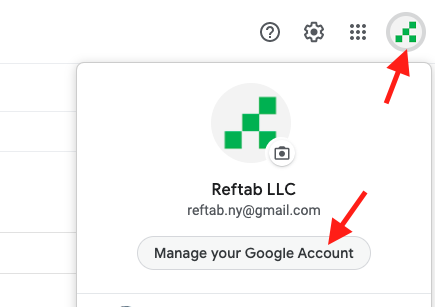
Click your accout icon in upper right corner and click, “Manage your Google Account“
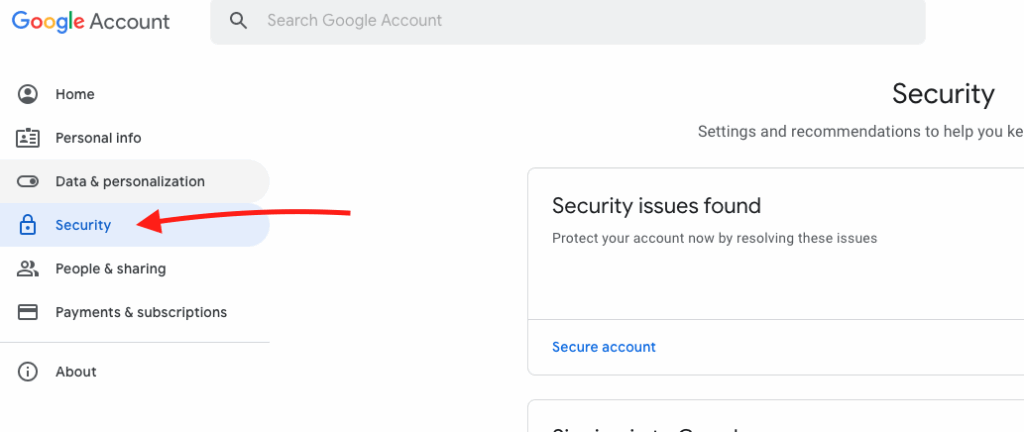
Next, click “Security” tab on left.
Next, click “Manage third-party access“
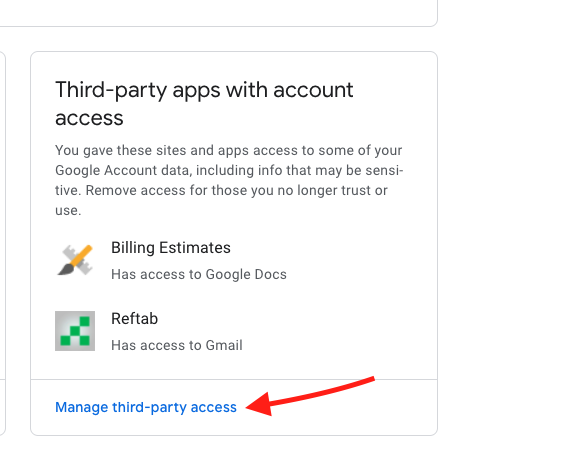
Find Reftab under Apps with Account Access and click “Remove Access“

Click, “ok“

Need help? We're here for you
For any questions or assistance, feel free to reach out to us.
Your assets, simplified. Begin your journey with us!
50 assets free forever with unlimited inventory & software tracking. Includes email alerts, mobile apps, reports, custom asset tags and more.