
How do I Integrate Reftab with Hello Retriever?
Reftab integrates with Hello Retriever to help IT teams retrieve laptops and monitors from remote employees. Once connected, admins can start a Hello Retriever return directly from an asset in Reftab.
Hello Retriever helps companies manage remote equipment returns, including return kits, prepaid shipping, reminders, warehousing, and data destruction workflows.
Learn more about Hello Retriever here: https://helloretriever.com
Why Use the Reftab and Hello Retriever Integration?
Recovering equipment from remote employees can involve a lot of manual follow-up. This integration makes the process easier by letting IT teams start a return from the asset record in Reftab.
With the integration, you can:
- Start a laptop or monitor return from Reftab
- Reduce manual coordination with remote employees
- Keep return activity connected to the asset record
- Support return, warehouse, and data destruction workflows through Hello Retriever
Before You Begin
To use this integration, you will need:
- An active Reftab account
- A Hello Retriever Enterprise account
- Access to the Hello Retriever Admin Portal
- A Hello Retriever API token
- Admin access in Reftab to configure integrations
This guide will cover the following:
Configure Retriever Settings
Request Options
Company Information
Available Credits
How to Start a Return
Configure Your Hello Retriever Settings
- Log in to the Retriever Admin Portal.
- Navigate to the API settings page.
- Generate or copy your API Token.
- In Reftab, enter the token into the Token field.
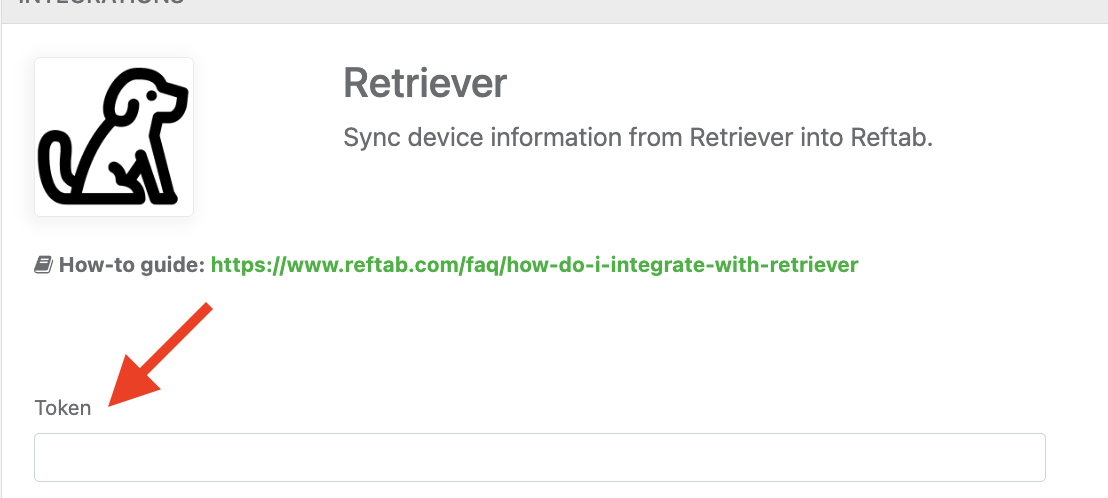
Once the token is saved, Reftab can communicate with Hello Retriever and create eligible return requests from asset records.
Request Options
Reftab includes request options that determine how assets are sent to Hello Retriever.

Request Disposal
Use this option when assets should be sent to Hello Retriever for certified data destruction and disposal processing.
When enabled, only the Company Display Name field is required within the Company Information section.
Request For Warehouse
Use this option when assets should be sent into Hello Retriever’s warehouse workflow instead of directly to disposal.
This is useful when your company wants returned equipment sent to storage, reviewed, redeployed, or handled through another internal process.
Company Information
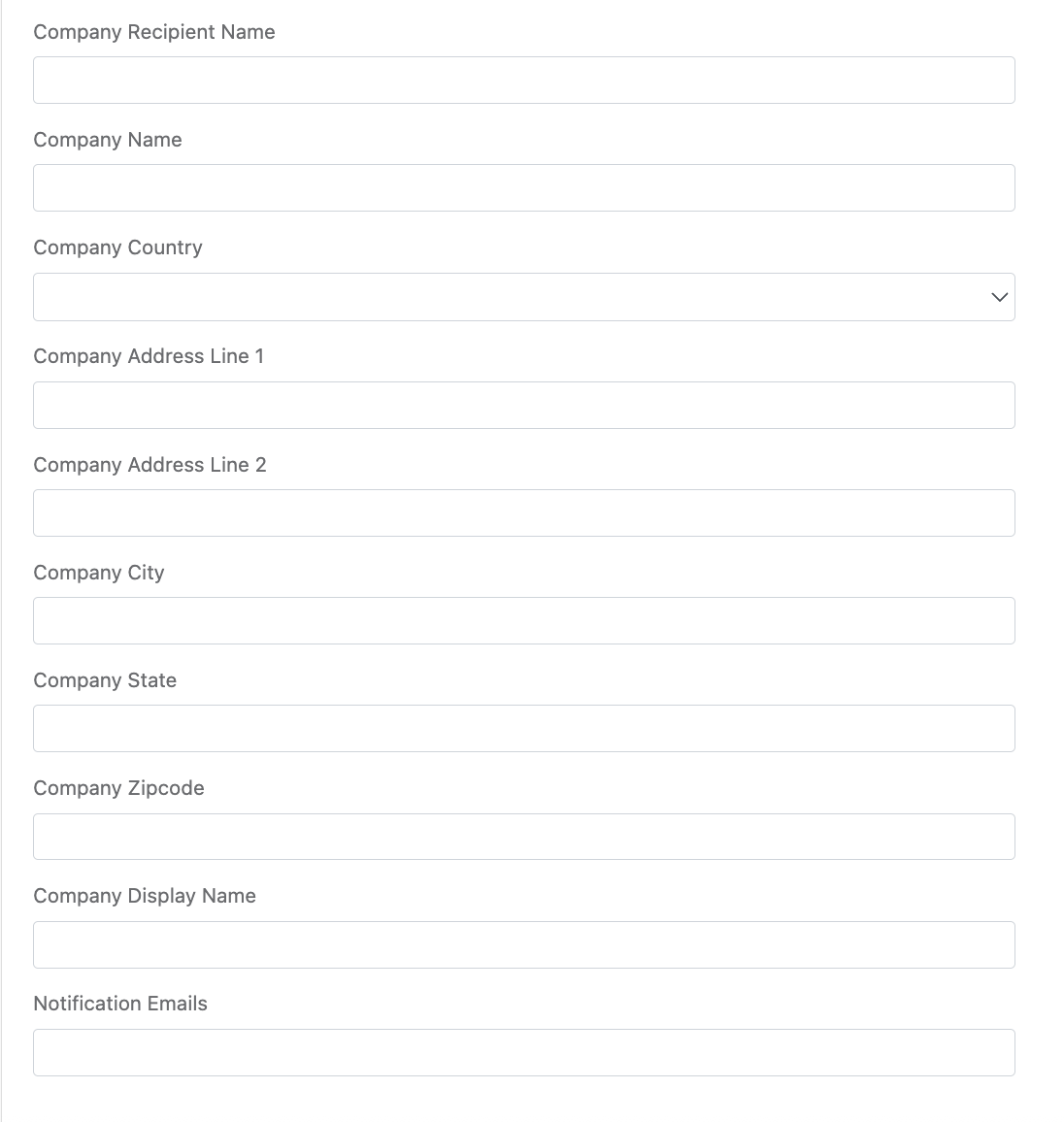
Complete the Company Information section in Reftab. This information is used when Reftab creates requests with Hello Retriever.
This section may include details such as:
- Company display name
- Company address
- Contact name
- Notification email addresses
The notification email addresses entered here will receive status updates and communications related to Hello Retriever requests.
Available Credits
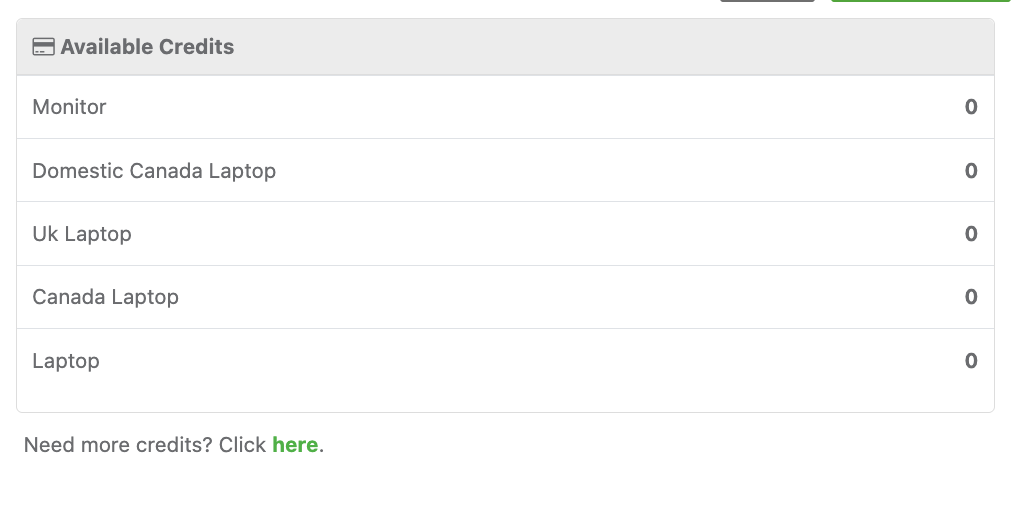
Hello Retriever maintains available processing credits by asset type. Reftab displays these credits so admins can understand which types of return requests are currently available.
Examples may include:
- Laptop
- Monitor
- Canada Laptop
- UK Laptop
- Domestic Canada Laptop
The Available Credits panel shows the number of remaining credits available for each category.
How to Start a Hello Retriever Return from Reftab
Once the integration is configured, you can start a return directly from an asset record.
- In Reftab, open the asset that needs to be returned.
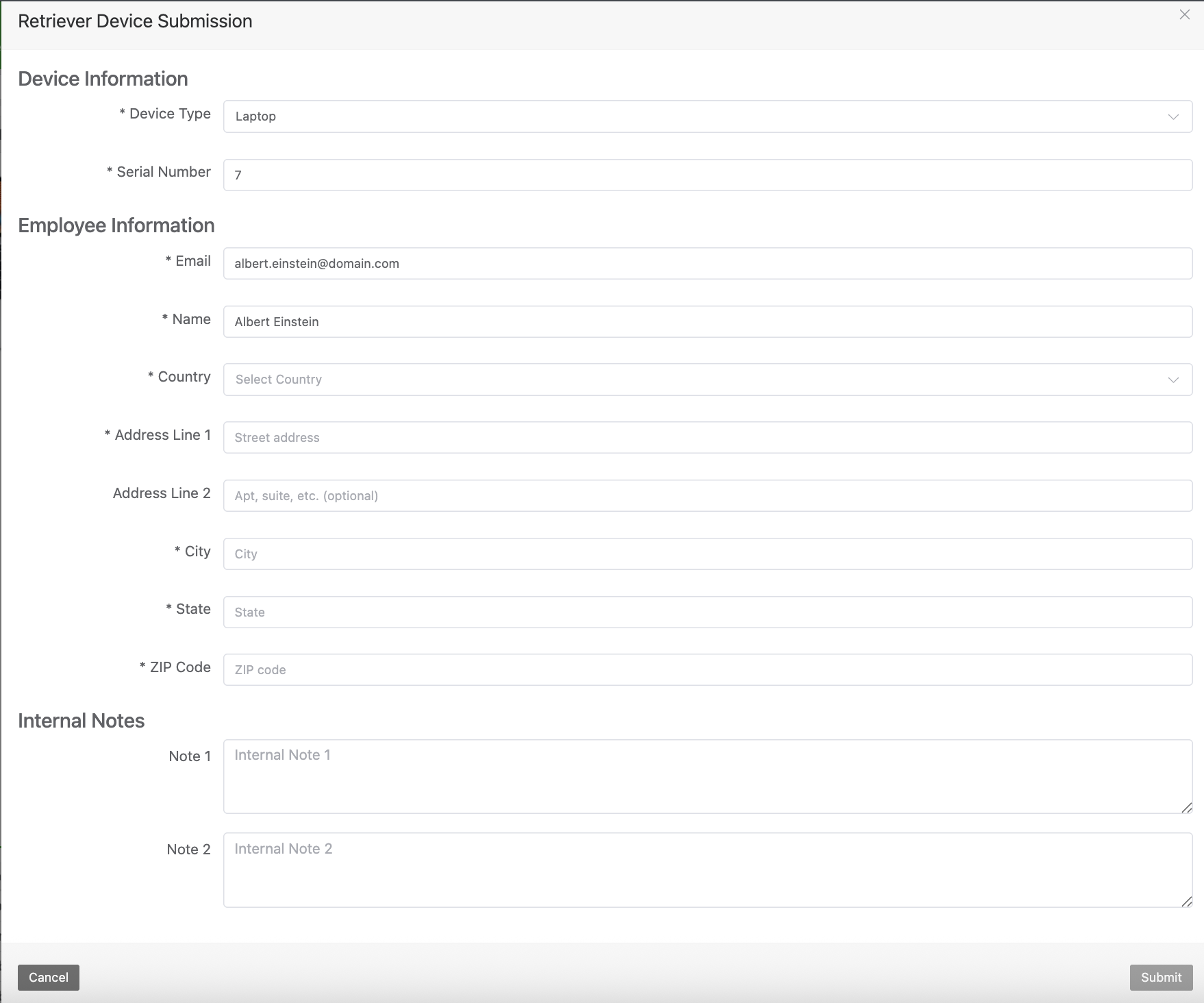
- Click Start Hello Retriever Return.
- Complete the required return information.
- Review the details.
- Click Submit.
After submission, Reftab sends the return request to Hello Retriever.
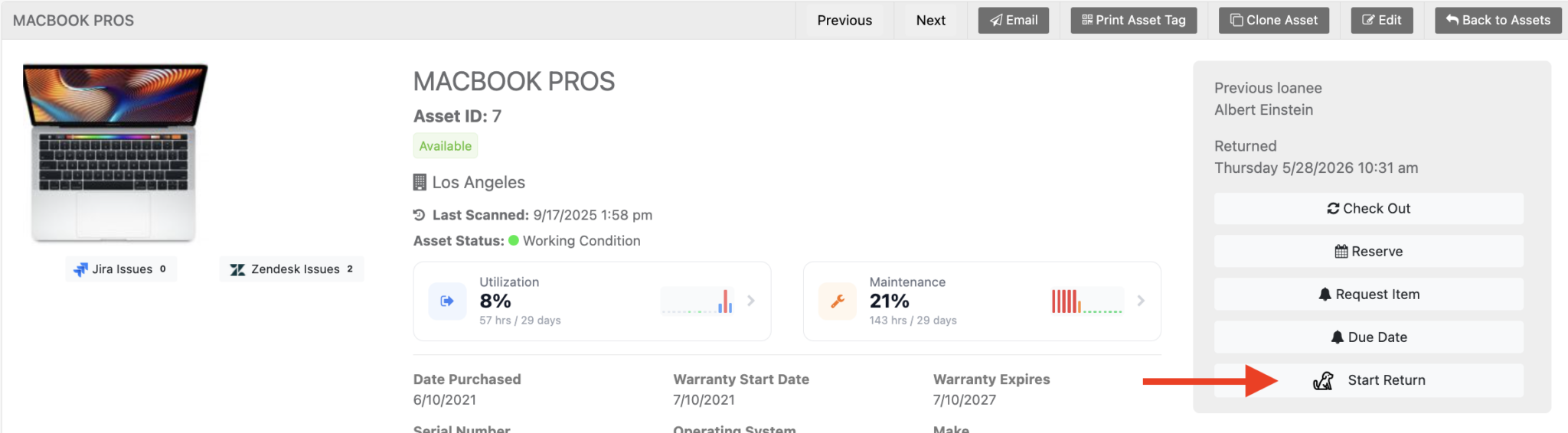
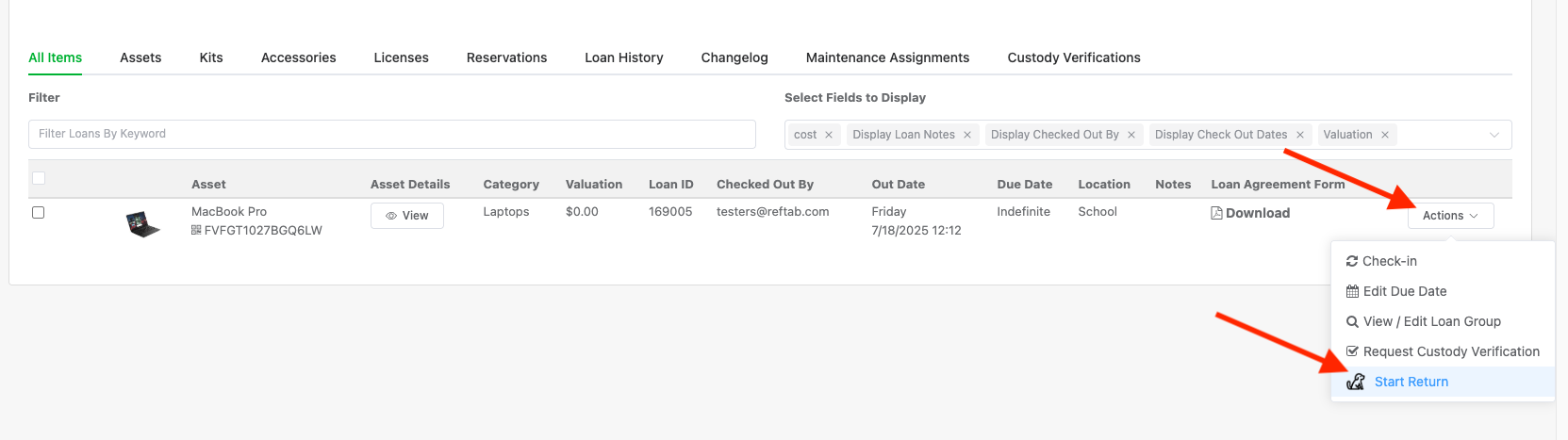
You can also start a Retriever Return from the User Record clicking “Actions” > “Start Return”
What Happens After a Return Is Started?
After the request is submitted, Hello Retriever coordinates the return process based on your selected workflow. This may include sending return instructions, return packaging, a prepaid shipping label, and reminders to the employee.
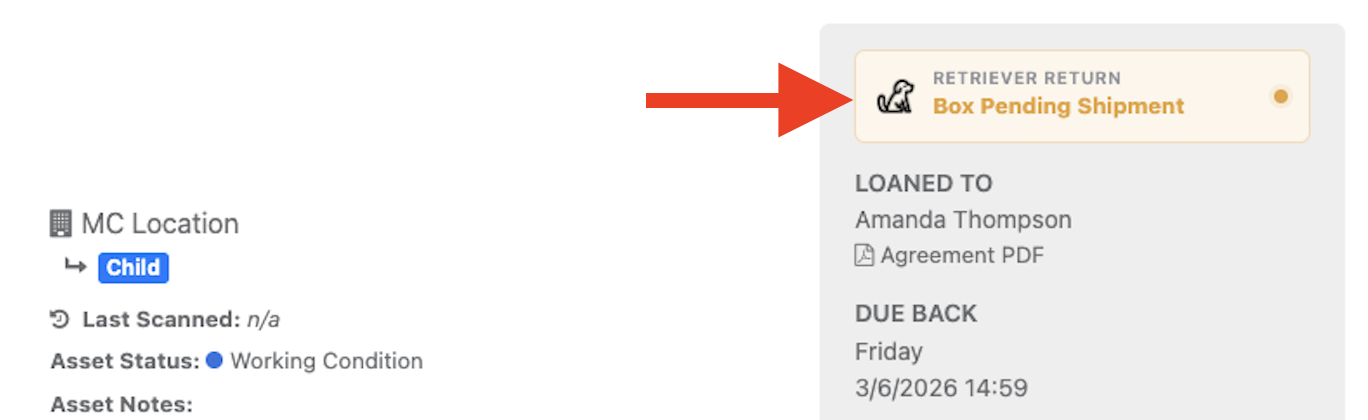
You can see details of the shipment status on the asset record:
The goal is to make the return process easier for both the employee and the IT team while keeping the asset recovery workflow connected to the asset record in Reftab.
Important Notes
- You must be on Hello Retriever Enterprise to use this integration.
- This integration is designed for retrieving assets from employees, not shipping new equipment to employees.
- Available request types and credits depend on your Hello Retriever account.
- Data destruction, warehousing, and disposal workflows are handled by Hello Retriever based on your account configuration and selected request options.
Need Help?
For questions about configuring the integration in Reftab, contact Reftab support at help@reftab.com.
For questions about Hello Retriever services, return workflows, warehousing, or data destruction options, visit Hello Retriever at https://helloretriever.com.
Need help? We're here for you
For any questions or assistance, feel free to reach out to us.
Your assets, simplified. Begin your journey with us!
50 assets free forever with unlimited inventory & software tracking. Includes email alerts, mobile apps, reports, custom asset tags and more.