
How to Connect Reftab’s MCP Server to ChatGPT
Reftab’s MCP server lets ChatGPT answer questions about your Reftab assets, loans, licenses, and people in plain language. Once connected, you can ask things like “how many assets are currently checked out?” and ChatGPT will look up the answer in Reftab for you. The connection is read-only, so ChatGPT can view your data but can never create, change, or delete anything.
Step 1: In ChatGPT, click Plugins in the left sidebar
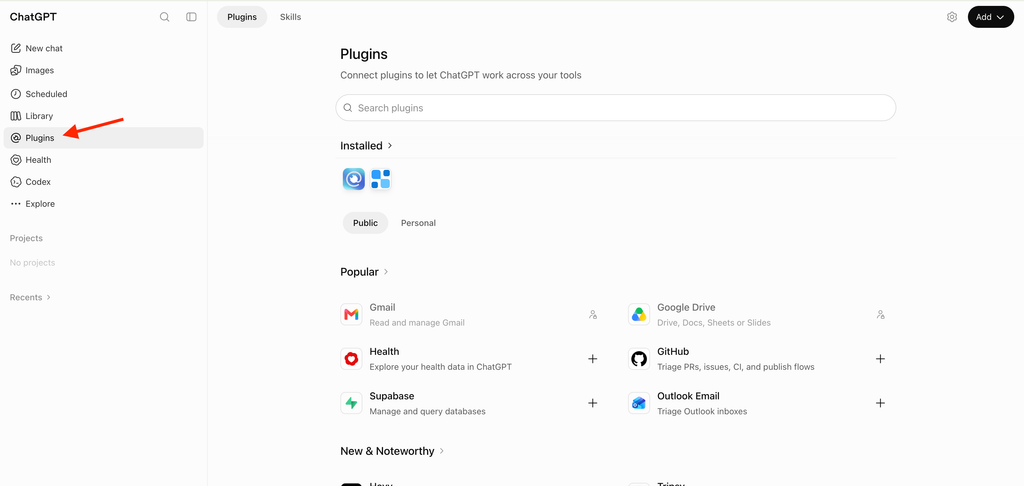
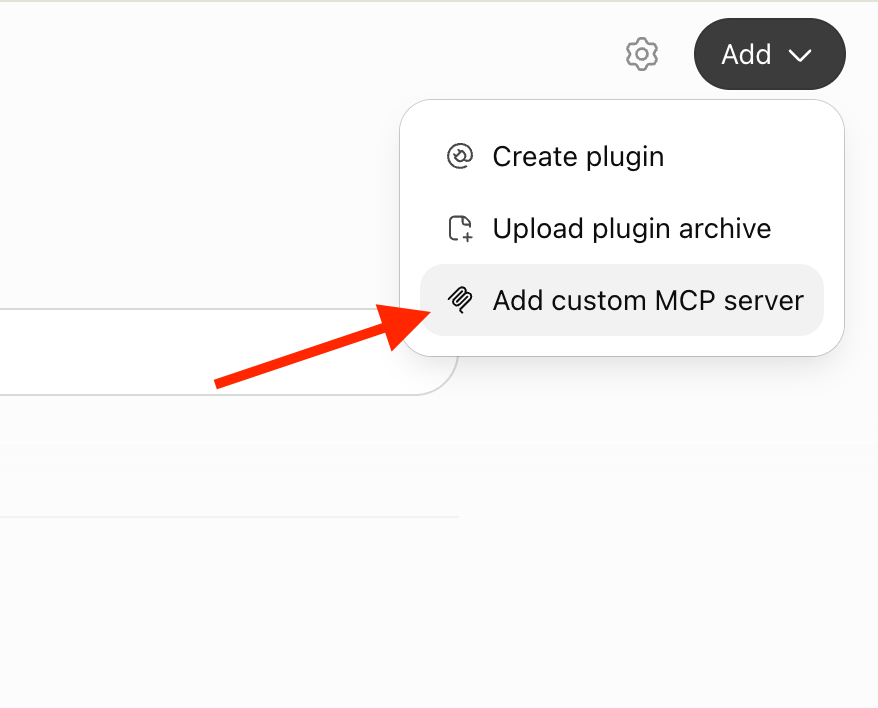
2. Click Add in the top right corner
3. Select Add custom MCP server
4. Enter the Reftab server details
Fill in the form as shown:
- Name: Reftab
- Server URL:
https://mcp.reftab.com/mcp - Authentication: OAuth
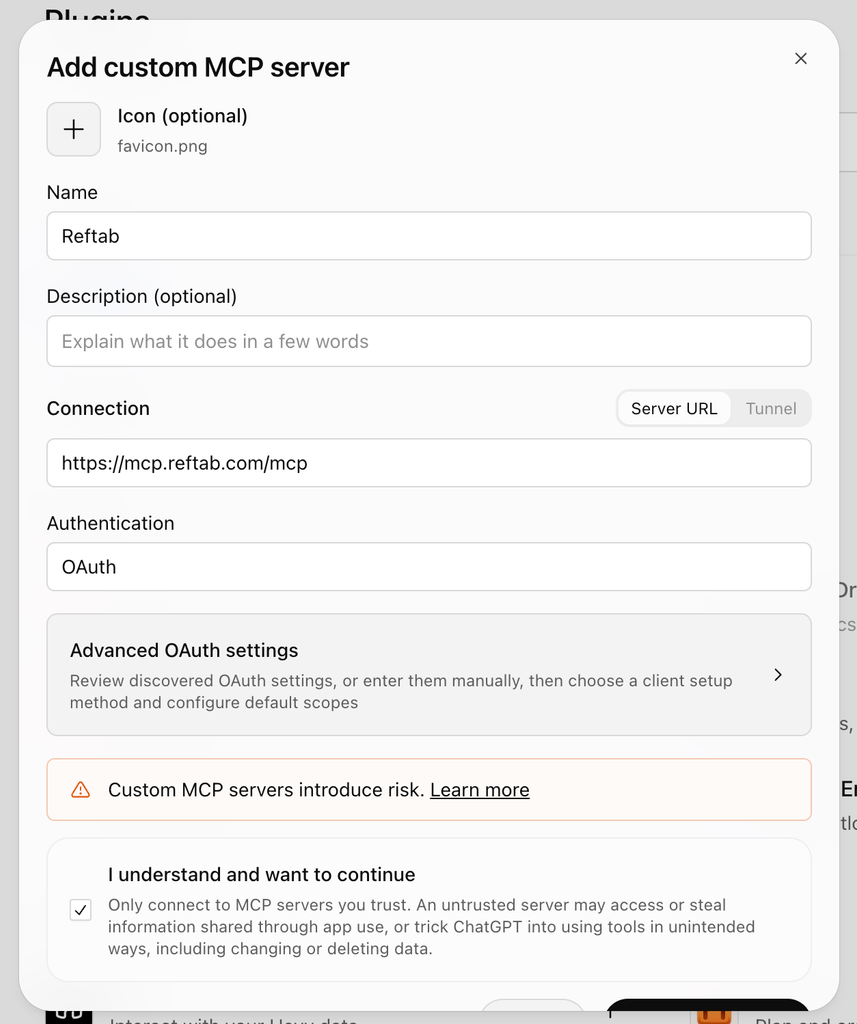
5. Check “I understand and want to continue” and add the server
ChatGPT shows this warning for every custom MCP server. Reftab’s server is read-only and you sign in with your own Reftab account, so no API keys or passwords are shared with ChatGPT. Check the box, then scroll to the bottom of the form and add the server.
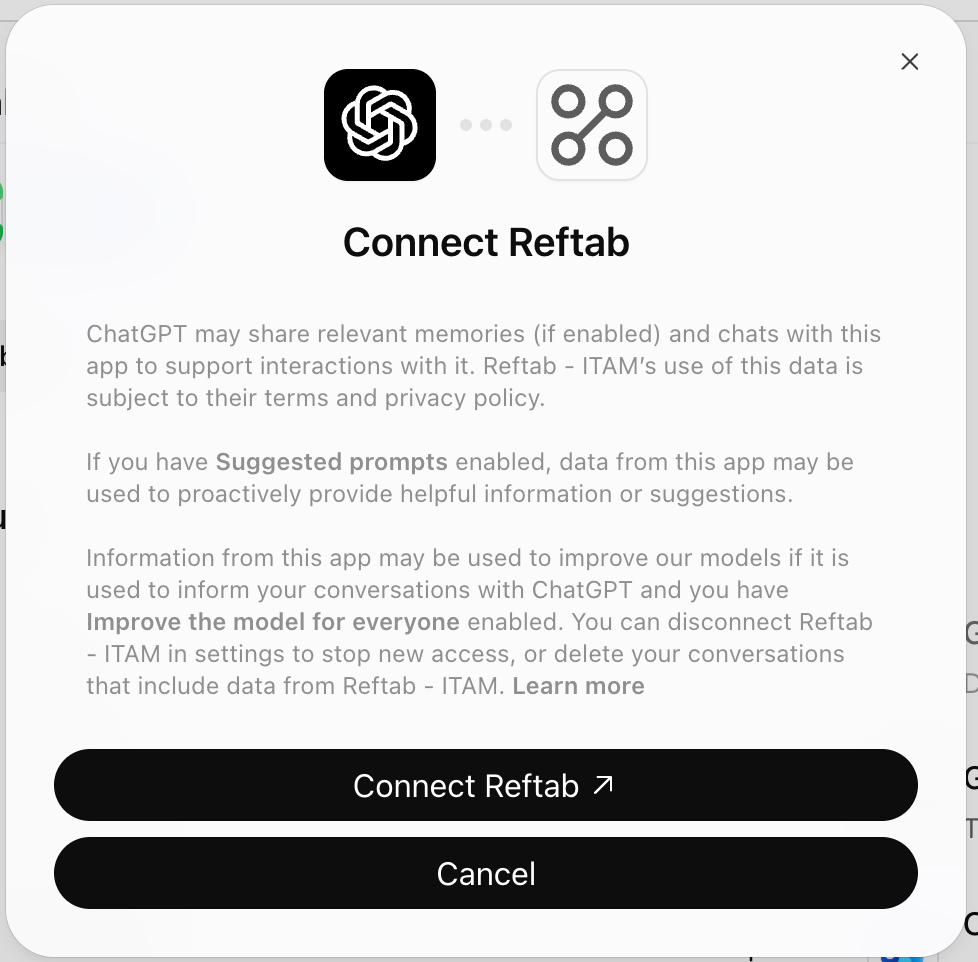
6. Click Connect Reftab
ChatGPT asks you to confirm the connection. Click Connect Reftab to continue to Reftab.
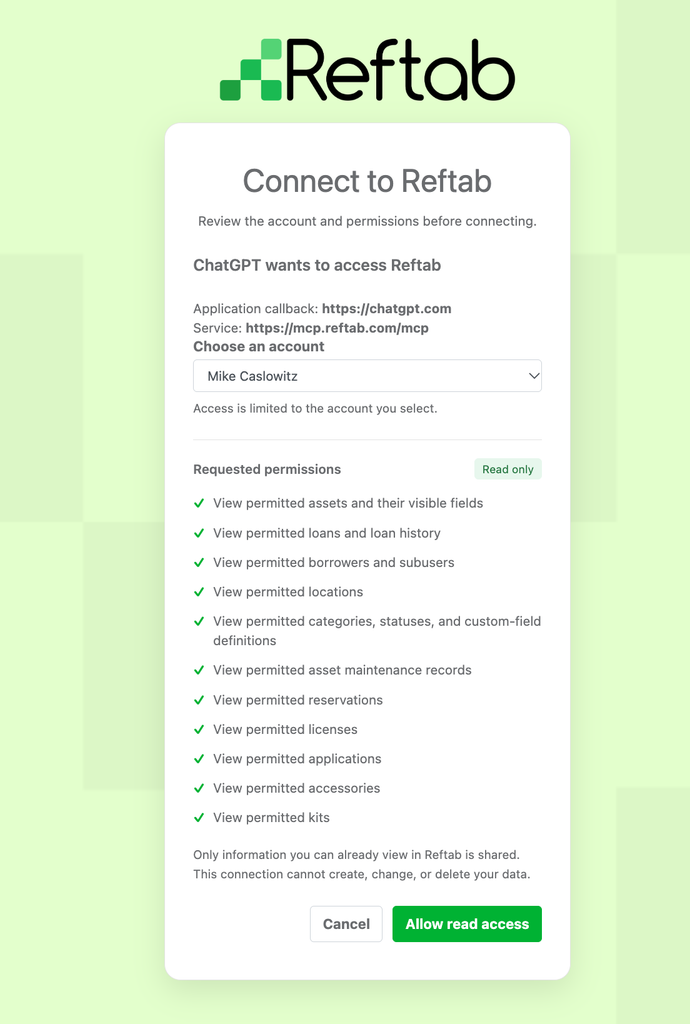
7. Choose your Reftab account
On the Connect to Reftab page, pick the account you want ChatGPT to use. Access is limited to the account you select.
8. Review the permissions and click Allow read access
The page lists the read-only permissions ChatGPT is requesting, such as assets, loans, borrowers, locations, licenses, accessories, and kits. Only information you can already view in Reftab is shared. Click Allow read access.
9. Start a new chat and ask a question about your Reftab data
For example, ask “how many assets are currently checked out?”
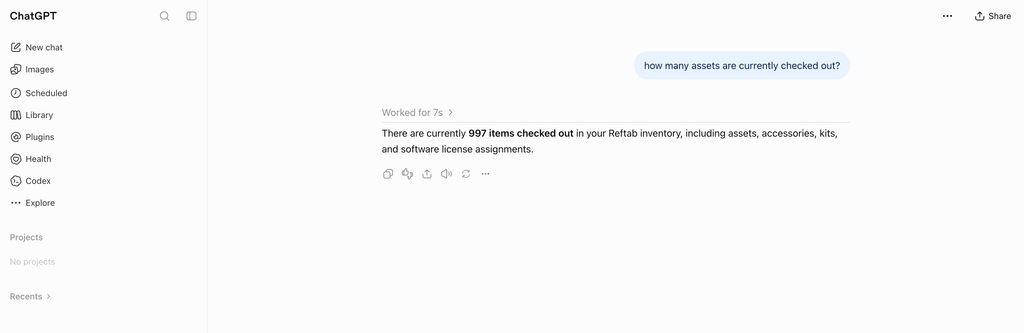
That’s it! ChatGPT can now answer questions about your Reftab data. If you ever need to confirm which Reftab user the connection is signed in as, ask “Who am I connected to Reftab as?”
What can I ask ChatGPT?
Ask in everyday language. A few examples:
- Who has overdue loans?
- What is our total annual software spend?
- Which assets are missing a serial number?
- What does jane.doe@company.com currently have checked out?
NOTE: The connection is read-only. ChatGPT can look up and summarize your Reftab data, but changes such as creating, updating, checking in, or deleting records must be made in Reftab. For the full list of tools and permissions, see the MCP Server Reference.
Need help? We're here for you
For any questions or assistance, feel free to reach out to us.
Ready to simplify IT asset management?
No credit card. No watered-down trial. Create a free account and see firsthand what Reftab can do.