
How to Integrate OpenAI with Reftab
The OpenAI integration allows Reftab to import OpenAI API usage and cost information and associate usage with individual users.
Obtain an Admin Key from OpenAI
- Sign in to the OpenAI platform
- Create an Admin key:
https://platform.openai.com/settings/organization/admin-keys
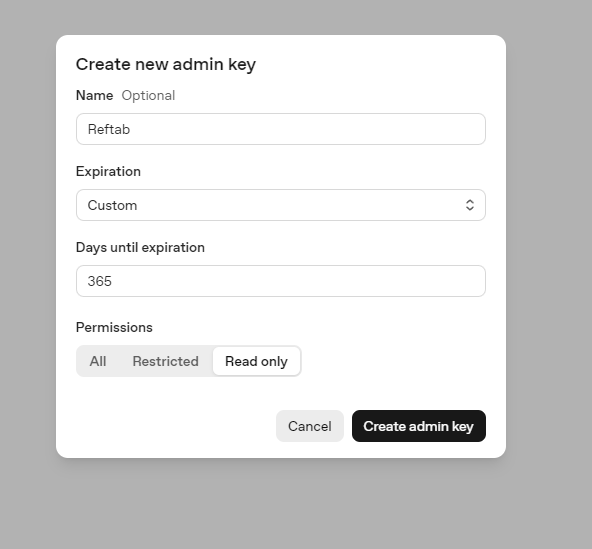
- Copy the generated key
The integration requires an Admin key rather than a standard OpenAI API key.
Connect OpenAI to Reftab
1. Sign in to Reftab as an administrator
2. Navigate to Settings > Integrations > OpenAI
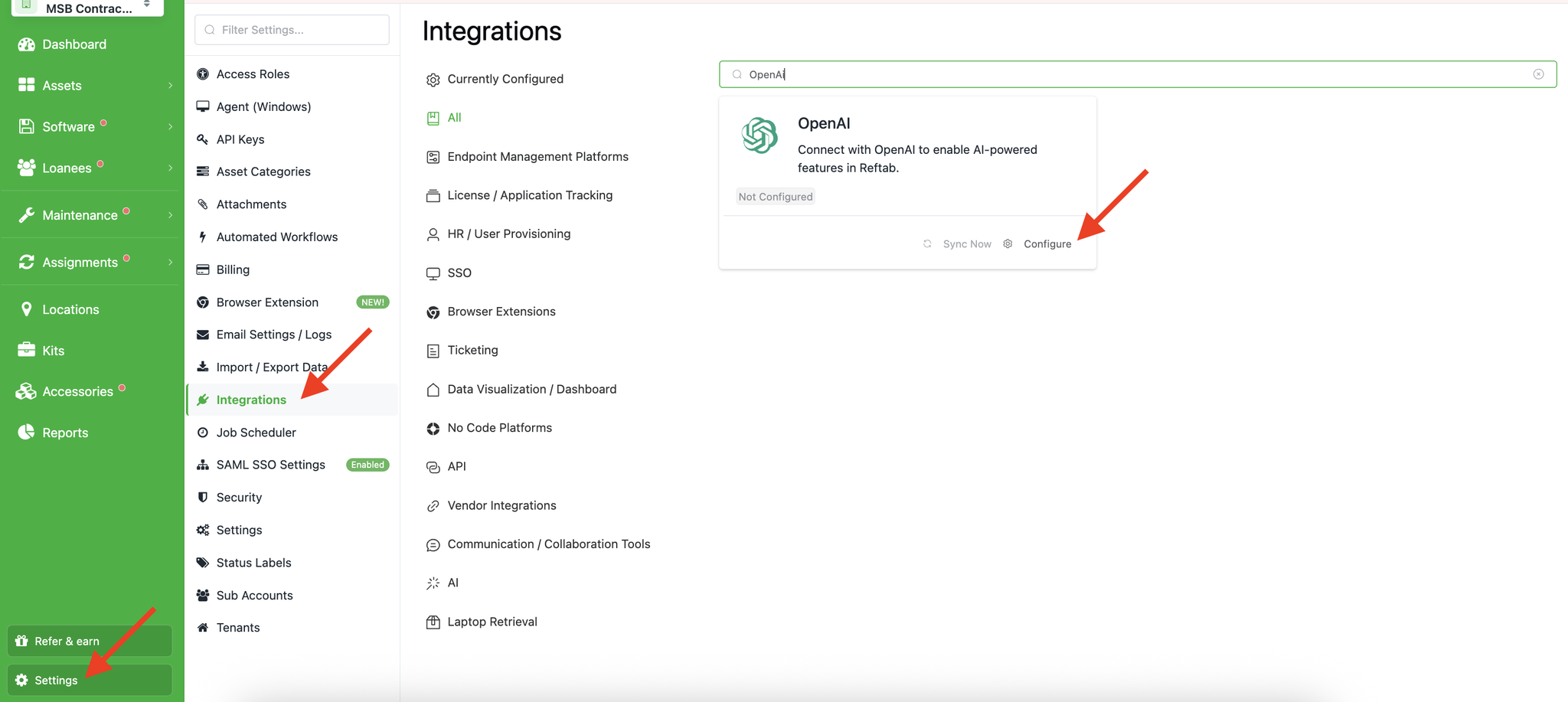
3. Enter the OpenAI Admin key
4. Click Save
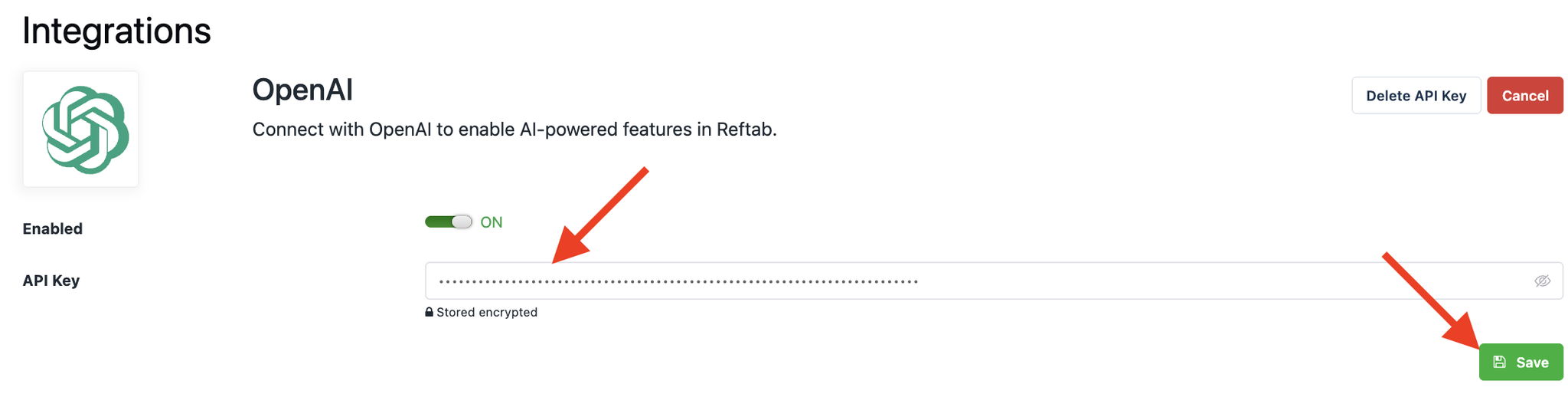
Once connected, Reftab imports the available OpenAI API usage and cost data and checks out the corresponding OpenAI licenses to matched Reftab users.
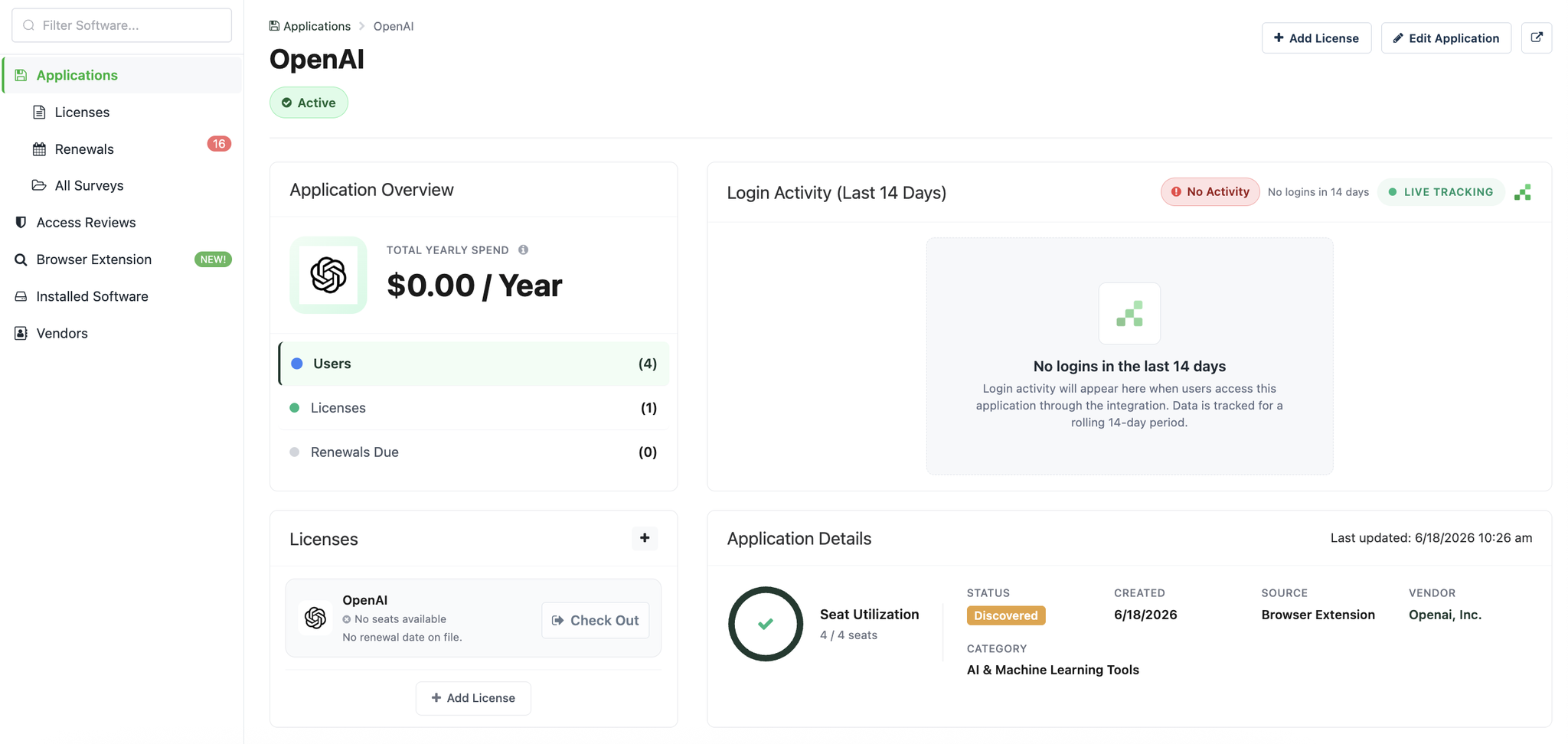
Viewing OpenAI in Reftab
To view OpenAI usage in Reftab, head to Applications > OpenAI
Important Notes
- After the integration runs for the first time, the admin key’s expiration date will appear on the integration page. As the expiration date approaches, a warning will appear in the Integration Health section of the dashboard.
Need help? We're here for you
For any questions or assistance, feel free to reach out to us.
Ready to simplify IT asset management?
No credit card. No watered-down trial. Create a free account and see firsthand what Reftab can do.