
Adding Billing Records to Software Licenses
Billing records allow you to track historical software spend directly within a license. These records feed into:
- Billing History
- Spend reports
- Spend forecasting graphs
- Renewal visibility
You can record both recurring subscription payments and one time charges such as taxes, onboarding fees, or support costs.
In this guide we will cover the following:
- Accessing Billing History
- Choosing a Billing Type
- Example of Recording a Subscription Renewal
- Example of Recording a One Time Charge
Accessing Billing History
Open your license, then navigate to the Billing History tab.
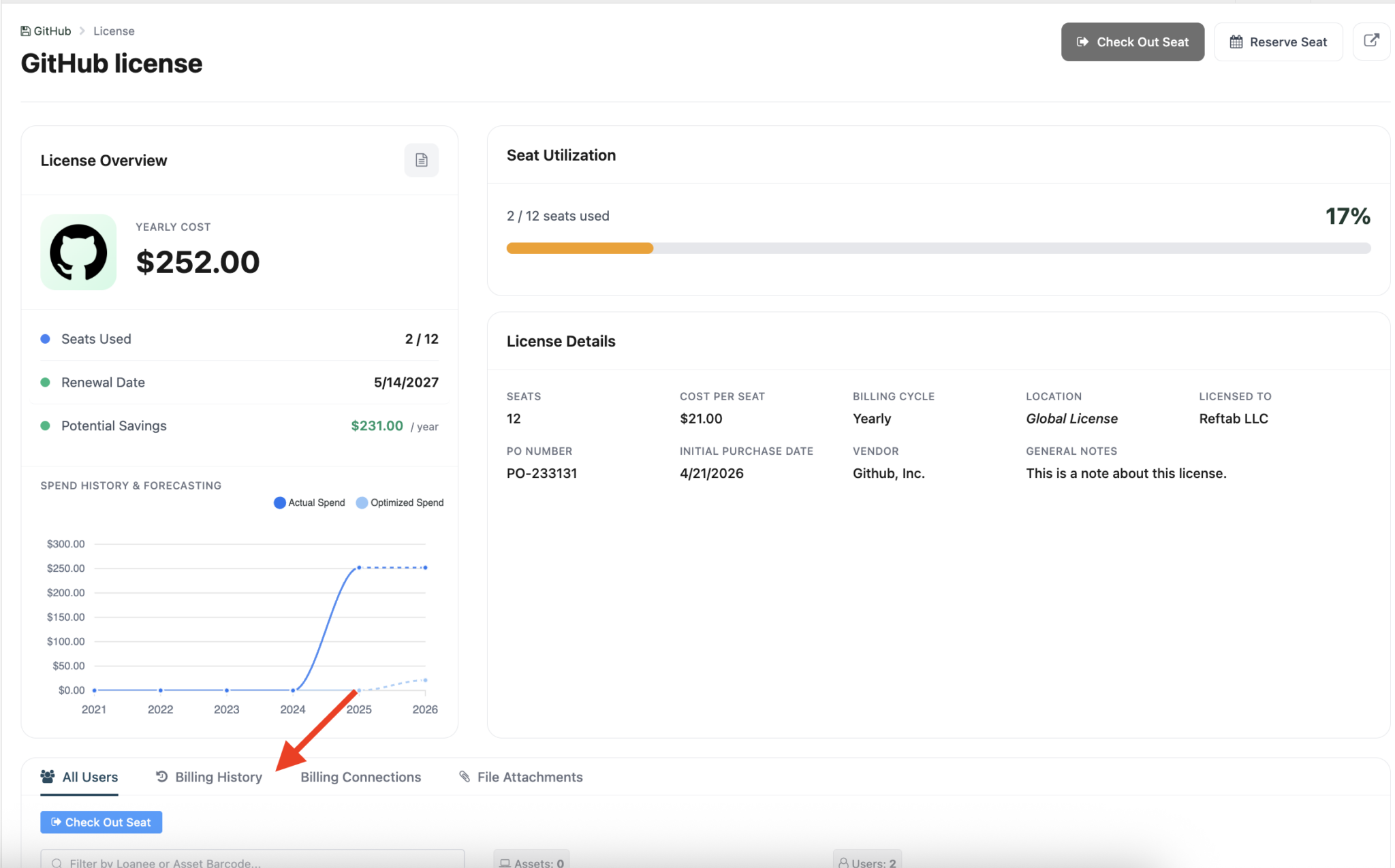
From there, select Add Billing Record.

Choosing a Billing Type
When creating a billing record, you will be presented with two options:
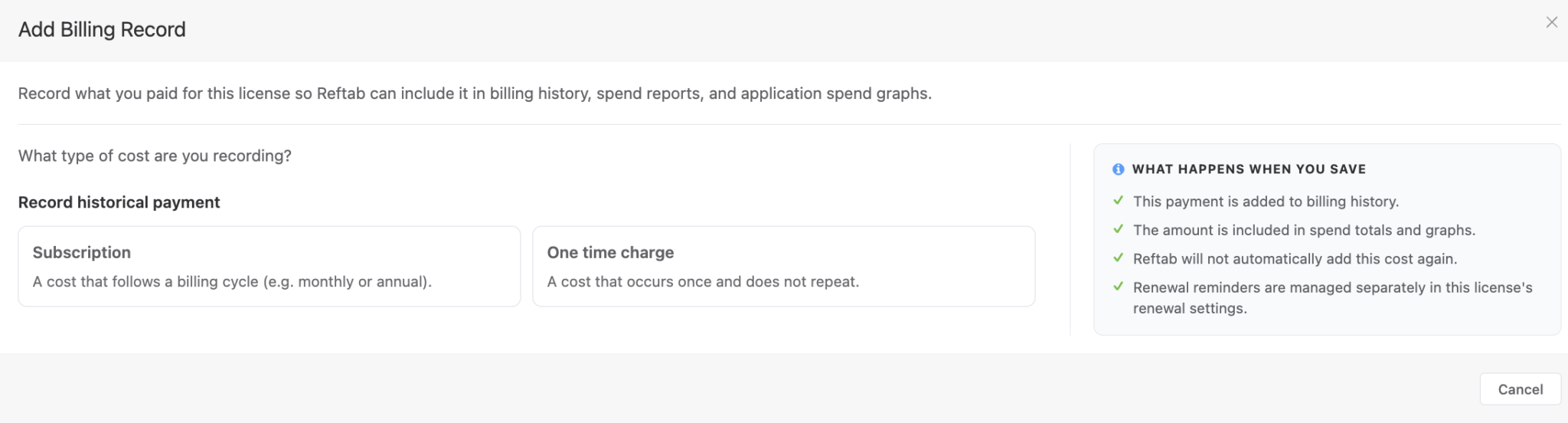
Subscription
Use this for recurring software costs that follow a billing cycle, such as:
- Monthly subscriptions
- Annual renewals
- Per seat licensing
- Future renewal projections
Subscription records include:
- Service period
- Billing cycle
- Seat count
- Seat cost or total cost
- Renewal forecasting
These entries contribute to projected spend calculations.
One Time Charge
Use this for non recurring costs, such as:
- Taxes
- Marketplace purchases
- Support fees
- Onboarding or implementation costs
- Refunds or credits
One time charges are logged once and do not generate future renewals or recurring forecasts. Negative values can also be entered for refunds or credits.
Example of Recording a Subscription Renewal
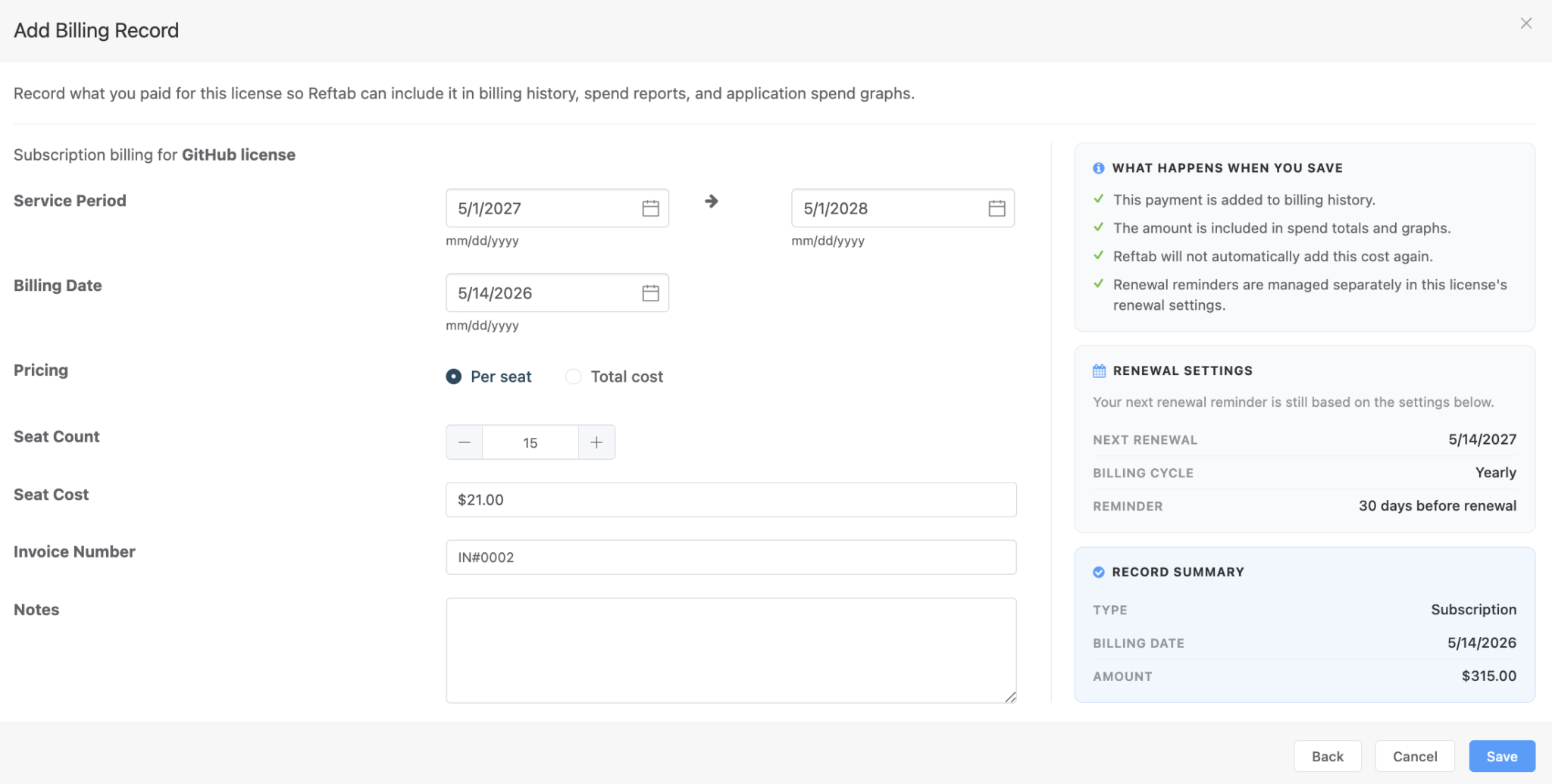
In this example:
- 15 seats
- $21 per seat
- Yearly billing cycle
- Total yearly spend: $315
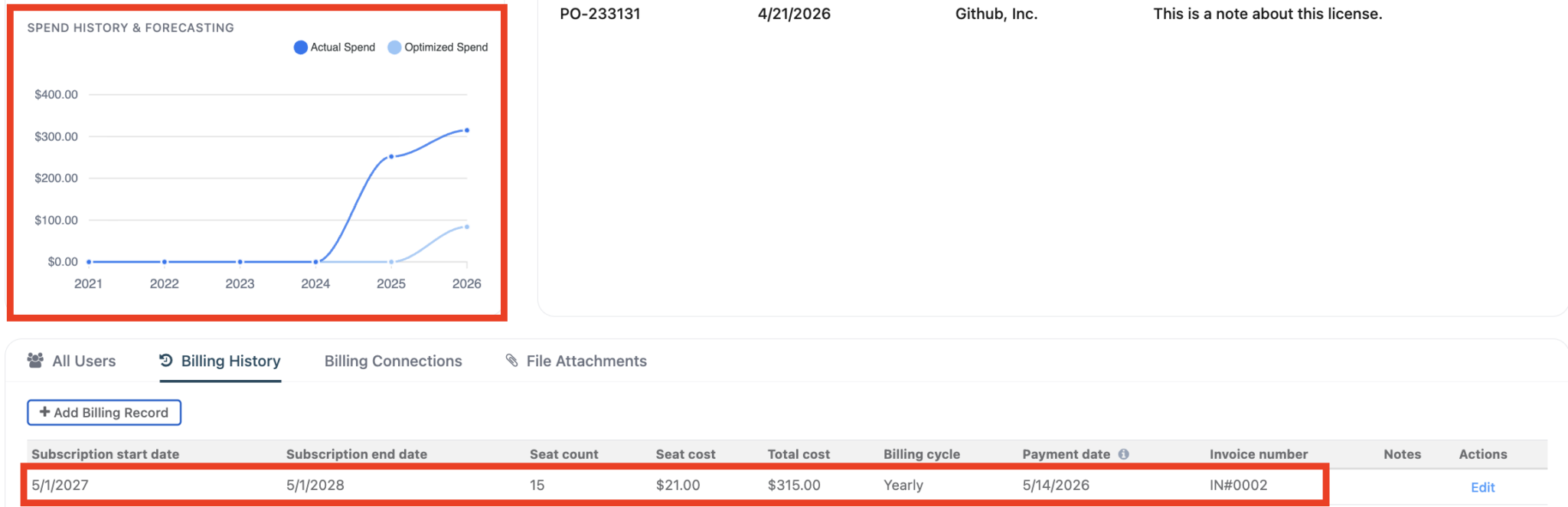
The billing record creates:
- A historical billing entry
- Forecasted future spend
- Renewal tracking for the next cycle
The Spend History & Forecasting graph will update automatically.
Example of Recording a One Time Charge
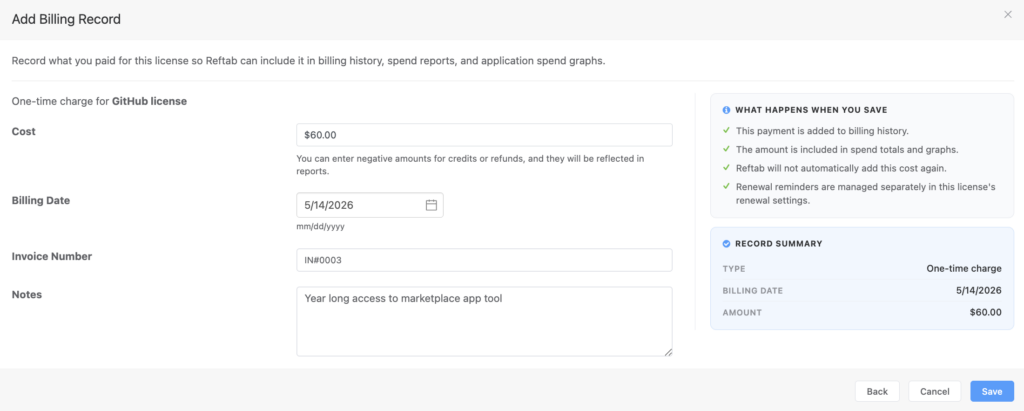
In this example shown
- Cost: $60
- Billing date: 5/14/2026
- Notes: “Year long access to marketplace app tool”
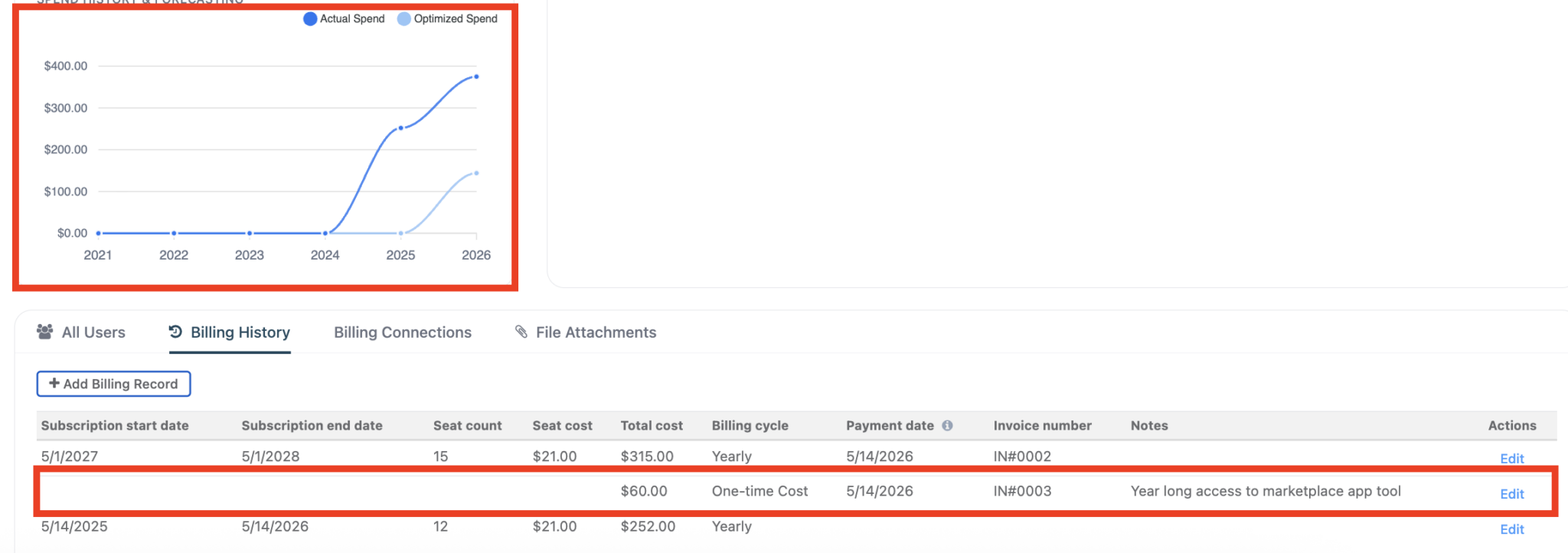
This charge appears in billing history and spend totals, but does not create a future renewal projection.
Need help? We're here for you
For any questions or assistance, feel free to reach out to us.
Your assets, simplified. Begin your journey with us!
50 assets free forever with unlimited inventory & software tracking. Includes email alerts, mobile apps, reports, custom asset tags and more.