
How to Integrate Claude with Reftab
The Claude integration allows Reftab to import Claude API usage and cost information and associate usage with individual users.
Which Claude do you use?
- Using Claude Enterprise? Click here
- Using Claude Console? Click here
Claude Enterprise Guide
Obtain an API Key from Claude Enterprise
- Sign in as the primary owner or an organization owner.
- Open API settings. Go to claude.ai > Organization settings > API and find the Keys section.
- Click + Create key. Name the key and select these scopes:
read:members,read:analytics,read:org_audit - Copy the key. Copy the displayed secret (starting with
sk-ant-api01-). The full secret is shown only once.
Connect Claude Enterprise to Reftab
1. Sign in to Reftab as an administrator
2. Navigate to Settings > Integrations > Claude
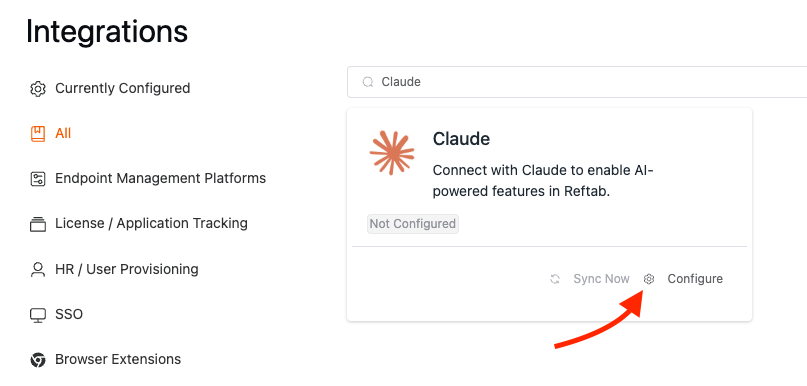
3. Turn on the Claude Enterprise toggle
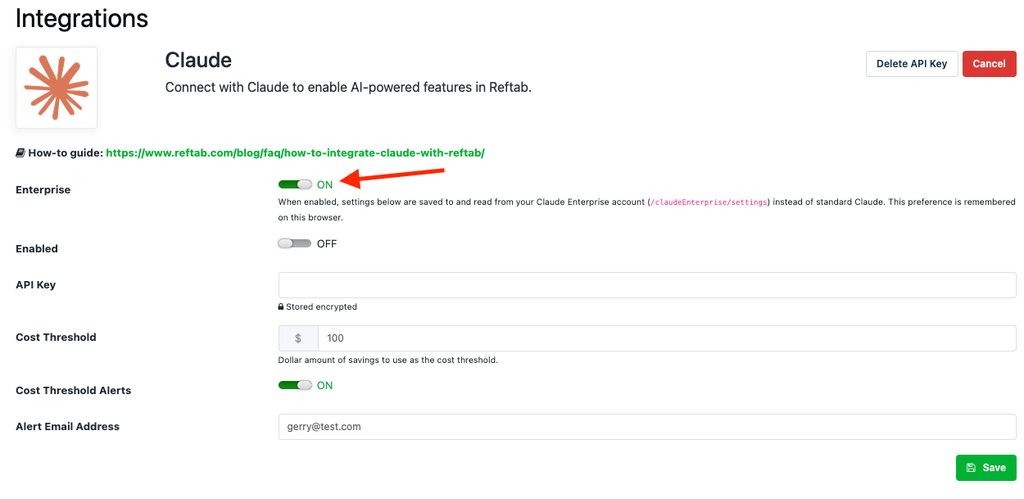
4. Enter the key you copied
5. Click Save
(Optional) Enter your Cost Threshold and an alert email address. When enabled Reftab will send an alert when you’ve reached your cost threshold. Your cost threshold is monitored daily and resets each month.

Once connected, Reftab imports the available Claude API usage and cost data and checks out the corresponding Claude licenses to matched Reftab users.
Viewing Claude in Reftab
To view Claude usage in Reftab, head to Applications > Claude.
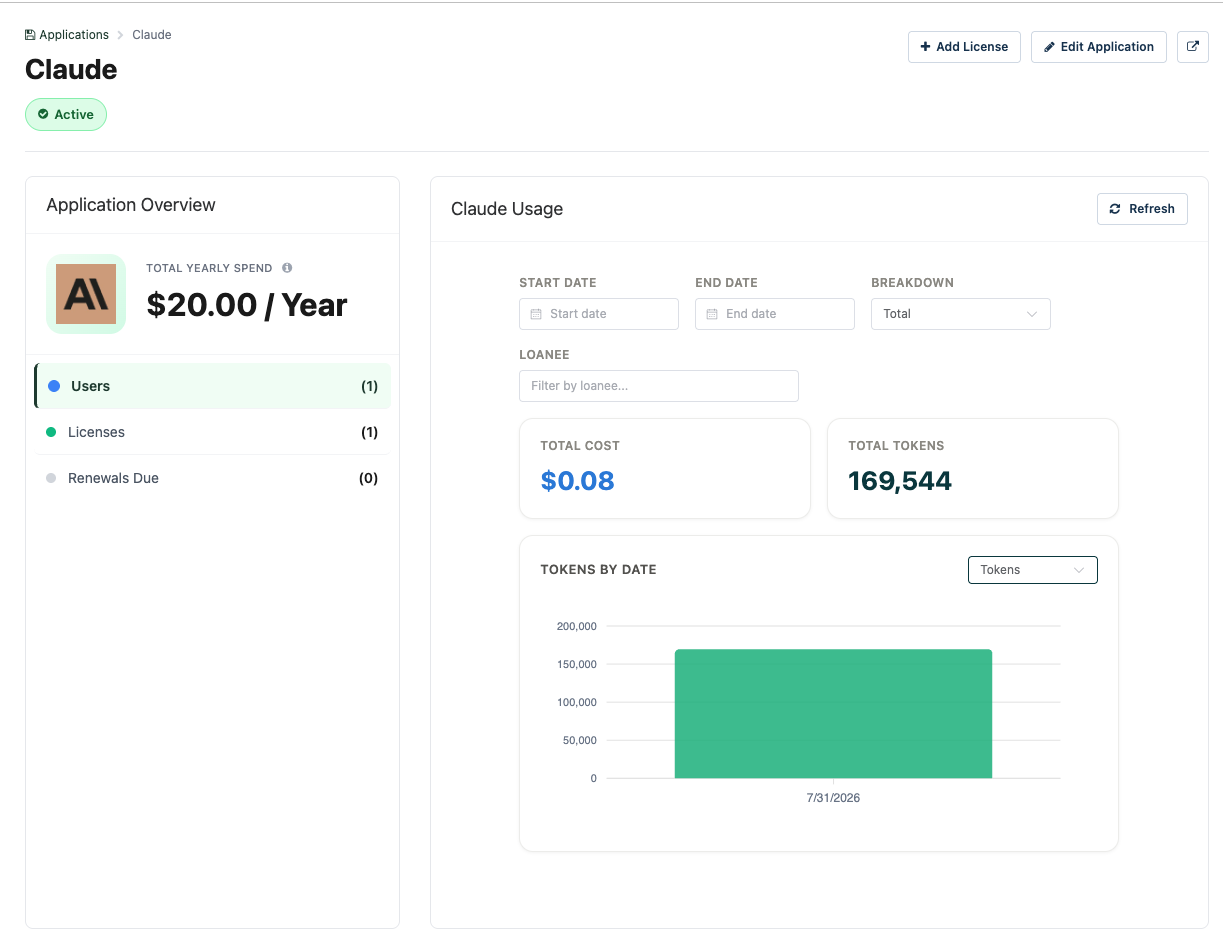
Usage and Cost Reporting
Usage information is available only for activity billed through the Claude API. Claude subscriptions do not expose their usage costs through the Claude Platform Usage and Cost Admin API and therefore will not display usage-cost information in Reftab.
Claude Console Guide
Obtain an Admin API Key from Claude Console
- Sign in as an organization admin. Only organization members with the admin role can create Admin API keys.
- Open Admin keys settings. Go to Claude Console > Settings > Admin keys.
- Create the key. Click Create key, give it a name, choose a key expiration, and click Create.
- Copy the key. Copy the displayed secret (starting with
sk-ant-admin01-). The full secret is shown only once.
The integration requires an Admin API key rather than a standard Claude API key.
Connect Claude Console to Reftab
1. Sign in to Reftab as an administrator
2. Navigate to Settings > Integrations > Claude
3. Enter the Admin key you copied
4. Click Save
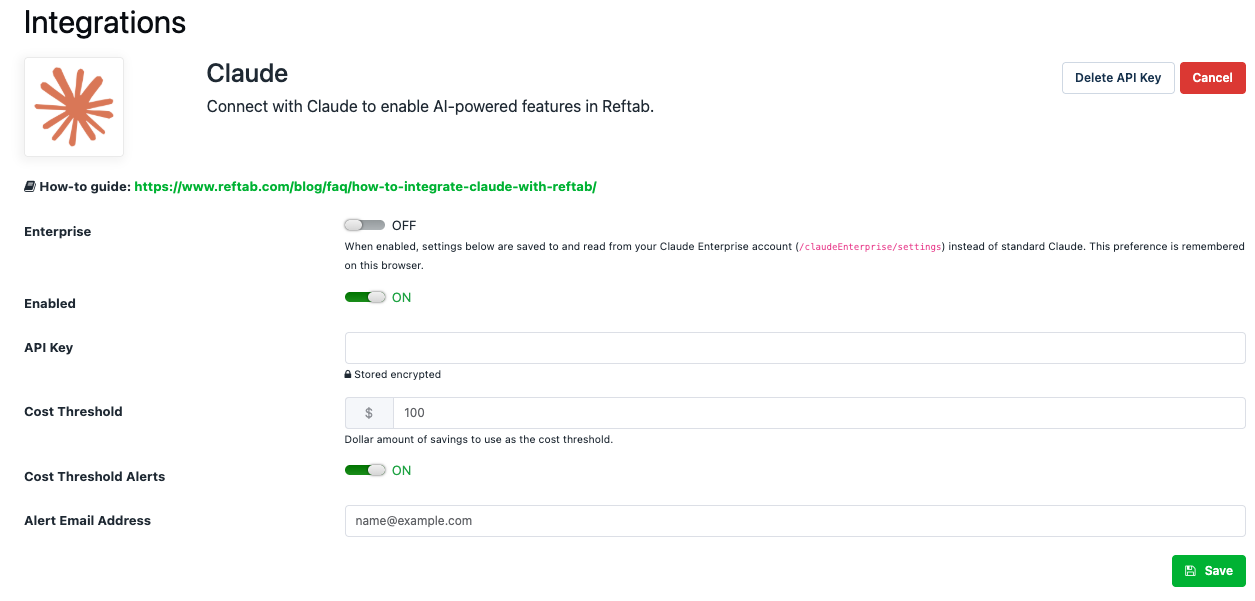
(Optional) Enter your Cost Threshold and an alert email address. When enabled Reftab will send an alert when you’ve reached your cost threshold. Your cost threshold is monitored daily and resets each month.
Once connected, Reftab imports the available Claude API usage and cost data and checks out the corresponding Claude licenses to matched Reftab users.
Viewing Claude in Reftab
To view Claude usage in Reftab, head to Applications > Claude.
Usage and Cost Reporting
Usage information is available only for activity billed through the Claude API. Claude subscriptions do not expose their usage costs through the Claude Platform Usage and Cost Admin API and therefore will not display usage-cost information in Reftab.
Need help? We're here for you
For any questions or assistance, feel free to reach out to us.
Ready to simplify IT asset management?
No credit card. No watered-down trial. Create a free account and see firsthand what Reftab can do.