
How do I connect n8n to Reftab?
Using Reftab’s Open API with n8n lets you build powerful automations, from syncing assets with your other platforms to triggering specific alerts when equipment is checked out. This guide walks you through connecting your Reftab account to the official Reftab n8n node.
Step 1: Generate your API Keys in Reftab
To get started, login to your Reftab account and head to Settings > API Keys > Create API Key:

Once the key is created, copy both your Public Key and Private Key. You’ll need these when setting up the n8n credentials.
Step 2: Add the Reftab Node to a Workflow
- In n8n, open a new or existing workflow.
- Click the + button to add a node
- Search for Reftab in the node panel
- Click Install Node
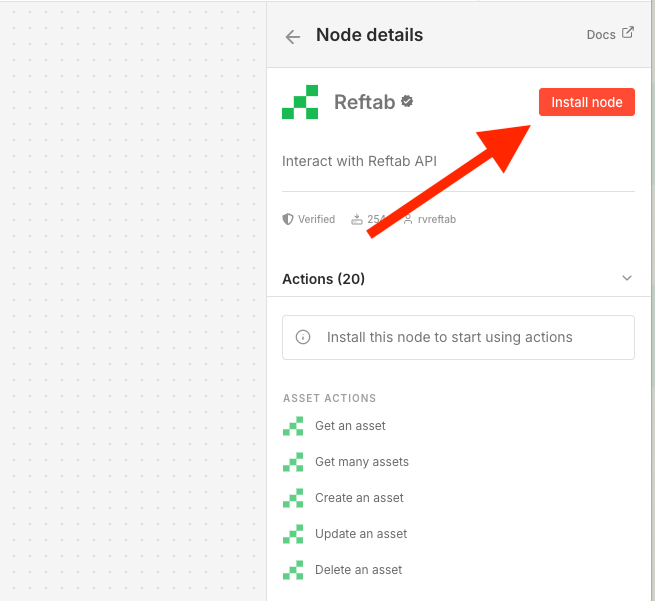
Once installed, select one of the provided actions to add it to your workspace.
Step 3: Setup your Reftab Credential
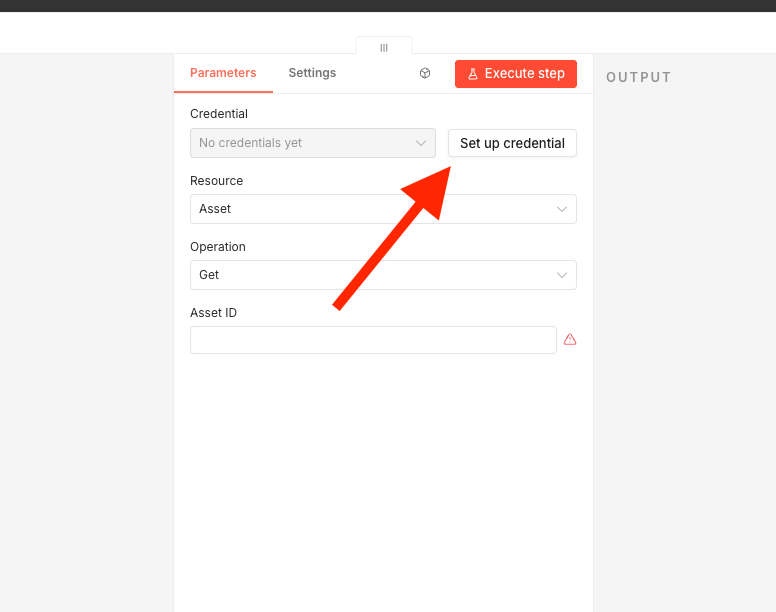
With the Reftab node open on your canvas, you’ll see a “Set up Credentials” button. Click this button and enter your Private Key and Public Key from Step 1.
Step 4: Configure Your Request
The Reftab node includes actions across all core areas of your account, but for the guide, we’ll go with something simple. We’re going to set our Resource to “Assets” and our Operation to “Get Many”:
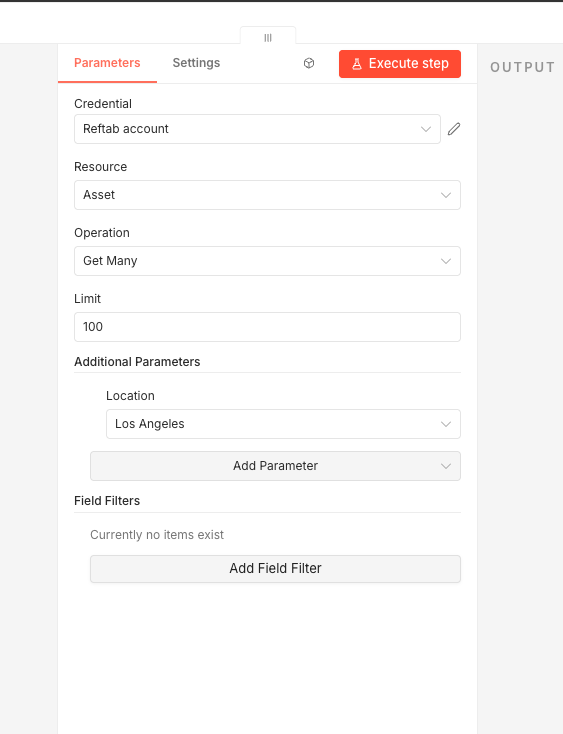
Notice, I’ve added a parameter here for the Los Angeles location. The Reftab n8n node automatically loads your locations by name, no need to look up or hardcode any IDs. This same function applies to categories, fields, and other account data. The node will fetch this information directly from your Reftab account so everything is available as a simple dropdown.
Tips and Tricks
We’ve also included a Custom API Call in the n8n node. This means that every endpoint available on the Reftab API Docs is available through n8n node, even if it isn’t a custom built action. In that case, the n8n node is simply handling Reftab’s HMAC authentication, which supports a wide range of actions.
We’d love to hear about your workflows, feel free to send your workflows to help@reftab.com. This feedback could help us improve our application even further!
Need help? We're here for you
For any questions or assistance, feel free to reach out to us.
Ready to simplify IT asset management?
No credit card. No watered-down trial. Create a free account and see firsthand what Reftab can do.