
How to Archive and Track Disposed Assets in Reftab
Status labels help you identify assets that have been disposed of, sold, donated, retired, or otherwise removed from active use. This guide explains how to archive assets in Reftab and find them again when needed.
Archived assets are hidden by default, helping keep your asset list focused on active items. However, archiving does not delete an asset or its history. You can view archived assets at any time by applying the appropriate filters.
How to Archive Assets
How to View Archived Assets
Important Notes
How to Archive Assets
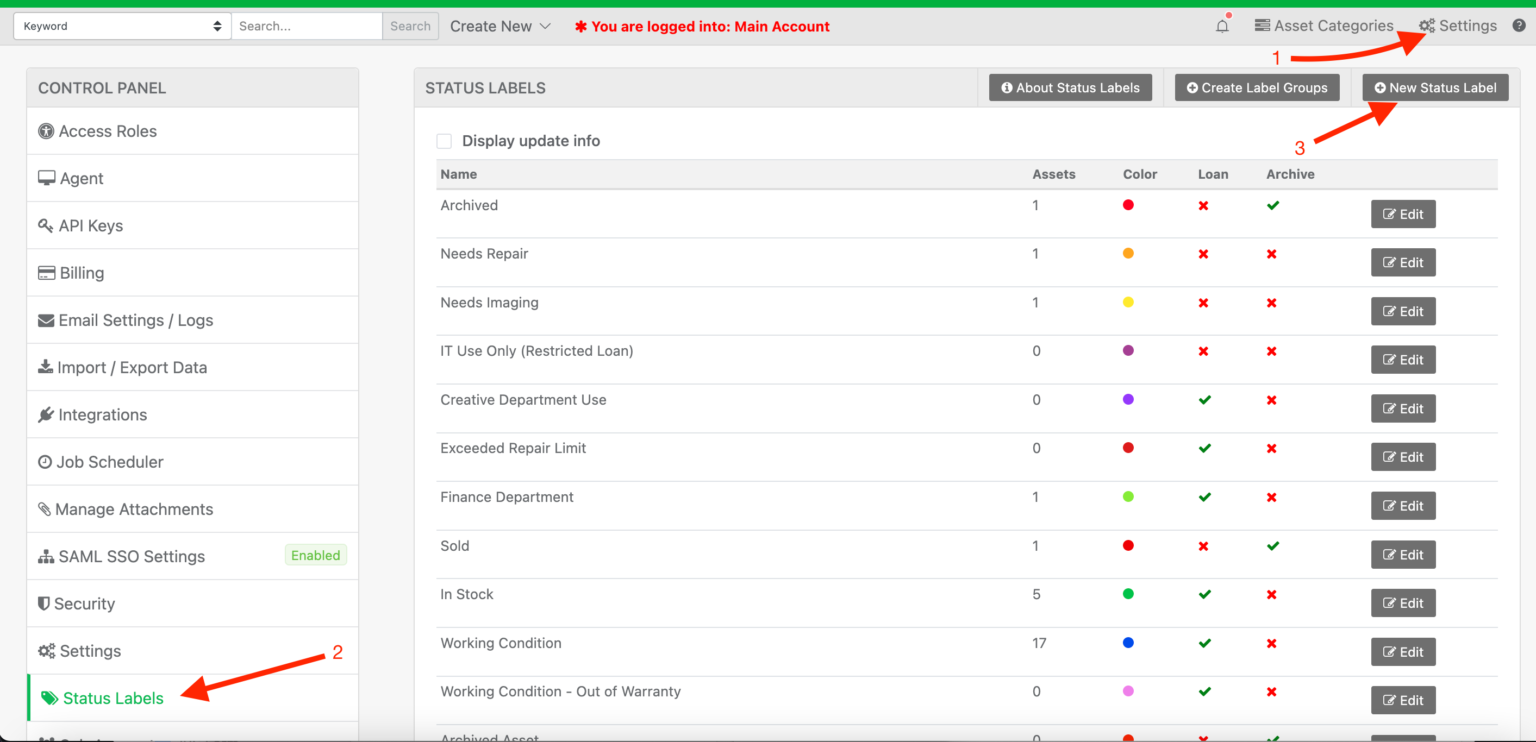
Log into Reftab as an administrator and click “Settings” > “Status Labels” > “New Status Label“
Create a new label with a name that describes the possible state of the asset. Set “Archived Label” to “Yes“
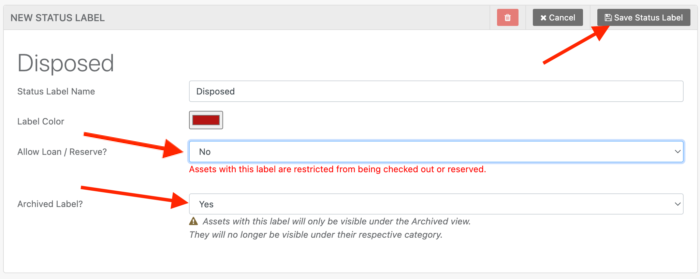
When saved, you’ll see the green check mark indicating that the label will archive assets. These settings are required for an asset to be fully archived and not count towards the billable quota.

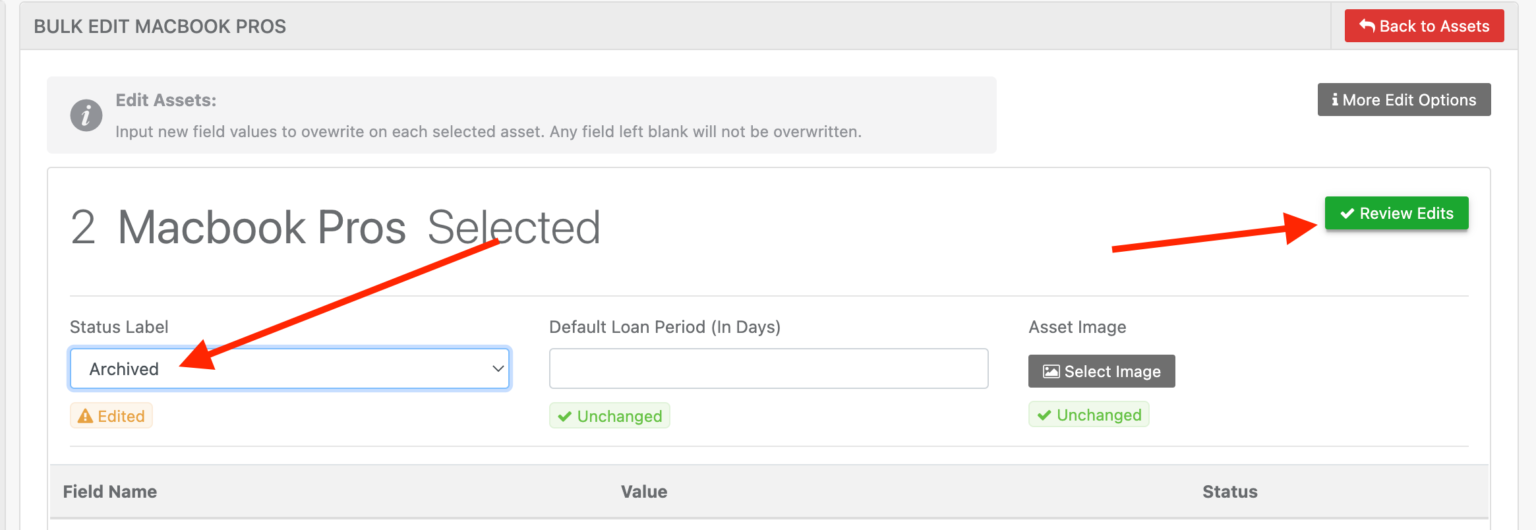
Now, you can edit assets and apply the label.
How to View Archived Assets
To view assets that have been archived, you will need to use the status label filter to select any archive label that you’ve created:
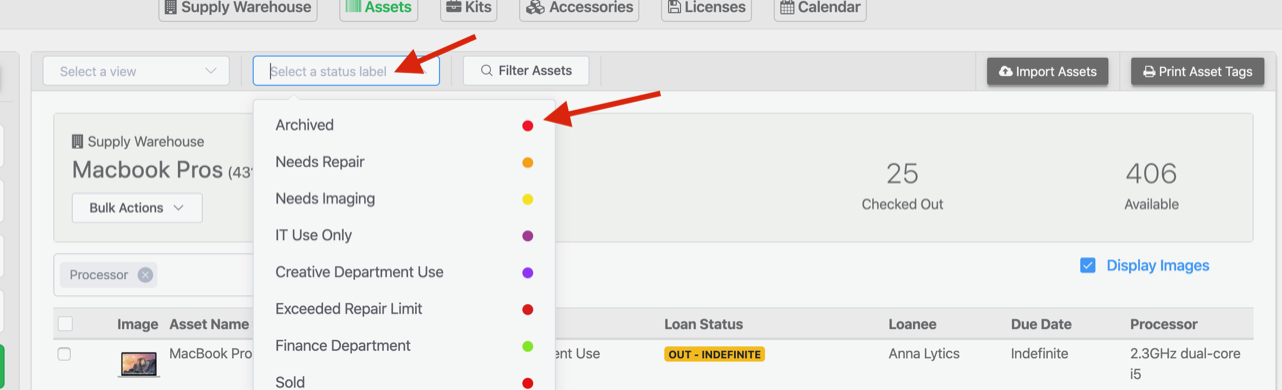
The table below will then display assets saved with that label:
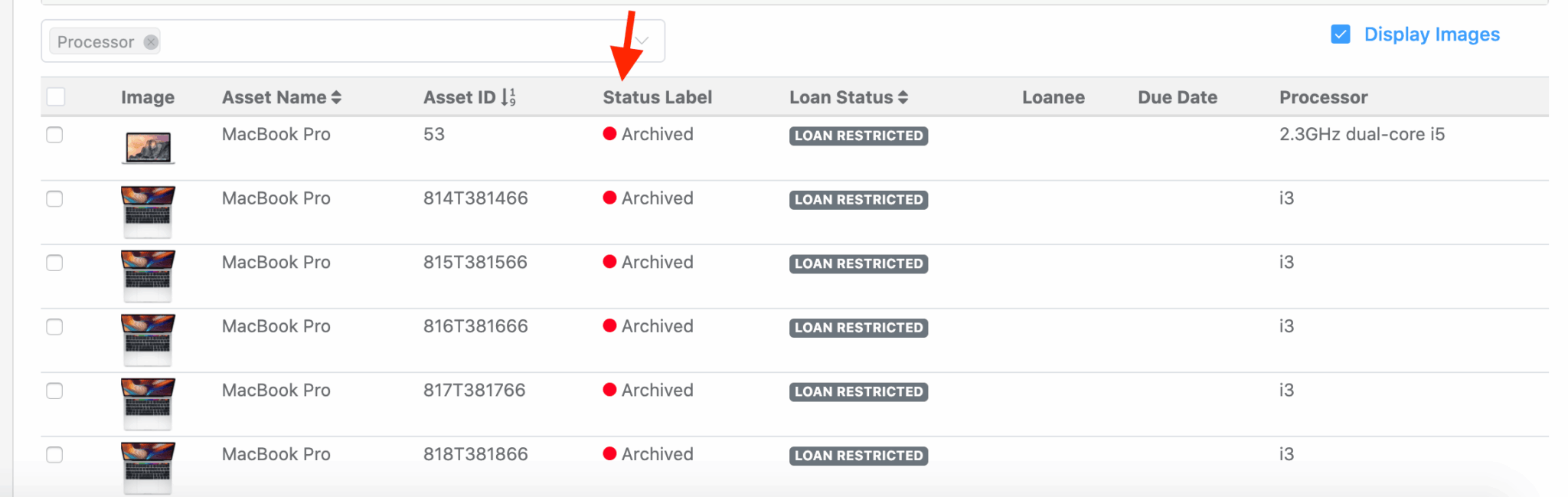
Archived assets in Reftab are a simple way to track items that have been disposed of, donated, sold, retired, or otherwise removed from active use. The assets remain in your account and retain their history, but stay hidden from your main asset lists until you choose to view them.
See our guide for more details on ITAM Best Practices to help choose whether to delete or archive assets.
Important Notes
Billable Asset Quota – Archived assets in Reftab do not count towards the billable quota. However, if an archived asset is still loaned out, it will continue to count against the billable quota. To be fully exempt, an asset must be both archived and loan-restricted.
Workflow Automation – If an asset is set with an archived label, workflows will not operate on them.
Integrations: Integrations will still update assets that are archived.
Need help? We're here for you
For any questions or assistance, feel free to reach out to us.
Ready to simplify IT asset management?
No credit card. No watered-down trial. Create a free account and see firsthand what Reftab can do.