
How to change an asset’s category
Reftab allows you to transfer assets from one category to another. You can do this operation in bulk within a category or by clicking “edit” on a singular asset and selecting a new category.
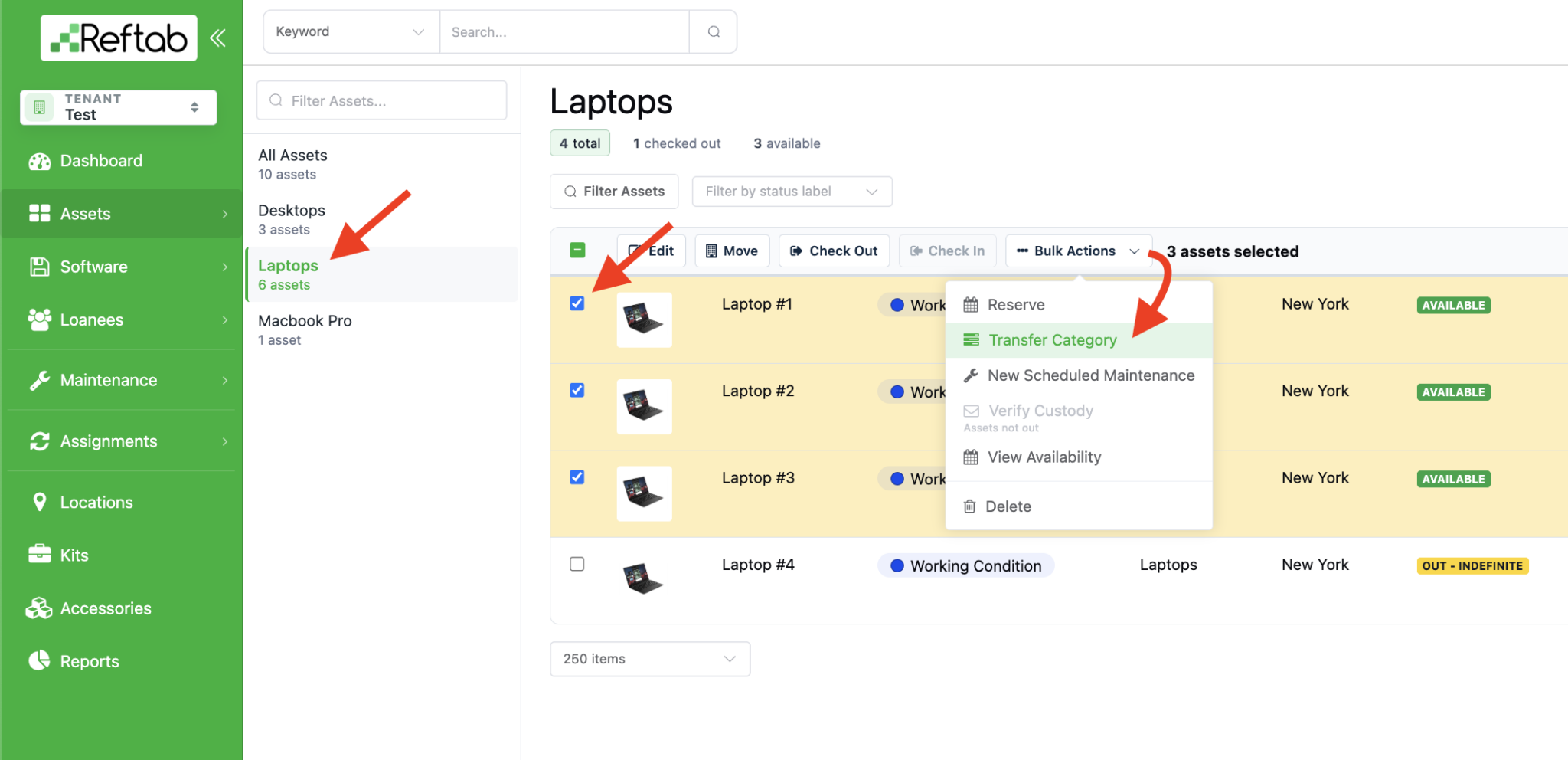
First, select a category on the left-side list. Then use the check boxes to select the asset(s) you want to move. Click “Bulk Actions” > “Transfer Category”
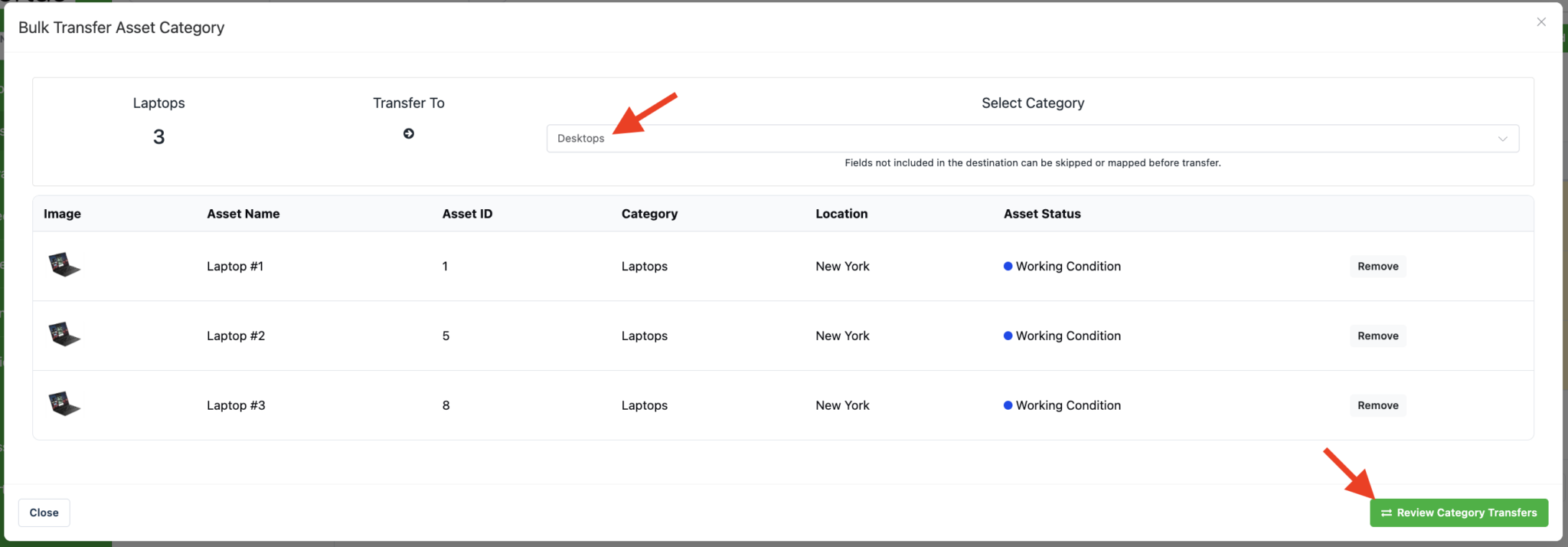
Then, use the drop-down to select the new category and click “Review Category Transfer“
If the destination category is missing any fields used by the selected assets, Reftab will display a review screen before the transfer is completed.
- Add field – Creates the missing field in the destination category and preserves the existing data.
- Remove – Leaves the field out of the destination category and removes the data associated with that field from the transferred assets.
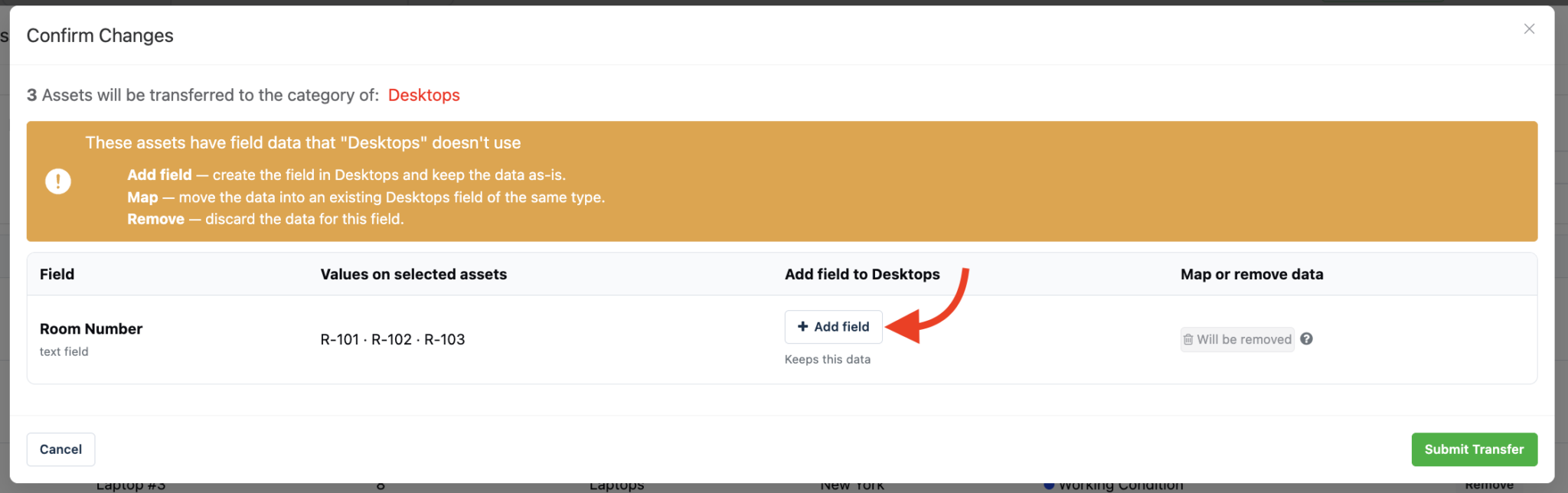
Once you have reviewed any missing fields, click “Submit Transfer“.

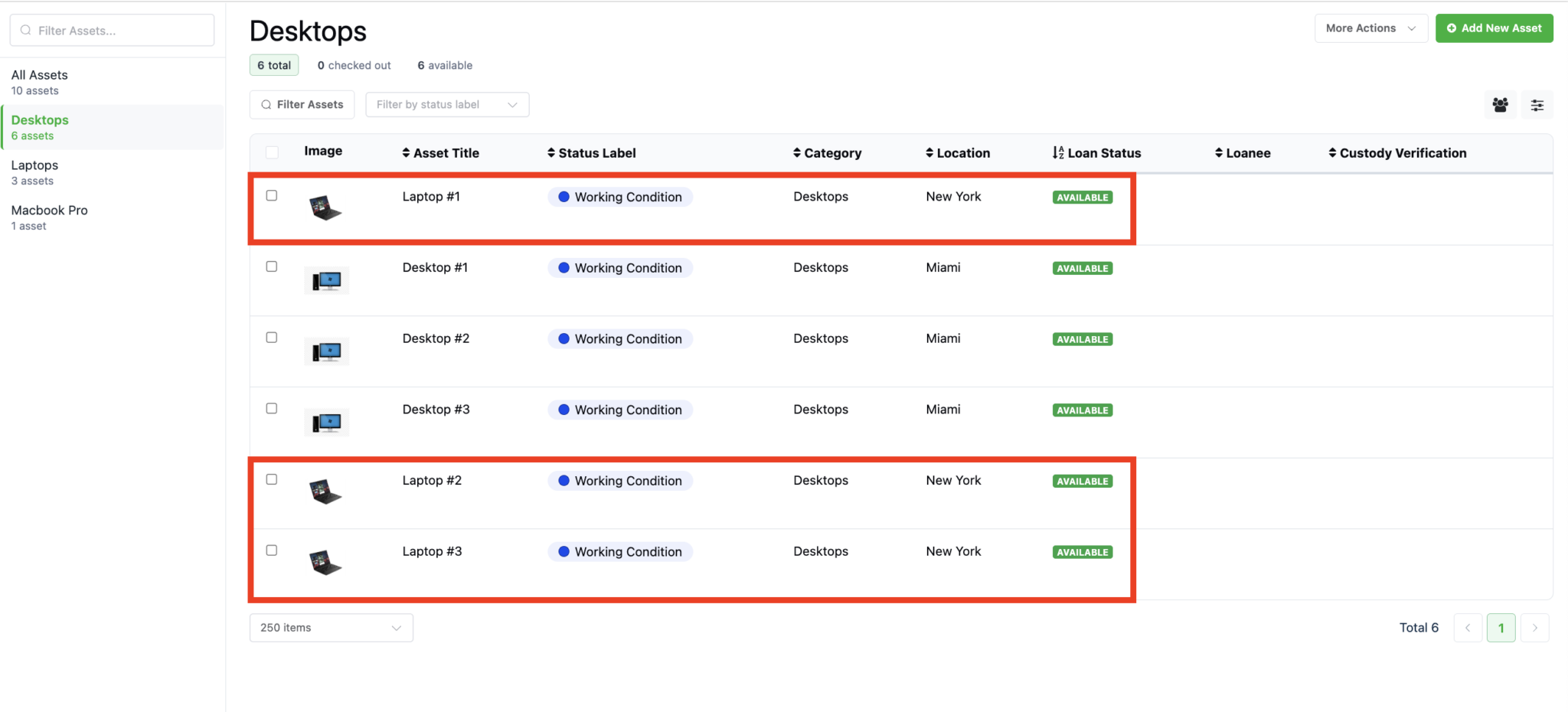
Your assets will now be in their new category:
Need help? We're here for you
For any questions or assistance, feel free to reach out to us.
Your assets, simplified. Begin your journey with us!
50 assets free forever with unlimited inventory & software tracking. Includes email alerts, mobile apps, reports, custom asset tags and more.