
How to edit assets in bulk in Reftab
Reftab has an easy, bulk edit feature that allows you to select assets across locations and categories to make edits in bulk. To start, click the “Assets” page. Then use the check boxes to select assets you want to edit. Finally click “Edit“
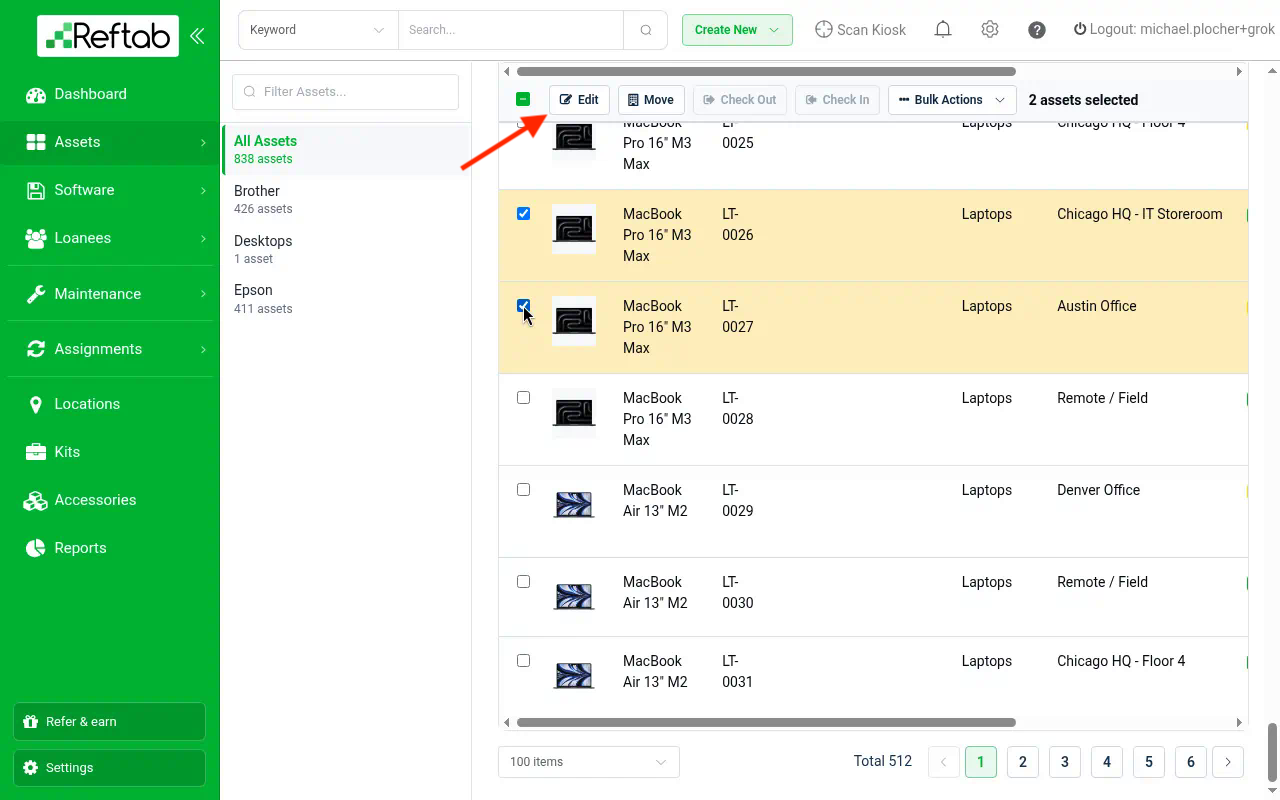
You can choose assets across different categories. The checked assets will remain selected.
On the next screen, you can make changes to status labels, fields or even update the image. When done click “Review Changes“
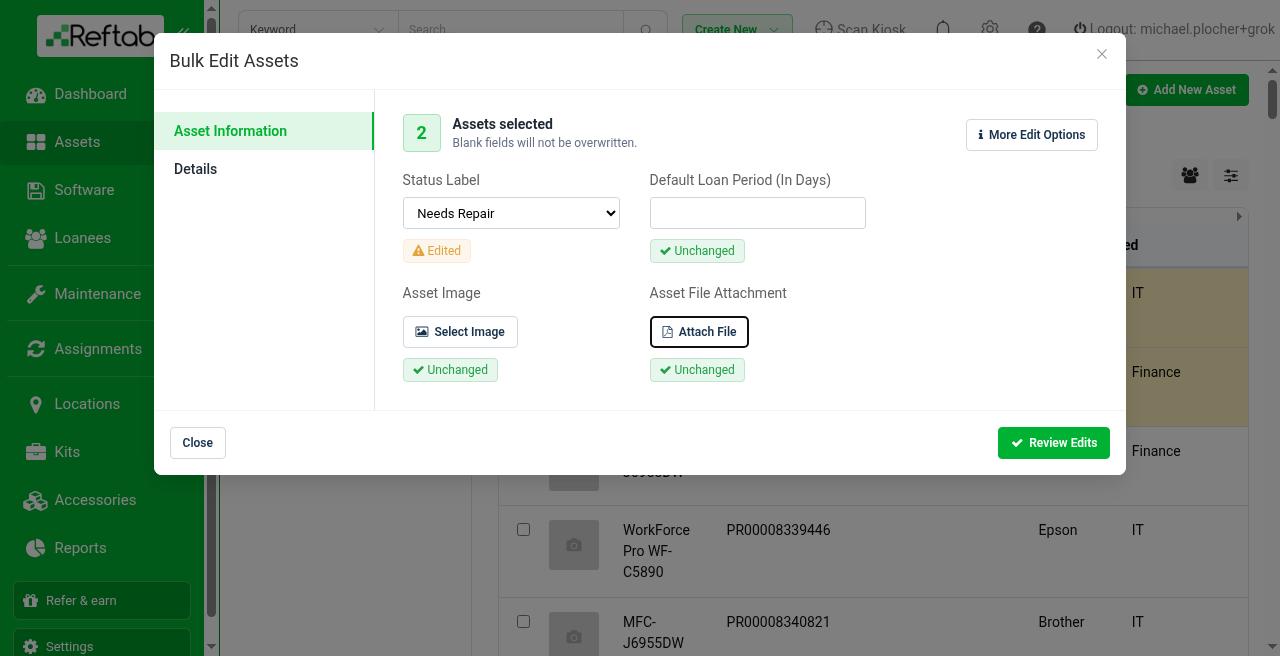
Additionally, you can bulk attach files to your assets by clicking “Attach File“.
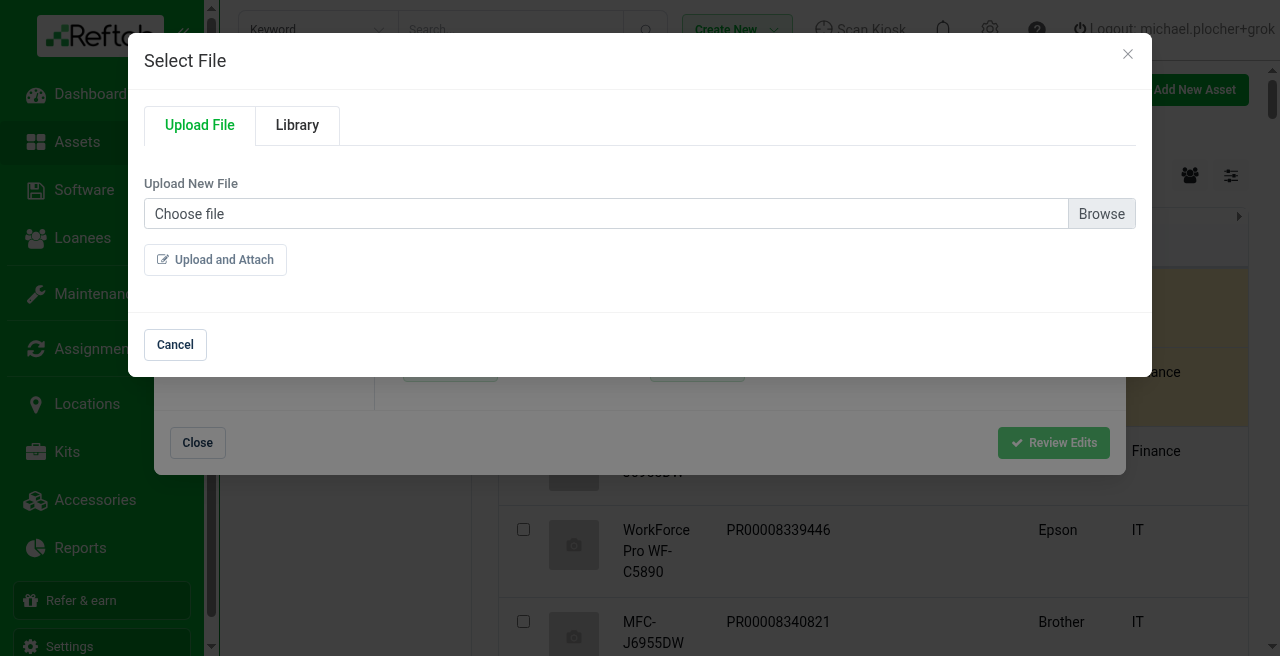
On the next screen, you can upload or browse for an existing file to attach to your assets. Once done click “Upload and Attach, and then “Review Changes“
On the next screen, review your changes and click “Submit Edits“
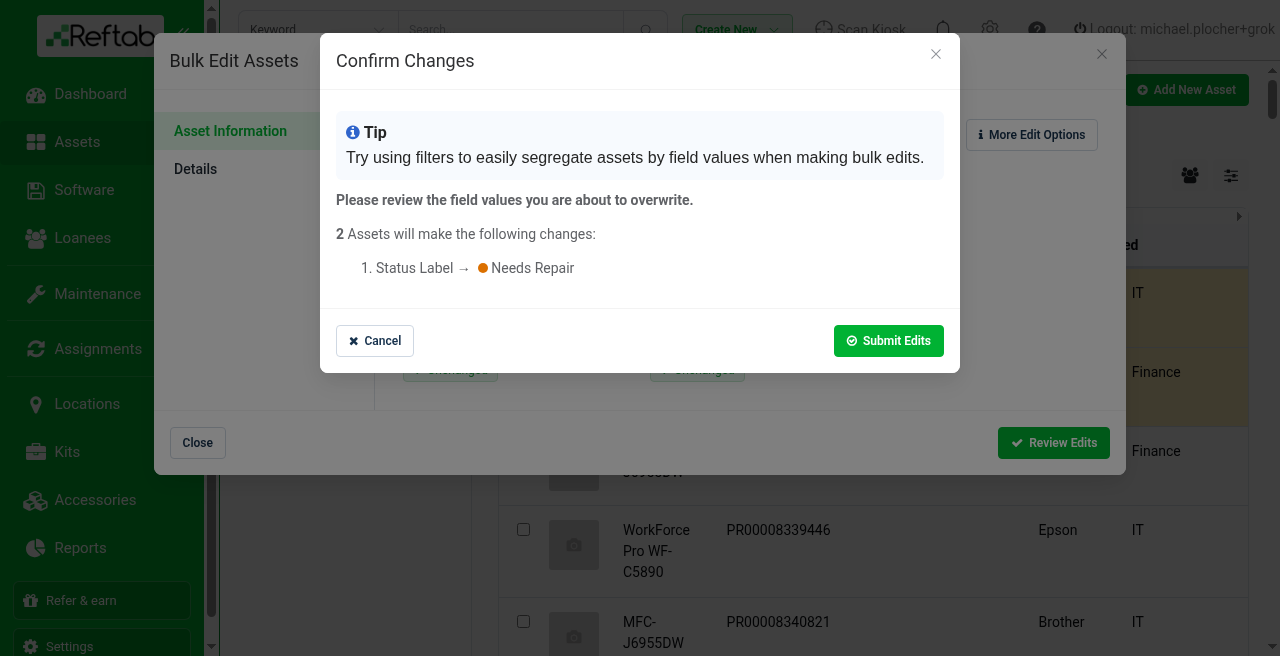
And that’s it, your assets will be updated in bulk.
If you want to edit assets by supplying asset ID’s, see our FAQ guide here: https://www.reftab.com/faq/edit-assets-by-asset-ids
Need help? We're here for you
For any questions or assistance, feel free to reach out to us.
Ready to simplify IT asset management?
No credit card. No watered-down trial. Create a free account and see firsthand what Reftab can do.