
How to prevent duplicate serial number fields
Reftab provides a simple duplicate check on fields. To do this, you’ll have to head to the Asset Category editor by navigating to Settings > Asset Categories.
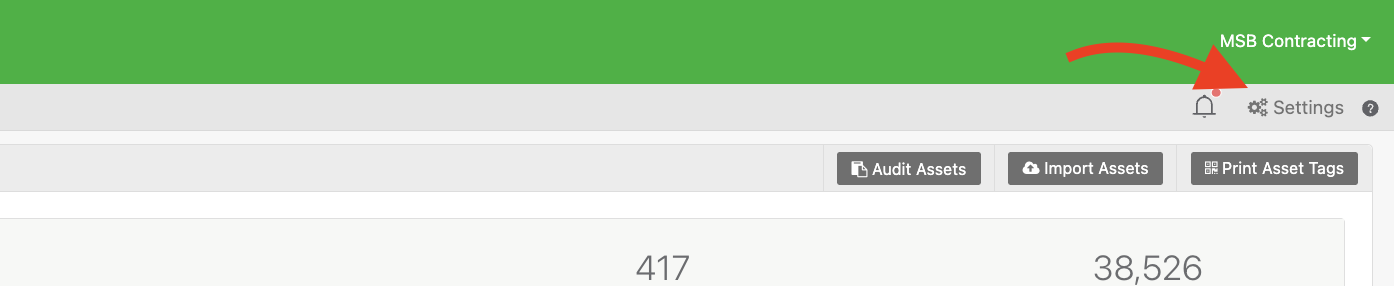
From there, click Edit on your category.

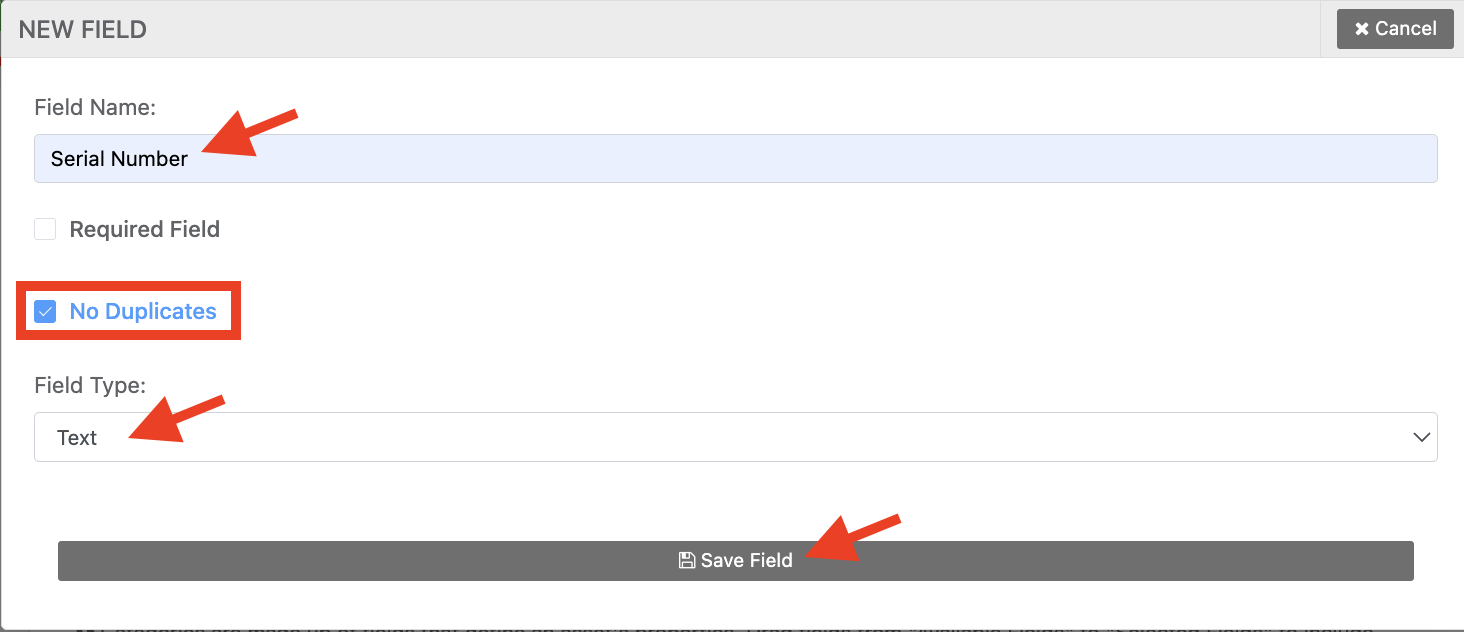
Create a new field called Serial Number, and select the field type of Text. Then ensure that No Duplicates is enabled. Once done, click on Save Field. The “No Duplicates” toggle tells Reftab to check this field for any duplicate entries.
NOTE: If you already have a Serial Number field, click on Edit and just toggle the same setting as enabled and save.
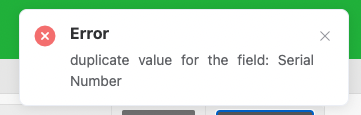
This is helpful when cloning assets. If you have changed all fields but forgot to change the Serial Number box, Reftab will give you an error with the exact field that is duplicated.
Need help? We're here for you
For any questions or assistance, feel free to reach out to us.
Your assets, simplified. Begin your journey with us!
50 assets free forever with unlimited inventory & software tracking. Includes email alerts, mobile apps, reports, custom asset tags and more.