
Configuring Low Quantity Alerts on Asset Types
Reftab allows you to configure alerts when you’ve reached a low threshold on assets based upon the category and/or location of your items. Emails can be sent to users to notify upon low quantities. This guide will show you how to configure these alerts in your Reftab account.
In this guide we’ll also look at how Reftab determines low quantity.
To start, log into Reftab as an administrator and click “Settings” > “Loan Options“

Next click “Set Low Quantity Level Alerts“

On the next screen, you can select a category a location, a minimum quantity and email addresses for alerts.
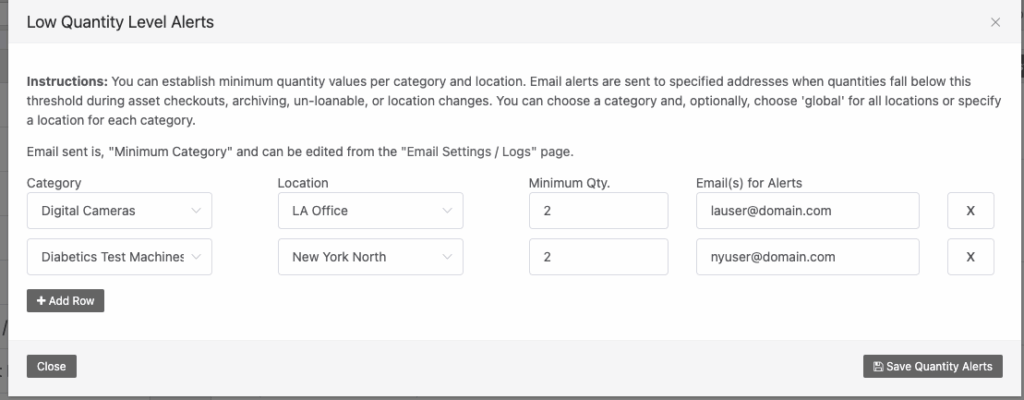
Once you’re done click “Save Quantity Alerts“
How Reftab Determines Low Quantity
Reftab calculates quantities upon asset checkouts, applying an archive status label, applying an un-loanable status label, or when an asset moves location.
Need help? We're here for you
For any questions or assistance, feel free to reach out to us.
Your assets, simplified. Begin your journey with us!
50 assets free forever with unlimited inventory & software tracking. Includes email alerts, mobile apps, reports, custom asset tags and more.