
Does Reftab Allow Creating Custom Emails?
Yes, Reftab lets you create custom emails, typically used within workflows. For example, if an asset undergoes maintenance and fails inspection, you can trigger an email to notify someone with the asset’s details. This ensures timely communication and provides the necessary information. This guide will show you how to set up this process, helping you use custom emails for other business-specific needs as well.
This guide shows
Create a custom email
Log into Reftab as an administrator and click “Settings” > “Email Settings / Logs” > “New Custom Email“

Next, enter any text you want in the body of the email. You may also add replacement fields. To see a full list of replacement fields click the button “Show replacement fields”

Click, “Save Email” when done.
Create a Workflow and Trigger a Custom Email
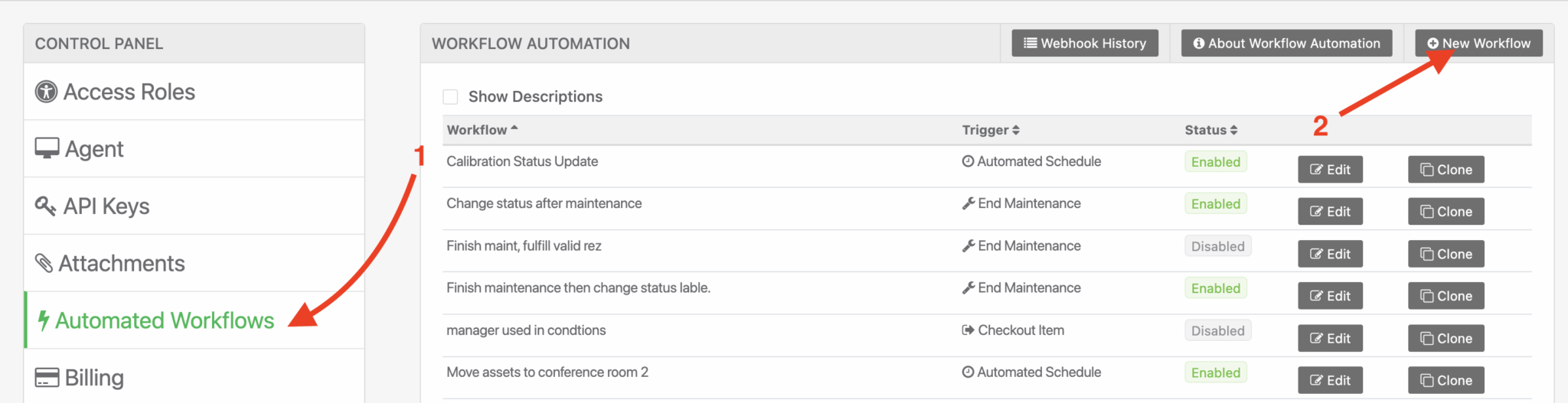
Next, click “Automated Workflows” > “New Workflow“
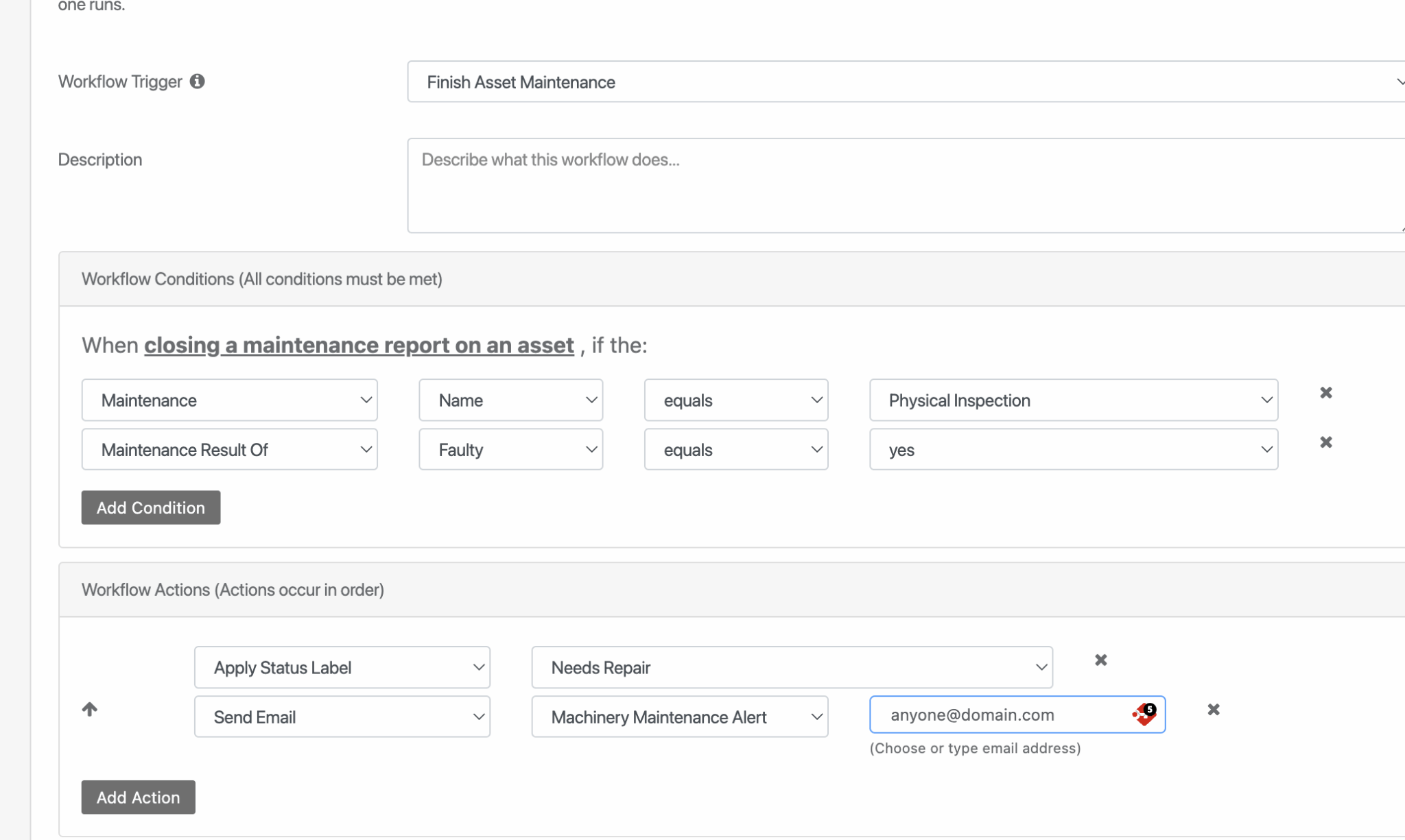
Next, you can create a workflow similar to this:
- Trigger = Finish Asset Maintenance
- Conditions:
- Maintenance name equals physical inspection
- Maintenance result of faulty equals yes
- Actions
- Apply status label Needs Repair
- Send Email Machinery Maintenance Alert ‘anyone@domain.com’ (type in any email address you’d like)
Click “Save Workflow” when done. And that’s it!
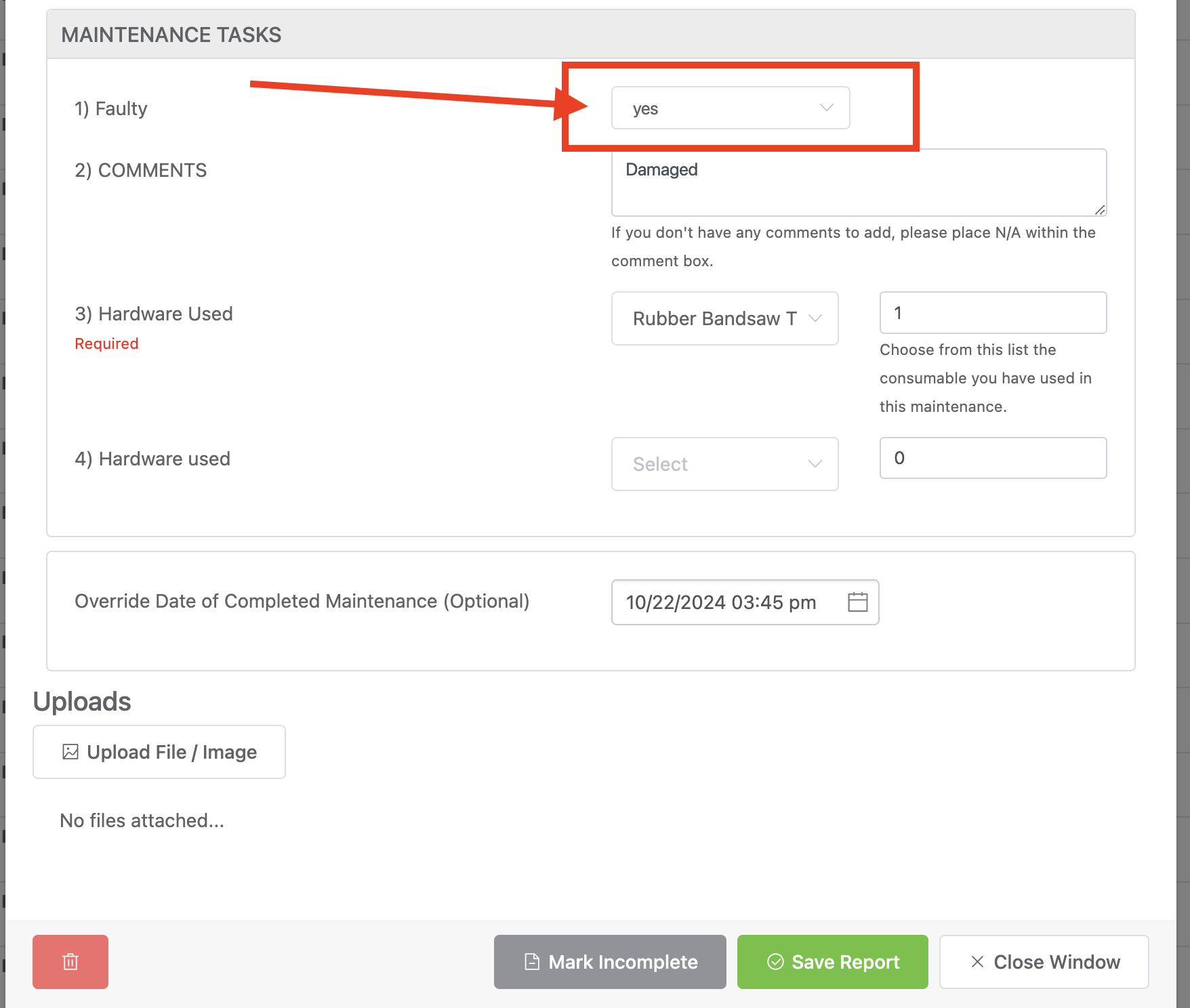
When someone completes an inspection, if they select a value of “Yes” for “Faulty” then our custom email will send to the person who needs to be notified and the email will include details about the item.

Email received will be what was set in my custom email:

NOTE: If you don’t know how to use Reftab to create work order forms, see our guide here.
In conclusion, Reftab’s custom email feature offers powerful flexibility for automating notifications, such as alerting users when an asset fails inspection. By following this guide, you now know how to set up these emails and can easily adapt the process to suit other unique needs in your business.
Need help? We're here for you
For any questions or assistance, feel free to reach out to us.
Ready to simplify IT asset management?
No credit card. No watered-down trial. Create a free account and see firsthand what Reftab can do.