
Display a custom notice in the portal
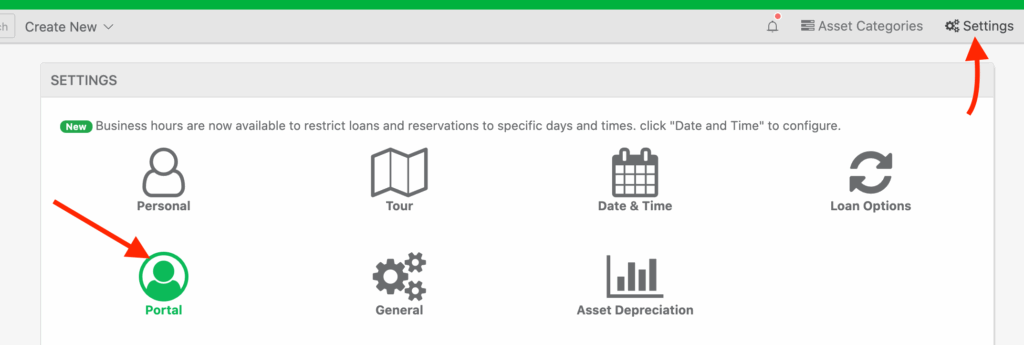
To display an informational note or notice in the user portal, click “Settings” > “Portal“
Next, find the option for, “Custom portal information / notice display” and provide custom text:
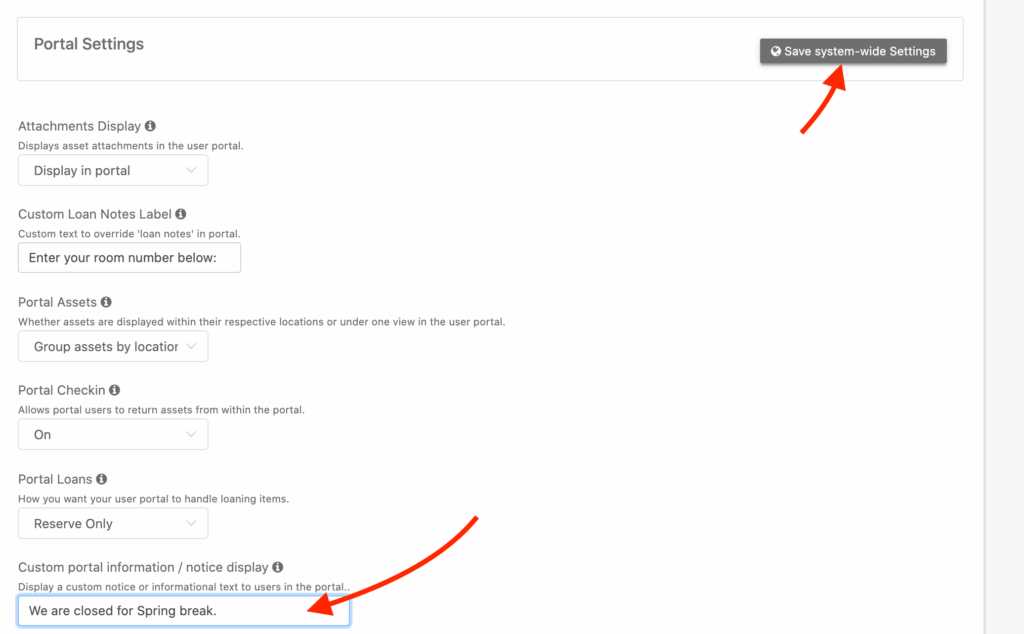
Next, when users log into the portal, they will see the custom text:

Need help? We're here for you
For any questions or assistance, feel free to reach out to us.
Ready to simplify IT asset management?
No credit card. No watered-down trial. Create a free account and see firsthand what Reftab can do.