
How to configure and track unit costs in Reftab
Introducing Unit Cost Tracking – your key to tracking monetary value alongside equipment usage! This feature allows you to set your desired price per item (aka ‘unit cost’), and Reftab’s software will effortlessly calculates the real-time monetary value of every assignment. Imagine being able to view an end-user’s current equipment including, licenses, assets and accessories and seeing a total monetary value of all those items in once place. Gain unparalleled control over your resources by configuring this feature. It’s not just about assigning equipment; it’s about assigning value.
To utilize this feature, you must be subscribed to at least Reftab’s Pro plan. Log into Reftab as an administrator and click “Settings” > “Unit Cost Tracking”
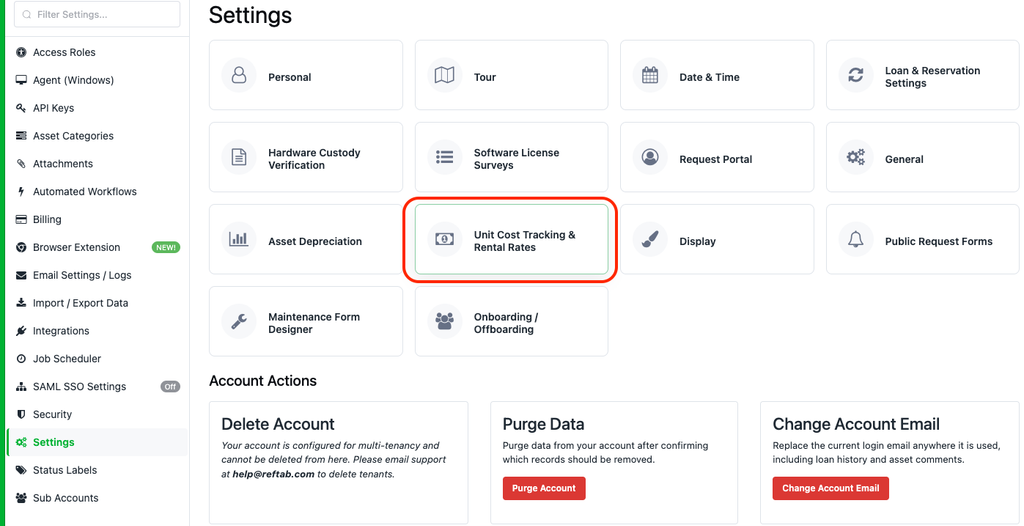
Next, select each field you’d like to use to hold unit costs per each resource in Reftab:
- Assets
- Accessories
- Licenses
- Kits
Configuring unit cost values for assets
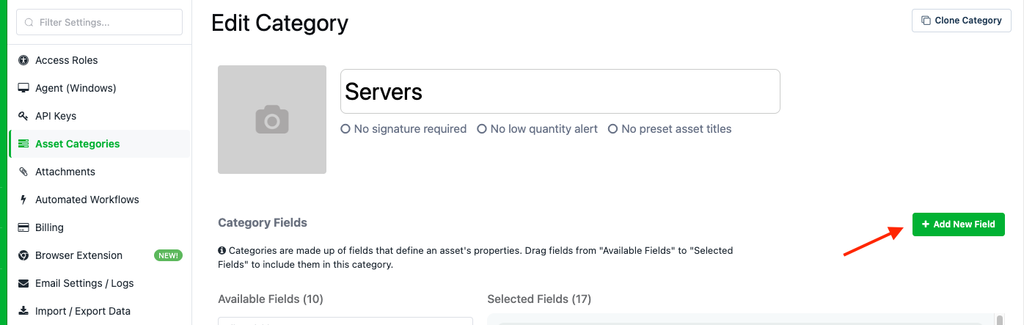
If you do not have a monetary field already for assets, you will need to create a new, “monetary” field. Click “Asset Categories” and click “New Field“
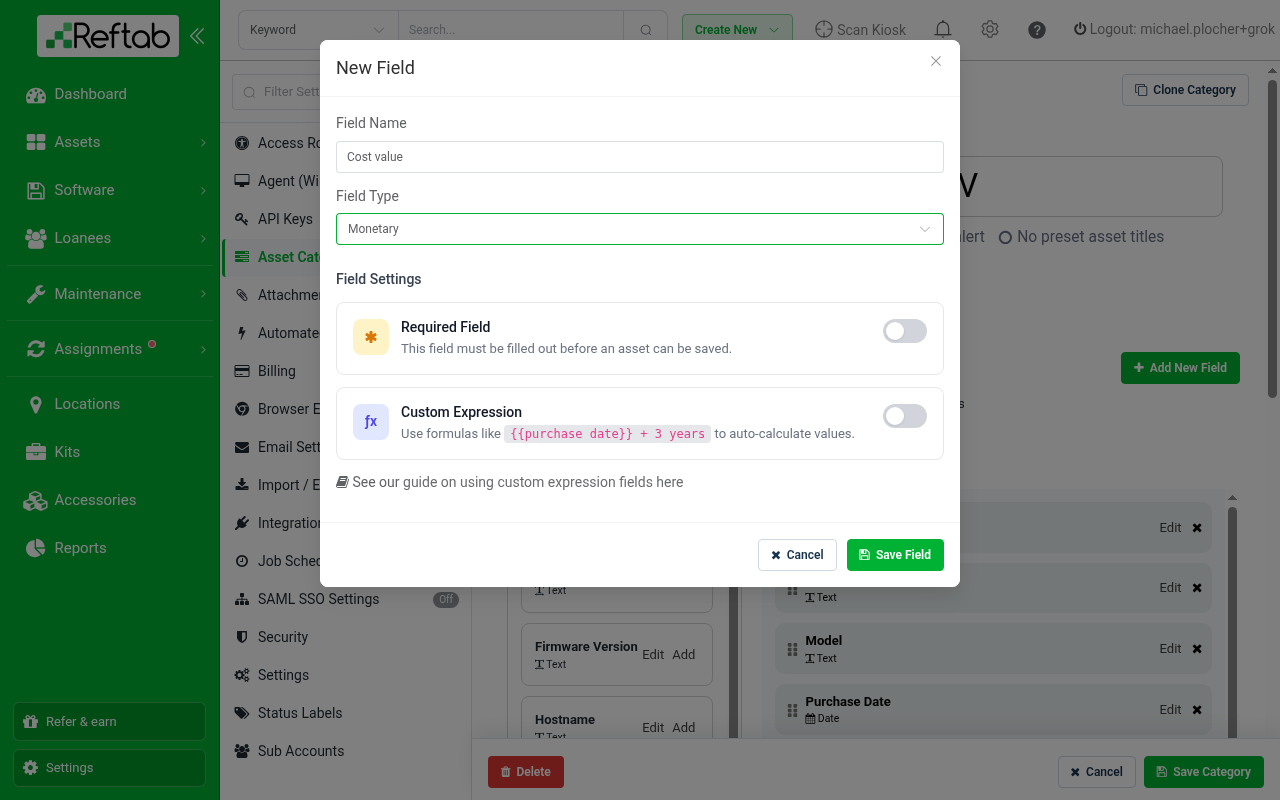
Name the field akin to “Cost value” and set the field type as “monetary“
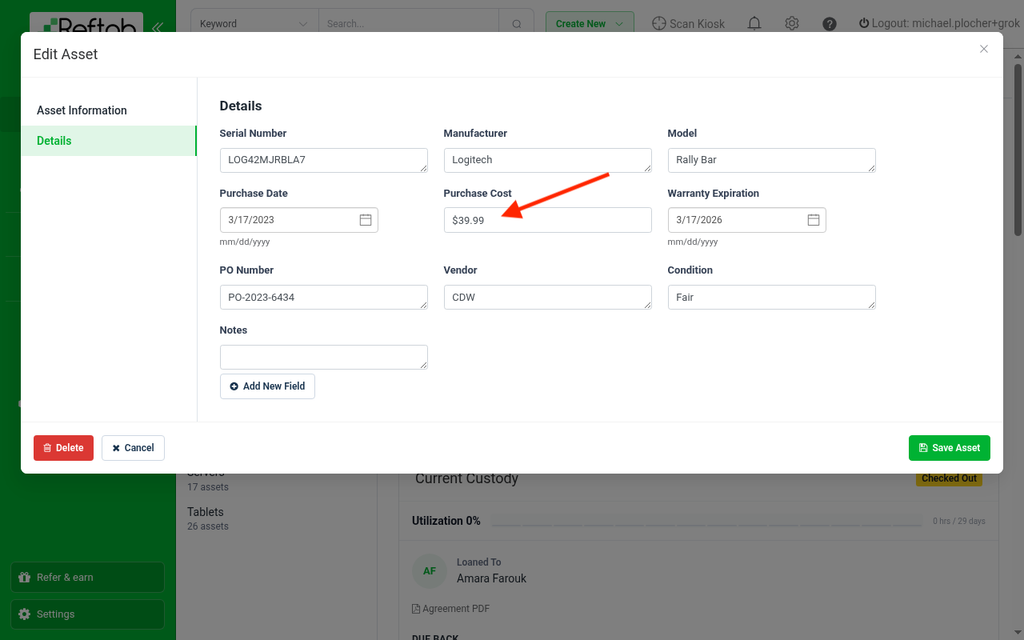
Next, edit any asset and set a value for your new, monetary field:
Configuring unit cost values for accessories and kits
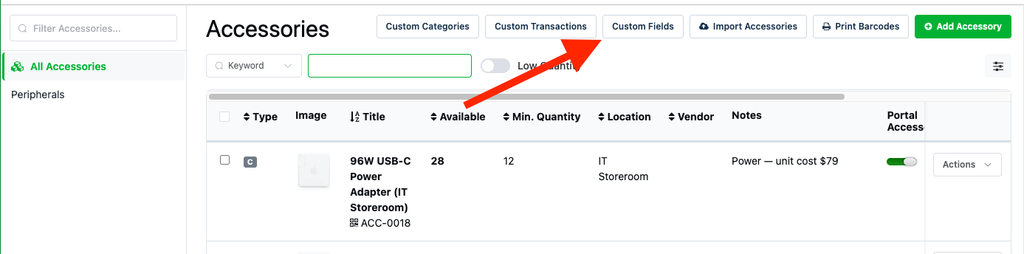
If you want to track a unit cost for accessories, first create a new monetary field on the accessories. Head to the Accessories page and select ‘Custom Fields’
Add a new field, make sure the Field Type is set to ‘Monetary‘
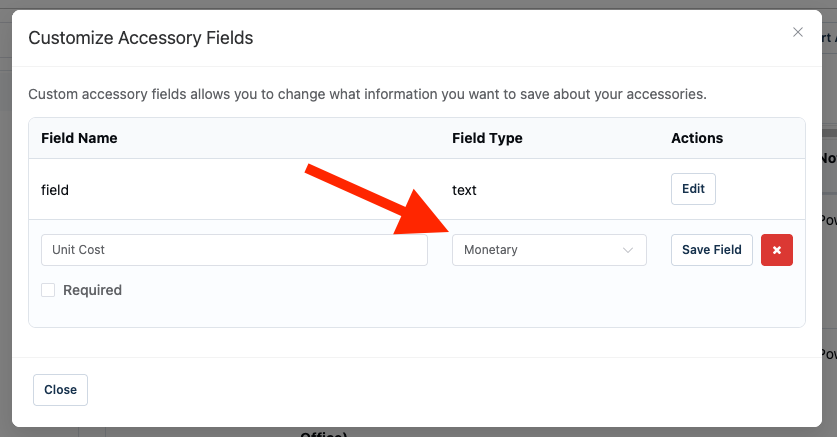
The same steps above can be done from the Kits page as well.
Viewing unit cost values
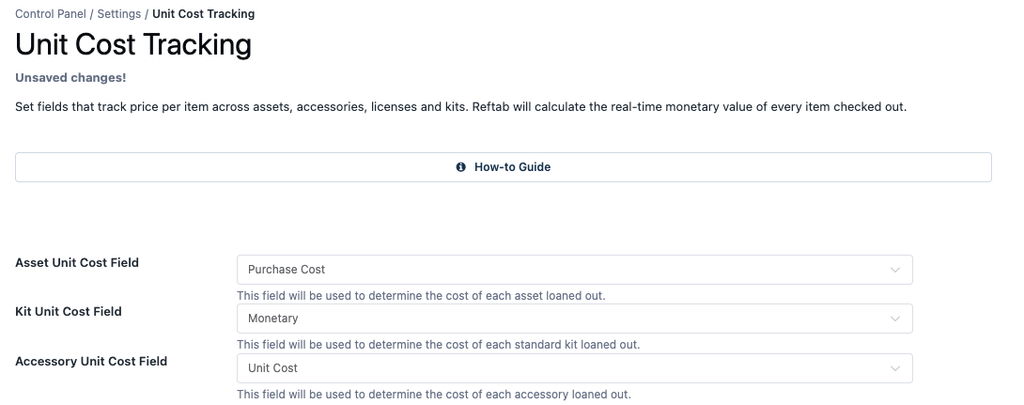
Next head back to “Settings” > “Unit Cost Tracking” and Select the field you created in the previous steps and click “Save System-wide Settings“
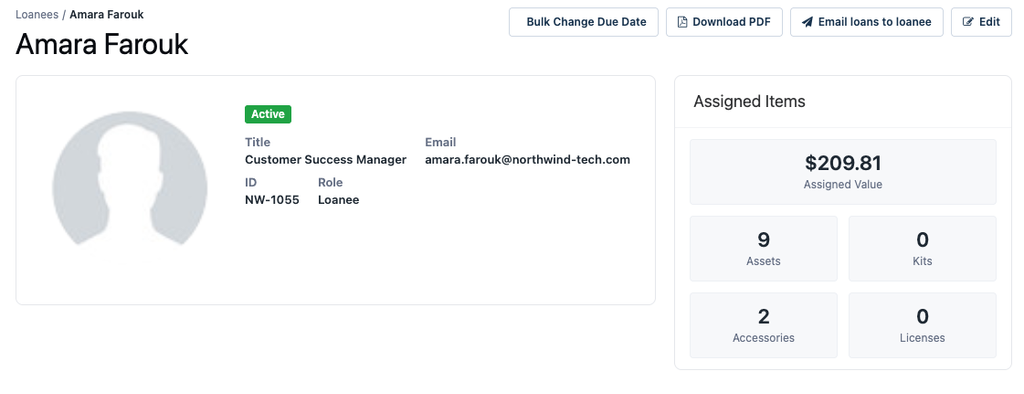
Now, when viewing your users, you will be able to see the monetary value of the items assigned to them:
Need help? We're here for you
For any questions or assistance, feel free to reach out to us.
Ready to simplify IT asset management?
No credit card. No watered-down trial. Create a free account and see firsthand what Reftab can do.