
How do I set business hours?
Business hours allow you to set available times items can be reserved / checked in and out.
Click “Settings” > “Date and Time”
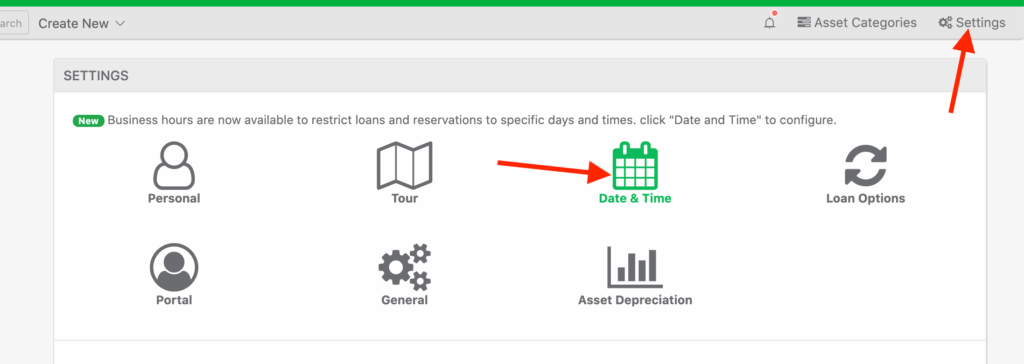
Next, click “Configure Business Hours“

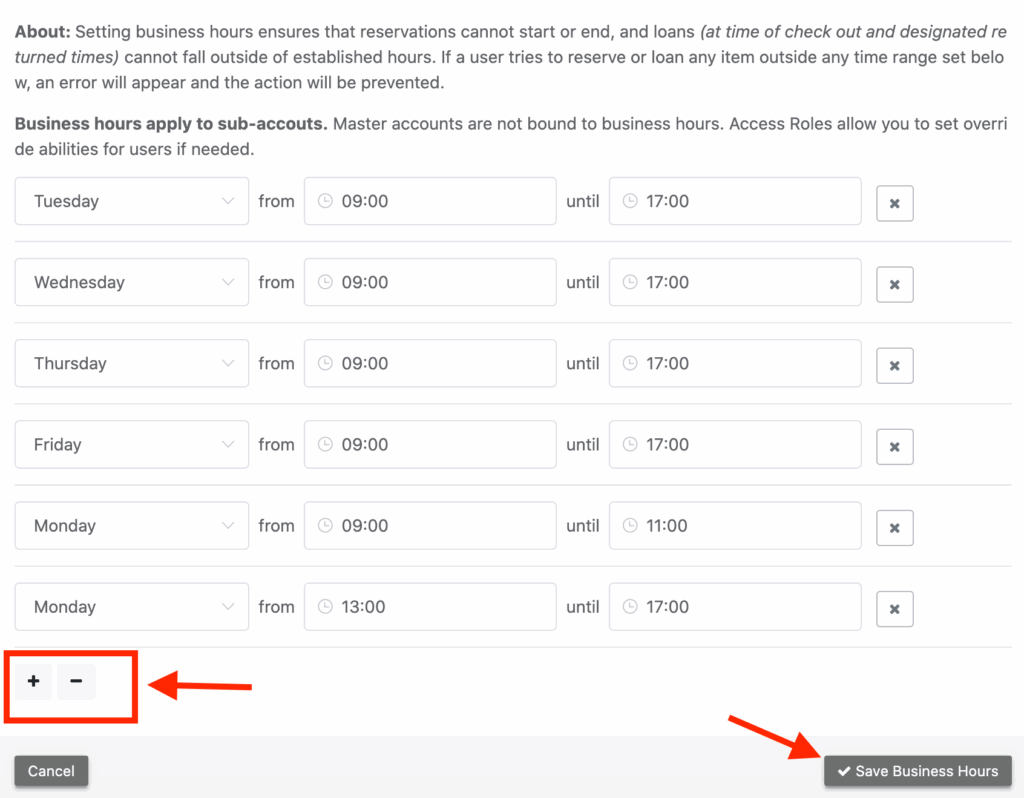
Next, create a new line for each day & time you allow loans / reservations:
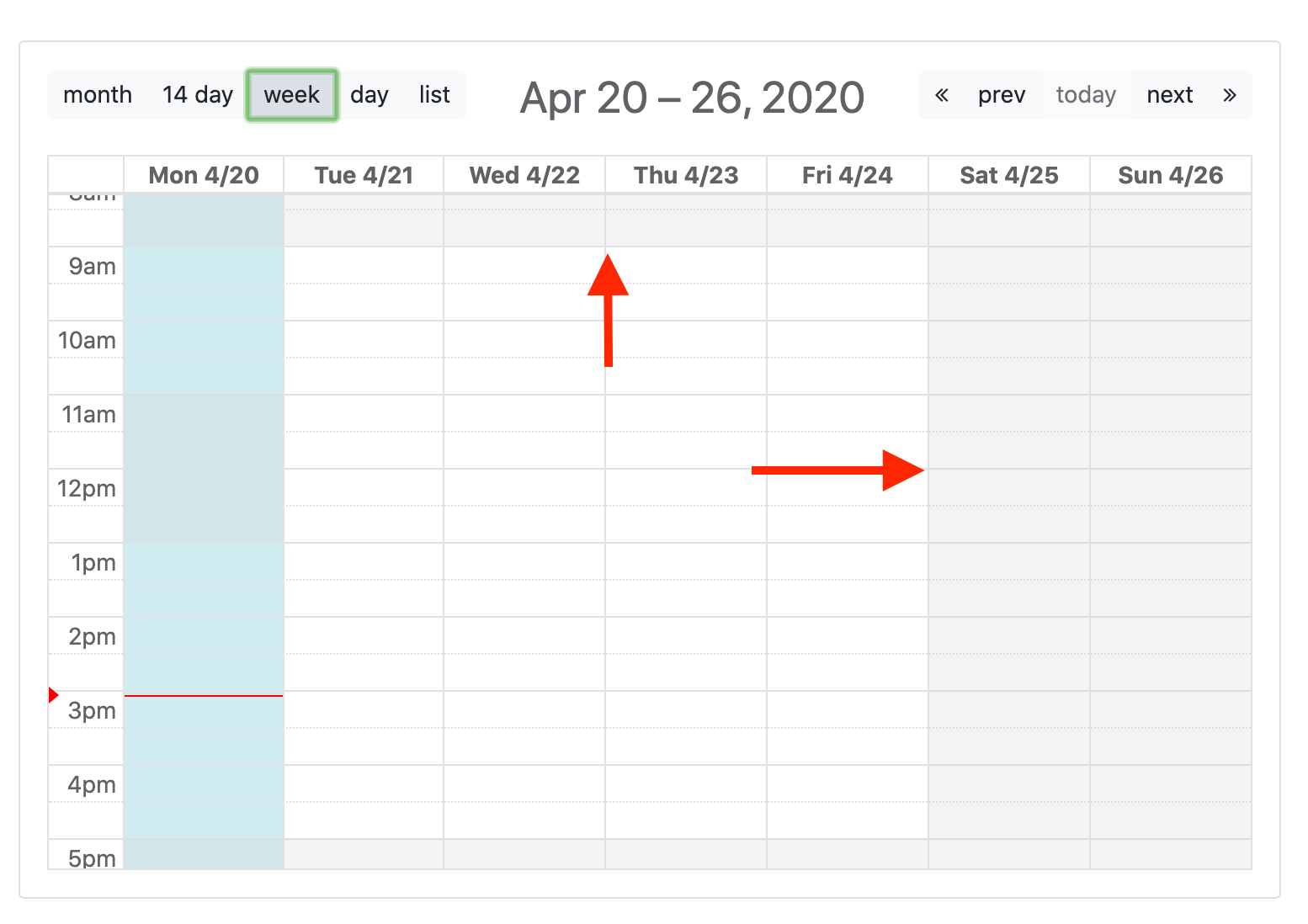
Once saved, the calendar will display gray areas for any times not indicated in your business hours:
Need help? We're here for you
For any questions or assistance, feel free to reach out to us.
Your assets, simplified. Begin your journey with us!
50 assets free forever with unlimited inventory & software tracking. Includes email alerts, mobile apps, reports, custom asset tags and more.