
How can I set my currency?
When a new Reftab account is created, the currency is automatically set based on the browser being used at the time of setup.
Reftab uses a single, global currency setting per account. Whatever currency is set applies to all users, including sub-accounts.
To manually set your currency, click “Settings” > “General“
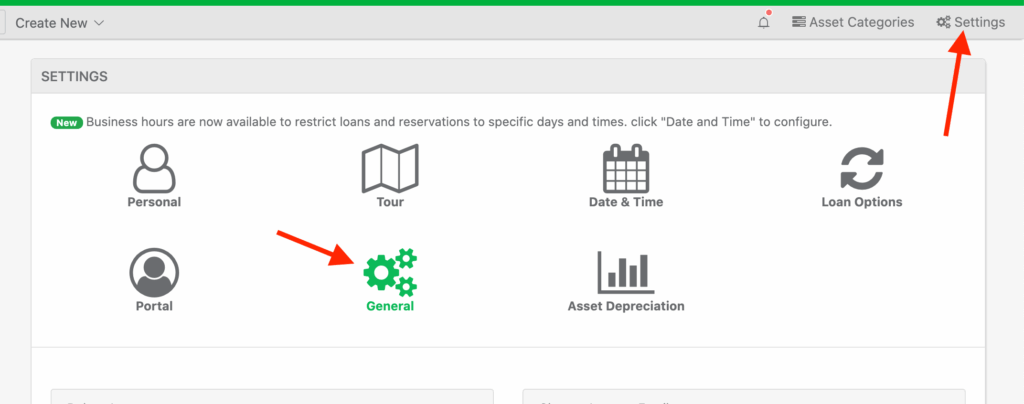
There are hundreds of currencies to choose, select yours and click “Save system-wide Settings“

Whenever you use a currency field in Reftab, it will store the value and dispaly the value properly:

Need help? We're here for you
For any questions or assistance, feel free to reach out to us.
Ready to simplify IT asset management?
No credit card. No watered-down trial. Create a free account and see firsthand what Reftab can do.